

編輯:關於 Android 程式設計
開發中反覆查到、卻又老是記不清的資源檔寫法,值得整理成一份備忘。以下收錄幾個高頻項目。
<resources>
    <!-- share items -->
    <string-array name="app_share_items">
        <item>新浪微博</item>
        <item>騰訊微博</item>
    </string-array>
</resources>
<shape xmlns:android="https://schemas.android.com/apk/res/android">
    <solid android:color="#4a90e2" />
    <corners android:radius="95dp" />
</shape>
用法:
android:background="@drawable/xml_background_button_blue"
取得這種背景後,實際型別是 Drawable.GradientDrawable,因此可以在程式碼中動態改色而保留原本的圓角設定,不必重新建立 Drawable。
Android 的顏色格式是 ARGB,alpha 範圍 0(全透明)到 255(全不透明)。寫成四位數的 #8f0f 這類簡寫也支援,可視為 pink 的縮寫形式。實務上建議統一在 colors.xml 命名管理,避免同一個色值散落在各處。
要在其他應用之上彈視窗,Manifest 裡需加上:
<uses-permission android:name="android.permission.SYSTEM_ALERT_WINDOW" />
注意這個權限在較新版本中需要引導使用者到設定頁手動開啟,單純宣告並不足夠。
這張對照表最容易搞混,記住就不會再翻錯文件:
selector 對應 StateListDrawable
<?xml version="1.0" encoding="utf-8"?>
<selector xmlns:android="https://schemas.android.com/apk/res/android">
    <item android:state_pressed="true"
        android:drawable="@drawable/xml_login_button_press"/>
    <item android:drawable="@drawable/xml_login_button_normal"/>
</selector>
也可以讓每個狀態各自帶一個 shape:
<?xml version="1.0" encoding="utf-8"?>
<selector xmlns:android="https://schemas.android.com/apk/res/android">
    <item android:state_pressed="true">
        <shape>
            <solid android:color="@color/pressed_color"/>
        </shape>
    </item>
    <item>
        <shape>
            <solid android:color="@color/transparent"/>
        </shape>
    </item>
</selector>
shape 對應 GradientDrawable
<?xml version="1.0" encoding="utf-8"?>
<shape xmlns:android="https://schemas.android.com/apk/res/android">
    <solid android:color="#4a90e2" />
    <corners android:radius="95dp" />
</shape>
1. Action 與 Activity 的綁定,兩步缺一不可
先定義一個 Action 常數:
public static final String DOWNLOAD_MANAGER = "com.james.app.download";
再在對應的 Activity 中補上 IntentFilter:
<intent-filter>
    <action android:name="com.james.app.download"/>
    <category android:name="android.intent.category.DEFAULT"/>
</intent-filter>
2. Notification 是靠 Action 區分,不是靠 ID
這一點常被誤解。許多人以為換個 notify ID 就能更新不同通知,實際上系統判斷「是不是同一則通知」看的是 Action,ID 只是次要線索。想做多則獨立通知,請給每一則不同的 Action。
延伸閱讀:《Android 資源操作技巧匯總》《Android 開發入門與進階教程》《Android 控件用法總結》《Android 短信與電話操作技巧匯總》《Android 多媒體操作技巧匯總》。
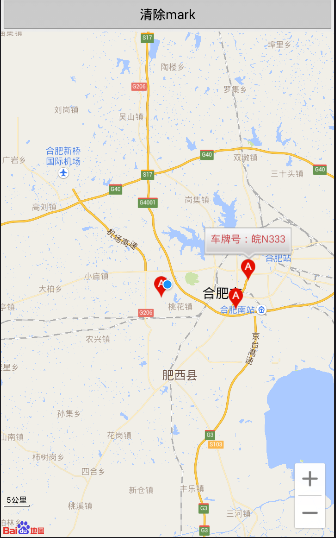 百度地圖 Android 開發踩坑與 Marker 定位實作
在 Android 專案中整合百度地圖時,常見問題包括 API Key 設定、定位服務初始化、MapView 生命週期管理,以及 Marker 資訊傳遞。以下整理實作時容
 Android 基礎系列(十):深入解讀內容提供者 ContentProvider
一、訪問私有資料庫 我們先建立一個專案,透過 SQLiteOpenHelper 建立一個名為 account 的資料庫,並在其中建立一張名為 info 的資料表。 pu
 Android RelativeLayout 詳解:相對定位與 gravity 的整體對齊
RelativeLayout 的定位方式RelativeLayout 允許子元件相對於彼此定位,例如在某元件下方、上方、左邊或右邊。這讓版面能依據元件關係排列,而不必固定
 詳解 Android 中 AsyncTask 的使用與源碼原理
不是自己不想總結,而是這篇部落格總結得太好了,自己估計總結不到這麼全,所以轉來分享,感謝原博主的共享精神。開篇如下: 在 Android 中實現異步任務機制有兩種方式:H