

編輯:關於 Android 程式設計
本文分享如何在 Android 登入界面中完成資料的保存與回顯操作,也就是俗稱的「記住密碼」功能,供需要的朋友參考。
LoginActivity.java:
package com.example.login; import java.util.Map; import android.app.Activity; import android.os.Bundle; import android.text.TextUtils; import android.view.Menu; import android.view.View; import android.widget.Button; import android.widget.CheckBox; import android.widget.EditText; import android.widget.Toast; import com.example.login.service.FileService; public class LoginActivity extends Activity { public EditText edit_name,edit_pass; public Button btn_login; public CheckBox box_remeber; public FileService fileService; @Override protected void onCreate(Bundle savedInstanceState) { super.onCreate(savedInstanceState); setContentView(R.layout.activity_login); fileService=new FileService(this); edit_name=(EditText) findViewById(R.id.edit_name); edit_pass=(EditText) findViewById(R.id.edit_pass); btn_login=(Button) findViewById(R.id.btn_login); box_remeber=(CheckBox) findViewById(R.id.cbx_remember); btn_login.setOnClickListener(new MyOnClickListener()); Map<String, String> map=fileService.readFile("private.txt"); if(map!=null){ edit_name.setText(map.get("name")); edit_pass.setText(map.get("pass")); } } @Override public boolean onCreateOptionsMenu(Menu menu) { // Inflate the menu; this adds items to the action bar if it is present. getMenuInflater().inflate(R.menu.login, menu); return true; } class MyOnClickListener implements View.OnClickListener{ @Override public void onClick(View v) { int id=v.getId(); switch (id) { case R.id.btn_login: String name=edit_name.getText().toString(); String pass=edit_pass.getText().toString(); if(TextUtils.isEmpty(name)){ Toast.makeText(LoginActivity.this, "用戶名不能為空", Toast.LENGTH_SHORT).show(); return; }else if(TextUtils.isEmpty(pass)){ Toast.makeText(LoginActivity.this, "密碼不能為空", Toast.LENGTH_SHORT).show(); return; }else{ if(box_remeber.isChecked()){ LoginActivity.this.fileService.saveToRom(name, pass, "private.txt"); Toast.makeText(LoginActivity.this, "用戶名和密碼已保存", Toast.LENGTH_SHORT).show(); }else{ Toast.makeText(LoginActivity.this, "用戶名和密碼不需要保存", Toast.LENGTH_SHORT).show(); } } break; default: break; } } } }
FileService.java:
package com.example.login.service; import java.io.FileInputStream; import java.io.FileOutputStream; import java.util.HashMap; import java.util.Map; import com.example.login.utils.StreamTools; import android.content.Context; public class FileService { public Context context; public FileService(Context context) { this.context = context; } public boolean saveToRom(String name,String pass,String fileName){ try{ FileOutputStream fos=context.openFileOutput(fileName, Context.MODE_PRIVATE); String result=name+":"+pass; fos.write(result.getBytes()); fos.flush(); fos.close(); }catch(Exception e){ e.printStackTrace(); return false; } return true; } public Map<String,String> readFile(String fileName){ Map<String,String> map=null; try{ FileInputStream fis=context.openFileInput(fileName); String value=StreamTools.getValue(fis); String values[]=value.split(":"); if(values.length>0){ map=new HashMap<String, String>(); map.put("name", values[0]); map.put("pass", values[1]); } }catch(Exception e){ e.printStackTrace(); } return map; } }
StreamTools.java:
package com.example.login.utils; import java.io.ByteArrayOutputStream; import java.io.FileInputStream; public class StreamTools { public static String getValue(FileInputStream fis) throws Exception{ ByteArrayOutputStream stream=new ByteArrayOutputStream(); byte[] buffer=new byte[1024]; int length=-1; while((length=fis.read(buffer))!=-1){ stream.write(buffer,0,length); } stream.flush(); stream.close(); String value=stream.toString(); return value; } }
login_activity.xml:
<RelativeLayout xmlns:android="https://schemas.android.com/apk/res/android" xmlns:tools="https://schemas.android.com/tools" android:layout_width="match_parent" android:layout_height="match_parent" android:paddingBottom="@dimen/activity_vertical_margin" android:paddingLeft="@dimen/activity_horizontal_margin" android:paddingRight="@dimen/activity_horizontal_margin" android:paddingTop="@dimen/activity_vertical_margin" tools:context=".LoginActivity" > <LinearLayout android:layout_width="match_parent" android:layout_height="wrap_content" android:layout_alignParentLeft="true" android:layout_alignParentTop="true" android:orientation="vertical" > <LinearLayout android:layout_width="match_parent" android:layout_height="wrap_content" > <TextView android:id="@+id/view_name" android:layout_width="wrap_content" android:layout_height="wrap_content" android:text="@string/text_name" /> <EditText android:id="@+id/edit_name" android:layout_width="0dp" android:layout_height="wrap_content" android:layout_weight="1" android:ems="10" android:inputType="textPersonName"> <requestFocus /> </EditText> </LinearLayout> <LinearLayout android:layout_width="match_parent" android:layout_height="wrap_content" > <TextView android:id="@+id/view_pass" android:layout_width="wrap_content" android:layout_height="wrap_content" android:text="@string/text_pass" /> <EditText android:id="@+id/edit_pass" android:layout_width="0dp" android:layout_height="wrap_content" android:layout_weight="1" android:ems="10" android:inputType="textPassword" /> </LinearLayout> <LinearLayout android:layout_width="match_parent" android:layout_height="wrap_content" > <Button android:id="@+id/btn_login" android:layout_width="wrap_content" android:layout_height="wrap_content" android:layout_weight="0.17" android:text="@string/text_login" /> <CheckBox android:id="@+id/cbx_remember" android:layout_width="wrap_content" android:layout_height="wrap_content" android:layout_marginLeft="80dp" android:text="@string/text_rember" /> </LinearLayout> </LinearLayout> </RelativeLayout>
String.xml:
<?xml version="1.0" encoding="utf-8"?> <resources> <string name="app_name">login</string> <string name="action_settings">Settings</string> <string name="hello_world">Login</string> <string name="text_name">用戶名:</string> <string name="text_pass">密 碼:</string> <string name="text_login">登陸</string> <string name="text_rember">記住密碼</string> </resources>
整體流程是:在 onCreate 時先呼叫 FileService.readFile 讀取本地檔案,若有資料就自動帶入帳號與密碼輸入框;點擊登入時,若「記住密碼」被勾選,就透過 openFileOutput 把帳密寫入私有檔案。不過這裡要特別提醒:以純文字將密碼明文存進檔案其實並不安全,實務上應改用加密或 Android 官方建議的加密方案(如 EncryptedSharedPreferences),並搭配 KEYSTORE 管理金鑰,切勿直接明文保存使用者密碼。
希望本文所述能對你的 Android 程式設計有所幫助。
 Android 實作:取得進程總數、記憶體與任務列表
如今 Android 上的應用琳瑯滿目,其中不乏一些能管理手機進程、記憶體與任務列表的工具。系統雖然在設定裡提供了類似功能,但每次都要跑進系統設定查看未免麻煩。那麼,要如
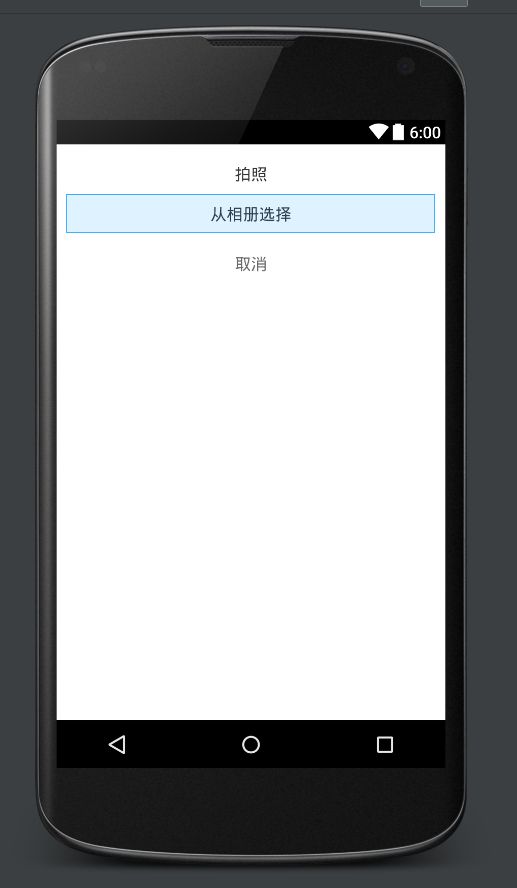 Android 頭像更換實戰:相冊選擇、拍照與裁剪上傳
##需求:個人介面的頭像圖片切換 方式一:點擊彈窗切換頭像 — 相冊選擇 二、這裡有兩種方式:從相冊選擇與直接拍照。假設現在是從相冊選擇頭像 * 我在彈窗確
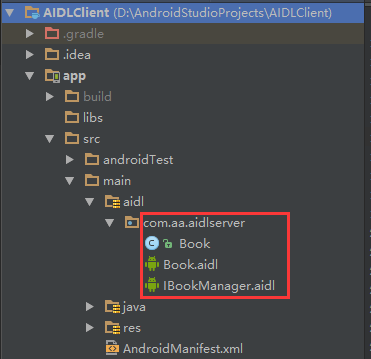 IPC 學習筆記:用 AIDL 實作跨進程書籍管理 Demo
最近在學習 IPC(行程間通訊),這篇把 AIDL 的使用方式完整記錄下來,並附上一個可運行的 Demo:服務端每分鐘自動新增一本書,客戶端透過跨進程呼叫取得書單,並且也
 Android 入門:Gallery 控件的基礎用法實例
Gallery 是 Android 裡相當好用的看图控件,能大幅減少開發看图功能的工作量,而且效果本身就頗為美觀。本文的實例有一個重點:用反射機制動態讀取資源中的圖片,而