

編輯:關於 Android 程式設計
本文透過實例,講解如何在 Android 中實作類似心臟跳動的縮放動畫效果。
核心做法是把「放大並變淡」與「縮回並還原」兩個動畫串接起來,形成一來一回的節奏,模擬心跳的收縮與舒張:
// 按鈕模擬心髒跳動 private void playHeartbeatAnimation() { AnimationSet animationSet = new AnimationSet(true); animationSet.addAnimation(new ScaleAnimation(1.0f, 1.8f, 1.0f, 1.8f, Animation.RELATIVE_TO_SELF, 0.5f, Animation.RELATIVE_TO_SELF, 0.5f)); animationSet.addAnimation(new AlphaAnimation(1.0f, 0.4f)); animationSet.setDuration(200); animationSet.setInterpolator(new AccelerateInterpolator()); animationSet.setFillAfter(true); animationSet.setAnimationListener(new AnimationListener() { @Override public void onAnimationStart(Animation animation) { } @Override public void onAnimationRepeat(Animation animation) { } @Override public void onAnimationEnd(Animation animation) { AnimationSet animationSet = new AnimationSet(true); animationSet.addAnimation(new ScaleAnimation(1.8f, 1.0f, 1.8f, 1.0f, Animation.RELATIVE_TO_SELF, 0.5f, Animation.RELATIVE_TO_SELF, 0.5f)); animationSet.addAnimation(new AlphaAnimation(0.4f, 1.0f)); animationSet.setDuration(600); animationSet.setInterpolator(new DecelerateInterpolator()); animationSet.setFillAfter(false); // 實現心跳的View imageView.startAnimation(animationSet); } }); // 實現心跳的View imageView.startAnimation(animationSet); }
由於這是一個持續循環的動畫,需要開一個執行緒來驅動。當然還有另一種做法,就是在動畫結束時啟動下一段動畫,如此交替也能達到同樣效果;這裡的範例採用的是執行緒的方式:
new Thread(){ public void run() { while (true){ try { Thread.sleep(1000); } catch (InterruptedException e) { // TODO Auto-generated catch block e.printStackTrace(); } runOnUiThread(new Runnable() { public void run() { playHeartbeatAnimation(); } }); } }; }.start();
要特別注意的是,動畫的更新必須在 UI 執行緒上進行,因此範例中透過 runOnUiThread 來觸發動畫,避免直接在其他執行緒操作 View 造成異常。希望本文所述能對大家的 Android 程式設計有所幫助。
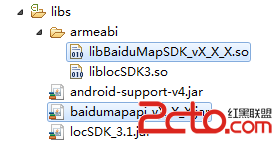 Android 百度地圖環境搭建:從密鑰申請到地圖顯示
要在 Android 專案中使用百度地圖,第一步不是寫程式,而是把環境準備好。從申請密鑰、下載 SDK 到配置權限,每一個環節都會影響地圖是否能正常顯示。 申請密鑰 開發
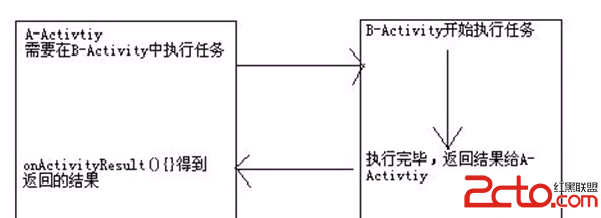 Android Activity 回傳資料:startActivityForResult 實作解析
回傳資料的需求 有些情境下,我們不只是要開啟另一個 Activity,還希望它結束後把結果帶回來。例如選擇聯絡人、選擇號碼或挑選圖片。 startActivityFor
 Android Studio 進階 Debug 技巧:那些少有人用的好用功能
斷點跟蹤是開發過程中定位 Bug 的核心手段。不同 IDE 的 Debug 工具介面各異,但該有的能力其實都在。問題在於,多數人的 Debug 功力停留在「單步執行」和「
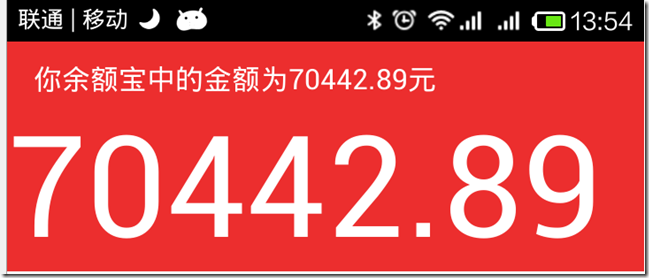 Android 實作:打造類似支付寶餘額快速跳動的動態數字效果
本文分享如何做出類似支付寶那種「餘額進場時數字嘩啦啦往上跳」的動態效果,提供給有相同需求的開發者參考。 如下圖所示,靜態圖片看不出差別,但實際執行時數字會快速跳動。 先