

編輯:關於 Android 程式設計
有時候我們需要實時掌握 ScrollView 的滑動情況,例如滑動了多少距離、是否已經滑到頂部或底部。遺憾的是 SDK 並沒有直接提供對外的方法,只保留了一個 protected 的 onScrollChanged(),外部無法調用。解決思路很簡單:自定義一個 ScrollView,並通過接口把這個回調暴露出來。
package com.example.demo1;

public interface ScrollViewListener {
    void onScrollChanged(ObservableScrollView scrollView, int x, int y, int oldx, int oldy);
}
重寫 ScrollView,並在 onScrollChanged 中把事件轉發給監聽器:
package com.example.demo1;

import android.content.Context;
import android.util.AttributeSet;
import android.widget.ScrollView;

public class ObservableScrollView extends ScrollView {

    private ScrollViewListener scrollViewListener = null;

    public ObservableScrollView(Context context) {
        super(context);
    }

    public ObservableScrollView(Context context, AttributeSet attrs, int defStyle) {
        super(context, attrs, defStyle);
    }

    public ObservableScrollView(Context context, AttributeSet attrs) {
        super(context, attrs);
    }

    public void setScrollViewListener(ScrollViewListener scrollViewListener) {
        this.scrollViewListener = scrollViewListener;
    }

    @Override
    protected void onScrollChanged(int x, int y, int oldx, int oldy) {
        super.onScrollChanged(x, y, oldx, oldy);
        if (scrollViewListener != null) {
            scrollViewListener.onScrollChanged(this, x, y, oldx, oldy);
        }
    }
}
注意在 XML 中要寫對完整包名,否則會加載失敗:
<LinearLayout xmlns:android="https://schemas.android.com/apk/res/android"
    xmlns:tools="https://schemas.android.com/tools"
    android:layout_width="match_parent"
    android:layout_height="match_parent"
    android:orientation="horizontal"
    tools:context=".MainActivity" >

    <com.example.demo1.ObservableScrollView
        android:id="@+id/view1"
        android:layout_width="wrap_content"
        android:layout_height="match_parent" >
        <!-- 內部放置若干 TextView 等子控件 -->
    </com.example.demo1.ObservableScrollView>

    <com.example.demo1.ObservableScrollView
        android:id="@+id/view2"
        android:layout_width="wrap_content"
        android:layout_height="match_parent" >
        <!-- 內部放置若干 TextView 等子控件 -->
    </com.example.demo1.ObservableScrollView>

</LinearLayout>
讓 Activity 實現 ScrollViewListener 接口,即可在滑動時做出響應,例如下面實現左右兩個列表的同步滑動:
public class MainActivity extends Activity implements ScrollViewListener {

    private ObservableScrollView scrollView1 = null;
    private ObservableScrollView scrollView2 = null;

    @Override
    protected void onCreate(Bundle savedInstanceState) {
        super.onCreate(savedInstanceState);
        setContentView(R.layout.activity_main);

        scrollView1 = (ObservableScrollView) findViewById(R.id.view1);
        scrollView1.setScrollViewListener(this);

        scrollView2 = (ObservableScrollView) findViewById(R.id.view2);
        scrollView2.setScrollViewListener(this);
    }

    @Override
    public void onScrollChanged(ObservableScrollView scrollView, int x, int y, int oldx, int oldy) {
        if (scrollView == scrollView1) {
            scrollView2.scrollTo(x, y);
        } else if (scrollView == scrollView2) {
            scrollView1.scrollTo(x, y);
        }
    }
}
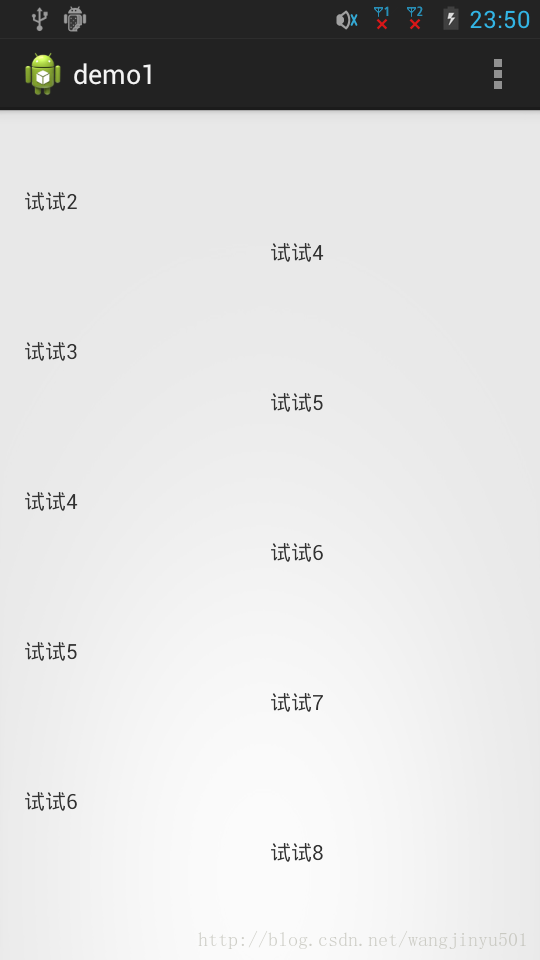
通過這種方式,我們就能像使用 ListView 的 OnScrollListener 一樣,自由地在滑動過程中執行自定義邏輯。
 Android 記憶體洩漏的排查思路與實用工具
Java 虛擬機運行時通常有一個記憶體上限,一旦超過就會拋出 OutOfMemoryError。而這種情況背後往往存在記憶體洩漏。 我認為解決記憶體洩漏可以拆成兩個步驟:
 微信如何轉發文章?分享給好友與朋友圈教學
在微信閱讀到喜歡的文章時,可透過右上角選單分享給朋友或分享到朋友圈。1. 開啟文章,點擊右上角三點選單。2. 選擇分享到朋友圈或傳送給好友。3. 確認發送後,即完成轉發。
 Android Toolbar 使用指南:從基本配置到沉浸式狀態欄
Toolbar 是什麼 Toolbar 是 Android 5.0 之後用來取代 ActionBar 的導航元件。與 ActionBar 相比,Toolbar 本身是一個
 自定義 ListView 實作下拉刷新:兩個檔案搞定流暢動畫
先看效果: 現在的 App 幾乎都少不了下拉刷新,需求多、開源方案自然也多。但真正要用起來卻常常不順:PullToRefreshView 這類庫若把源碼整包搬進專案太繁