

編輯:關於 Android 程式設計
要在 App 裡開啟一個網頁,最乾淨的做法就是把工作交給系統:發一個 ACTION_VIEW 的 Intent,Android 會自動挑出可以處理 http 連結的應用程式。
package com.gzz.whyinzi;

import android.net.Uri;
import android.os.Bundle;
import android.app.Activity;
import android.content.Intent;
import android.util.Log;
import android.view.Menu;
import android.view.View;

public class MainActivity extends Activity {
    private static final String TAG = "ActivityDemo";

    @Override
    protected void onCreate(Bundle savedInstanceState) {
        super.onCreate(savedInstanceState);
        setContentView(R.layout.activity_main);

        Intent intent = new Intent();
        intent.setAction("android.intent.action.VIEW");
        Uri content_url = Uri.parse("https://www.jb51.net");
        intent.setData(content_url);
        startActivity(intent);
    }

    @Override
    protected void onResume() {
        super.onResume();
        Intent intent = new Intent();
        intent.setAction("android.intent.action.VIEW");
        Uri content_url = Uri.parse("https://play.jb51.net");
        intent.setData(content_url);
        startActivity(intent);
        Log.e(TAG, "start onResume~~~");
    }

    @Override
    protected void onStop() {
        super.onStop();
        this.finish();
        Log.e(TAG, "start onStop~~~");
    }
}
onResume() 這段是為了處理「沒有預設瀏覽器」的情況:系統會跳出選擇視窗讓使用者挑用哪個瀏覽器開啟,如果使用者按下取消,畫面會留下黑底。因此在 onResume() 中再次呼叫開啟瀏覽器,可以避開這個尷尬狀態。
onStop() 則負責在瀏覽器被選定、頁面確實開啟之後結束目前的程式。
實際上不需要自己拼 action 字串,Android 內建了 Intent.ACTION_VIEW 常數,可讀性更好:
Intent intent = new Intent(Intent.ACTION_VIEW, Uri.parse("https://www.example.com"));
startActivity(intent);
幾個實務上會遇到的狀況:
https:// 或 https:// 前綴,少了 scheme 會找不到能處理的應用程式而丟出 ActivityNotFoundException。startActivity 之前用 queryIntentActivities() 確認有可用程式,避免在極簡 ROM 上直接崩潰。onResume() 容易形成「跳出去又被拉回來」的迴圈,正式專案請改綁在按鈕或明確的生命週期時機上。WebView 或 Chrome Custom Tabs 會比跳出外部瀏覽器更能留住使用者。 Android 學習筆記:Home Screen Widgets(二)配置、資料與生命週期
上一篇我們完成了 widget 的定義,也看見它出現在 widget 列表裡。當使用者把 widget 拖曳到主畫面時,如果 appwidget-provider 中定義
 Android Canvas繪圖:PorterDuffXfermode用法與工作原理詳解
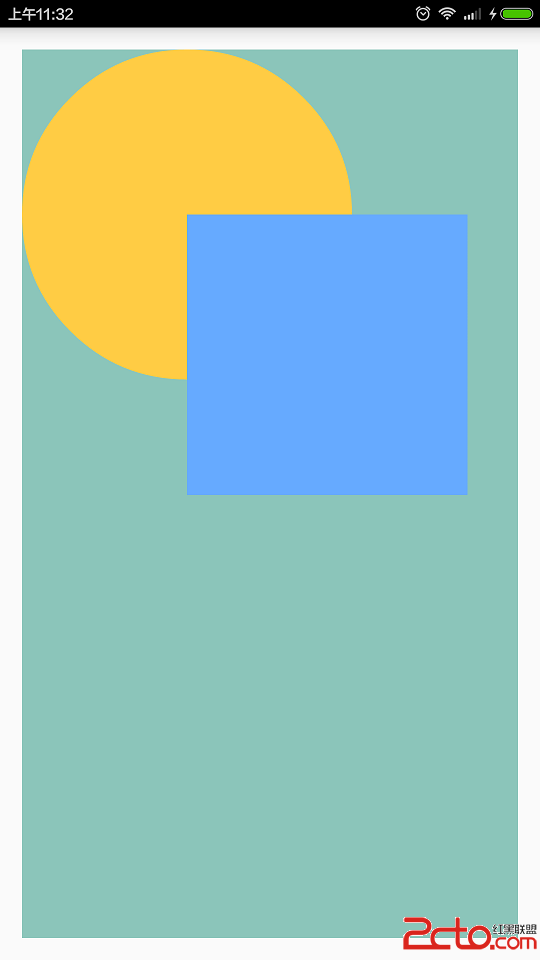
概述 類別 android.graphics.PorterDuffXfermode 繼承自 android.graphics.Xfermode。在用Canvas進行繪圖時
 Android N 開發指南:環境搭建與 20 項新特性盤點
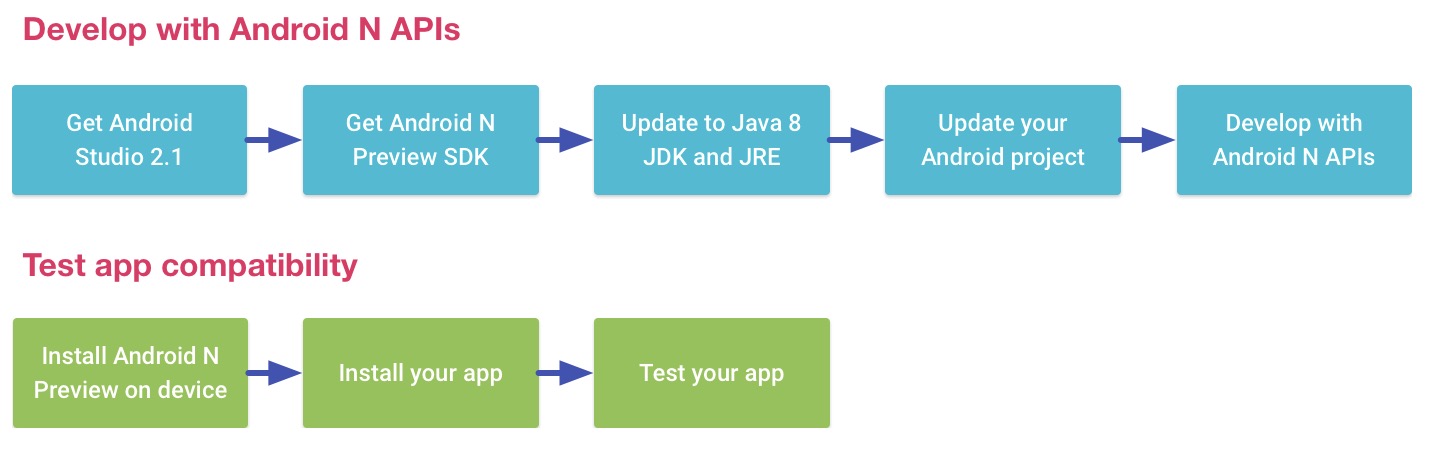
一、前言 如果英文不錯,建議直接看官方文檔,官網底部也提供多語言切換:https://developer.android.com/preview/api-overview
 Android 7.0 PackageManagerService 深度解析:APK 安裝流程
從 adb install 開始 APK 安裝可由多種入口觸發,本文以 adb install 為起點,說明 PackageManagerService 在安裝過程中的關