

編輯:關於 Android 程式設計
想看 framework 的原始實作,就得把 Android SDK 的源碼抓下來,再掛進 IDE 裡讓 Ctrl+點擊能直接跳轉。整個流程可以拆成兩部分:第一部分是下載源碼,第二部分是把源碼附加到 Eclipse。
Linux 2.6 搭配 Python 2.4.3,或使用 Windows XP。核心工具是 Git——Android 的程式碼本身就是用 Git 管理的。
Linux 端可到 https://git-scm.com/ 取得原始碼自行編譯,這也是 Linux 核心的版本管理工具:
tar -xvf git-1.6.6.tar.bz2
./configure
make
make install
Windows 端則與一般應用程式一樣,下載安裝檔執行即可(https://code.google.com/p/msysgit/downloads/list)。Windows 版 Git 同時提供 Linux shell 命令列與 GUI 圖形介面兩種操作方式;用預設選項安裝時,桌面上產生的 Git 圖示是用來開啟 shell 工具的,指令用法與 Linux 完全相同。
mkdir android_sdk_src   # 建立存放 SDK 源碼的目錄
cd android_sdk_src      # 進入該目錄
git clone git://android.git.kernel.org/platform/frameworks/base.git
相關資源整理如下:
Android 資源分布說明:https://source.android.com/projects#TOC-External-projects
Android Git 主站:https://android.git.kernel.org/
Git 下載頁:https://code.google.com/p/msysgit/
在主站首頁其實已經寫得很清楚:如果只需要取得單一棵程式碼樹,用下面的語法即可:
git clone git://android.git.kernel.org/ + project path.git
若想下載整個 Android 平台,則要透過 repo 輔助腳本。先用 curl 取得並部署:
curl https://android.git.kernel.org/repo > ~/bin/repo
chmod a+x ~/bin/repo
mkdir mydroid
cd mydroid
repo init -u git://android.git.kernel.org/platform/manifest.git
repo sync
repo 腳本本身也可直接從 https://android.git.kernel.org/repo 下載。
做法是欺騙 Eclipse:讓它以為 android.jar 旁邊就有對應的 sources 目錄。
在你的 SDK 目錄(也就是 android.jar 所在位置)新建一個 sources 資料夾,把下載回來的源碼(根目錄為 base)中 base/core/java/ 底下的 android 與 com 兩個目錄複製進去。最終的目錄結構如下:
SDK_PATH
  | android.jar
  +--docs/...
  +--samples/...
  +--sources
      +--android
      |     ...accounts, annotation, app, bluetooth, etc...
      +--com/android/etc...
      +--dalvik/...
      +--java/...
      +--javax/...
完成後重新開啟 Eclipse,附加動作即生效,之後檢視 framework 類別就能直接讀到對應的 Java 實作。這個技巧的原始說明可參考 https://stuffthathappens.com/blog/2008/11/01/browsing-android-source-in-eclipse/。
小提醒:近年 Android 的 Git 主機與 repo 初始化流程已有變動,實作時建議以 source.android.com 上的最新說明為準。
 Android 增量更新實戰:bsdiff + CMake 構建 so
一直想搞明白增量更新是怎麼回事,趁著查資料的機會折騰了幾天,順手把 NDK 開發也練了一遍。 效果預覽 環境 Android Studio 2.2.1 for Wi
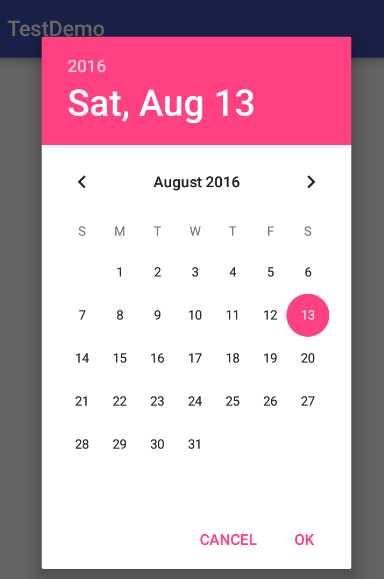 Android 日期與時間選擇器實作:TimePickerDialog 與 DatePickerDialog 完整指南
前言 大部分 Android 入門教學都不會提到怎麼讓使用者「選」時間,於是初學者遇到需求時往往不知所措。難不成要讓使用者自己打字輸入日期?先不說體驗很差,光是處理五花八
 使用 SurfaceView 實作直播點贊飄心動畫
直播中的點贊動畫常用愛心由下往上飄動,並搭配放大、透明與曲線軌跡。本文以 SurfaceView 為基礎,說明如何建立多顆愛心、控制動畫生命週期,並進行簡單效能優化。
 Android AttributeSet 介面詳解:XML 屬性集合的讀取方式
AttributeSet 是 android.util.AttributeSet 介面,已知間接的子類別為 XmlResourceParser。凡是自定義過 View 的