

編輯:關於 Android 程式設計
NFC 讀卡的流程可以概括為四步:聲明權限與特性、初始化 PendingIntent 與 NfcAdapter、在 onResume 中開啟前台分發、在 onNewIntent 中解析 Tag 拿到卡號。下面逐段說明。
<uses-permission android:name="android.permission.NFC" />
<uses-feature android:name="android.hardware.nfc" android:required="true" />
如果希望設備不支持 NFC 時也能正常安裝,把 android:required 改為 false,並在代碼中做能力檢測。
同時在目標 Activity 中聲明 intent-filter:
<intent-filter>
    <action android:name="android.intent.action.MAIN" />
    <category android:name="android.intent.category.DEFAULT" />
</intent-filter>
Intent nfcIntent = new Intent(this, getClass());
nfcIntent.addFlags(Intent.FLAG_ACTIVITY_SINGLE_TOP);
mPendingIntent = PendingIntent.getActivity(this, 0, nfcIntent, 0);

mAdapter = NfcAdapter.getDefaultAdapter(this);
if (mAdapter == null) {
    Toast.makeText(getApplicationContext(),
            "此設備不支持 NFC 功能", Toast.LENGTH_SHORT).show();
    return;
}
這裡的 PendingIntent 是關鍵:它把「希望被系統重新拉起的意圖」交給系統,當有 Tag 靠近時,系統會直接把这个 Intent 送給前台的 Activity。 FLAG_ACTIVITY_SINGLE_TOP 則保證已存在的 Activity 走 onNewIntent 而不是被重建。
private NfcAdapter mAdapter;
private PendingIntent mPendingIntent;

@TargetApi(Build.VERSION_CODES.GINGERBREAD_MR1)
@Override
protected void onResume() {
    super.onResume();
    mAdapter.enableForegroundDispatch(this, mPendingIntent, null, null);
}

@Override
protected void onNewIntent(Intent intent) {
    getTagInfo(intent);
}

@TargetApi(Build.VERSION_CODES.GINGERBREAD_MR1)
@Override
protected void onPause() {
    super.onPause();
    if (mAdapter != null) {
        mAdapter.disableForegroundDispatch(this);
    }
}
前台分發必須在 onResume 開啟、onPause 關閉,否則界面不可見時仍會搶走 NFC 事件。
@TargetApi(Build.VERSION_CODES.GINGERBREAD_MR1)
private void getTagInfo(Intent intent) {
    Tag tag = intent.getParcelableExtra(NfcAdapter.EXTRA_TAG);
    byte[] tagId = tag.getId();

    String str = ByteArrayToHexString(tagId);
    str = flipHexStr(str);              // NFC 卡號的字節序與展示習慣相反,需要翻轉
    Long cardNo = Long.parseLong(str, 16);

    if (m_isOnline) {
        new CardValidationAsyncTask().execute(cardNo.toString());
    }
}
兩個輔助方法:
/** 按兩位一組逆序翻轉十六進制字符串 */
private String flipHexStr(String s) {
    StringBuilder result = new StringBuilder();
    for (int i = 0; i <= s.length() - 2; i = i + 2) {
        result.append(new StringBuilder(s.substring(i, i + 2)).reverse());
    }
    return result.reverse().toString();
}

/** 字節數組轉十六進制字符串 */
private String ByteArrayToHexString(byte[] inarray) {
    int i, j, in;
    String[] hex = { "0", "1", "2", "3", "4", "5", "6", "7",
                     "8", "9", "A", "B", "C", "D", "E", "F" };
    String out = "";
    for (j = 0; j < inarray.length; ++j) {
        in = (int) inarray[j] & 0xff;
        i = (in >> 4) & 0x0f;
        out += hex[i];
        i = in & 0x0f;
        out += hex[i];
    }
    return out;
}
需要特別提醒的是,tag.getId() 拿到的卡號在不同讀卡設備與不同卡片上的表現可能不一致,因此上線前一定要用真實卡片比對驗證,避免與後端約定好的卡號規則對不上。
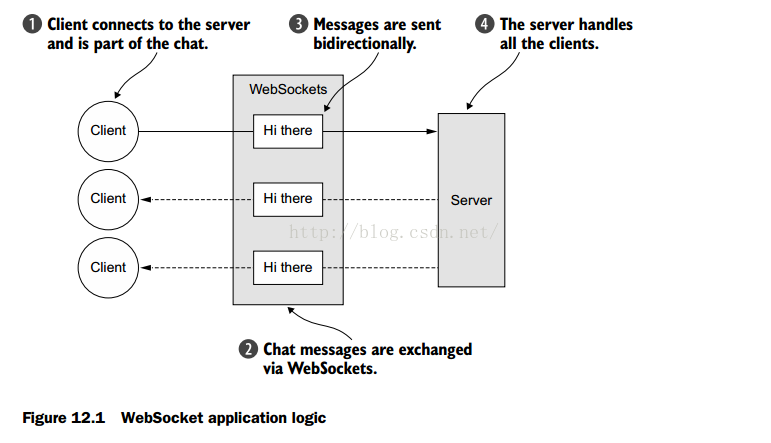 Netty 實戰(二十三)第十二章 WebSocket:打造即時聊天室
第三篇:網絡協議 WebSocket 是一項為提升網絡性能與 Web 應用響應速度而生的協議。本章我們將重點介紹 Netty 對 WebSocket 的支持
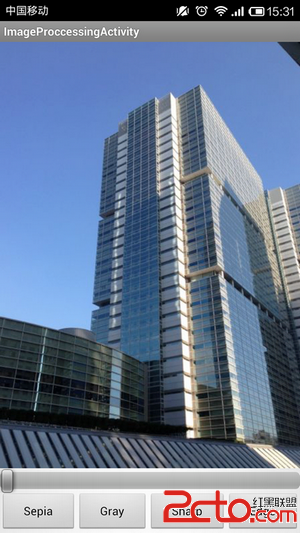 Android 圖像處理利器:GPUImage 使用指南
GPUImage 最初是 iOS 上一個基於 GPU 的開源圖像處理庫,內建大量濾鏡,並支援相機與攝像機的即時濾鏡效果。GPUImage for Android 是它在
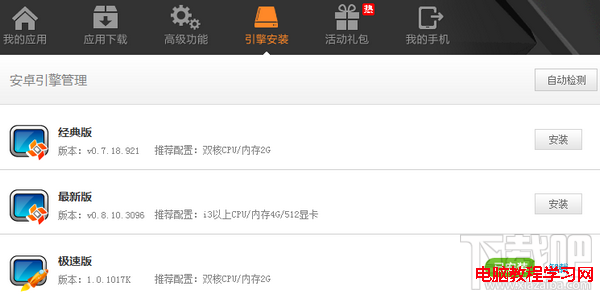 靠譜助手卡頓怎麼辦:四個方向一次試
靠譜助手是國內相當知名的電腦端安卓模擬器,用的人不少。但它最被詬病的一點就是卡,而且幾乎沒有可調的空間——一個小程式都能跑得很滯,畫面與操作都不順。綜合官方與使用者回饋來
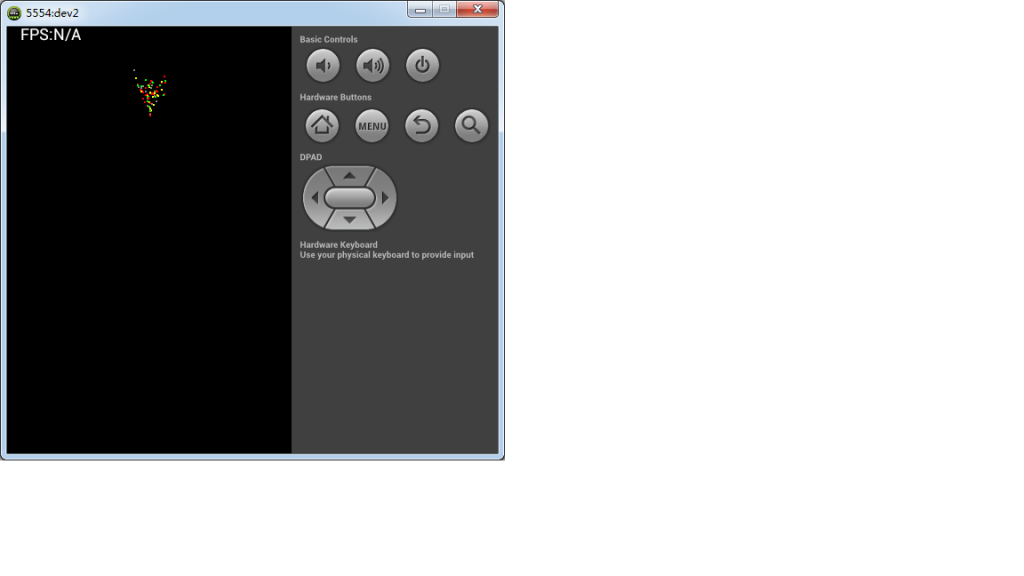 Android 粒子系統實作:焰火綻放與瀑布效果
焰火、瀑布、下雪、爆炸——這些特效背後都是同一套技術:粒子系統。它與單個物體的運動模擬有相似之處,都是靠數學公式推算軌跡;差別在於粒子系統關注的是「整體視覺氛圍」,而非單