

編輯:關於 Android 程式設計
Notification 讓我們能在收到訊息時,於狀態列、鎖屏介面或通知面板上呈現提示,是背景服務與使用者溝通的主要管道。以下整理不同 API Level 的寫法與清除方式。
// 取得通知管理器
NotificationManager manager =
        (NotificationManager) getSystemService(Context.NOTIFICATION_SERVICE);

// 建立 PendingIntent,決定點擊後要跳去哪裡
PendingIntent pendingIntent =
        PendingIntent.getActivity(this, 0, new Intent(this, MainActivity.class), 0);

// 透過 Notification.Builder 建立通知
// 注意:Builder 是 API 11 引入,build() 則是 API 16 才加入
Notification notify = new Notification.Builder(this)
        .setSmallIcon(R.drawable.message)
        .setTicker("您有新短訊息,請注意查收!")
        .setContentTitle("Notification Title")
        .setContentText("This is the notification message")
        .setContentIntent(pendingIntent)
        .setNumber(1)
        .build();

// 點擊後自動清除通知
notify.flags |= Notification.FLAG_AUTO_CANCEL;

// 發送通知;id 不同時每次點擊都會在狀態列累積一則
manager.notify(NOTIFICATION_ID, notify);
在 API 11 ~ 15 之間,則改用已不建議使用的 getNotification() 取代 build()。
NotificationManager manager = (NotificationManager) getSystemService(Context.NOTIFICATION_SERVICE);

Notification.Builder builder = new Notification.Builder(this);

Intent mIntent = new Intent(Intent.ACTION_VIEW,
        Uri.parse("https://example.com"));
PendingIntent pendingIntent = PendingIntent.getActivity(this, 0, mIntent, 0);

builder.setContentIntent(pendingIntent);
builder.setSmallIcon(R.drawable.message);
// 5.0 之後可以在通知中顯示大圖示
builder.setLargeIcon(BitmapFactory.decodeResource(getResources(), R.drawable.message));
builder.setAutoCancel(true);
builder.setContentTitle("普通通知");

manager = (NotificationManager) getSystemService(NOTIFICATION_SERVICE);
manager.notify(0, builder.build());
// 只清除指定 id 的通知
manager.cancel(NOTIFICATION_ID);

// 清除所有由本 App 發出的通知
// manager.cancelAll();
setSmallIcon() 是必填的,缺少會導致通知無法顯示甚至直接拋出例外。setAutoCancel(true) 與 flags |= FLAG_AUTO_CANCEL 效果相同,都是點擊後自動消失,兩者擇一即可。setNumber() 即可。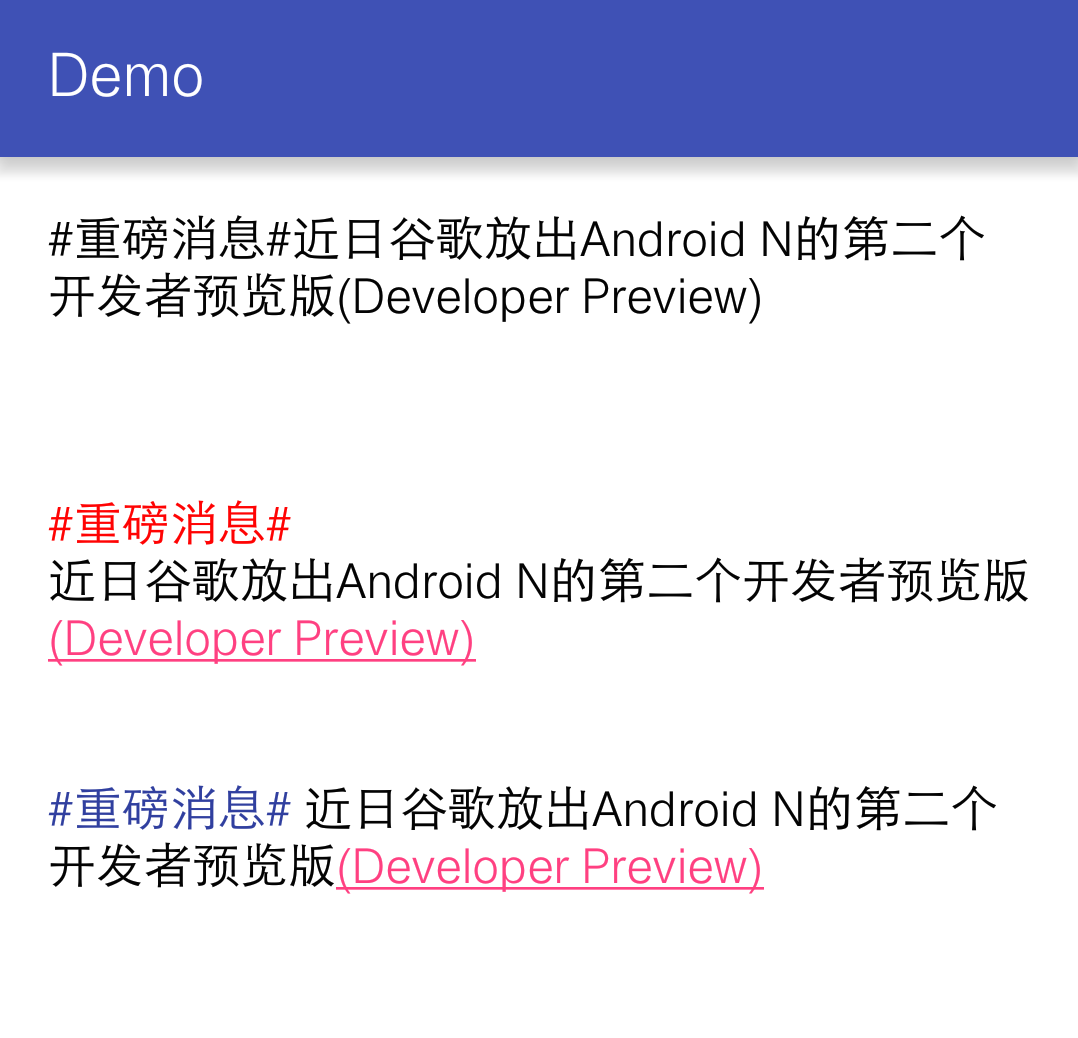 Android SpannableString 詳解:讓文字擁有變色、點擊與多樣樣式
引言 在 App 開發過程中,經常需要對一段文字做細緻的加工,例如替其中某幾個字設定不同的前景色,或為局部文字掛上點擊事件。要達成這類需求,SpannableString
 深入淺出 Android ContentProvider 資料共享機制
在 Android 的四大元件中,ContentProvider(內容提供者)是唯一專責「對外共享資料」的元件。它讓不同應用之間能以統一的方式存取彼此(或系統)的資料,像
 Android UI 系列:ScrollView 與 HorizontalScrollView 詳解
本篇將講解 Android 中兩個常用的滾動容器——ScrollView 與 HorizontalScrollView。顧名思義,ScrollView 是一個可垂直滾動的
 Android 入門:SurfaceView 基本用法與繪圖效率分析
前面介紹 MediaPlayer 時稍微提過 SurfaceView。由於它能直接從記憶體或 DMA 等硬體介面取得圖像資料,SurfaceView 在繪圖這件事上佔有相