

編輯:關於 Android 程式設計
用 RadioGroup 搭配 ViewPager 與 Fragment 實作可滑動的 Tab 頁,結構簡單卻相當靈活——RadioGroup 負責互斥選中狀態,ViewPager 負責頁面容器,Fragment 負責內容,三者透過監聽器雙向聯動。
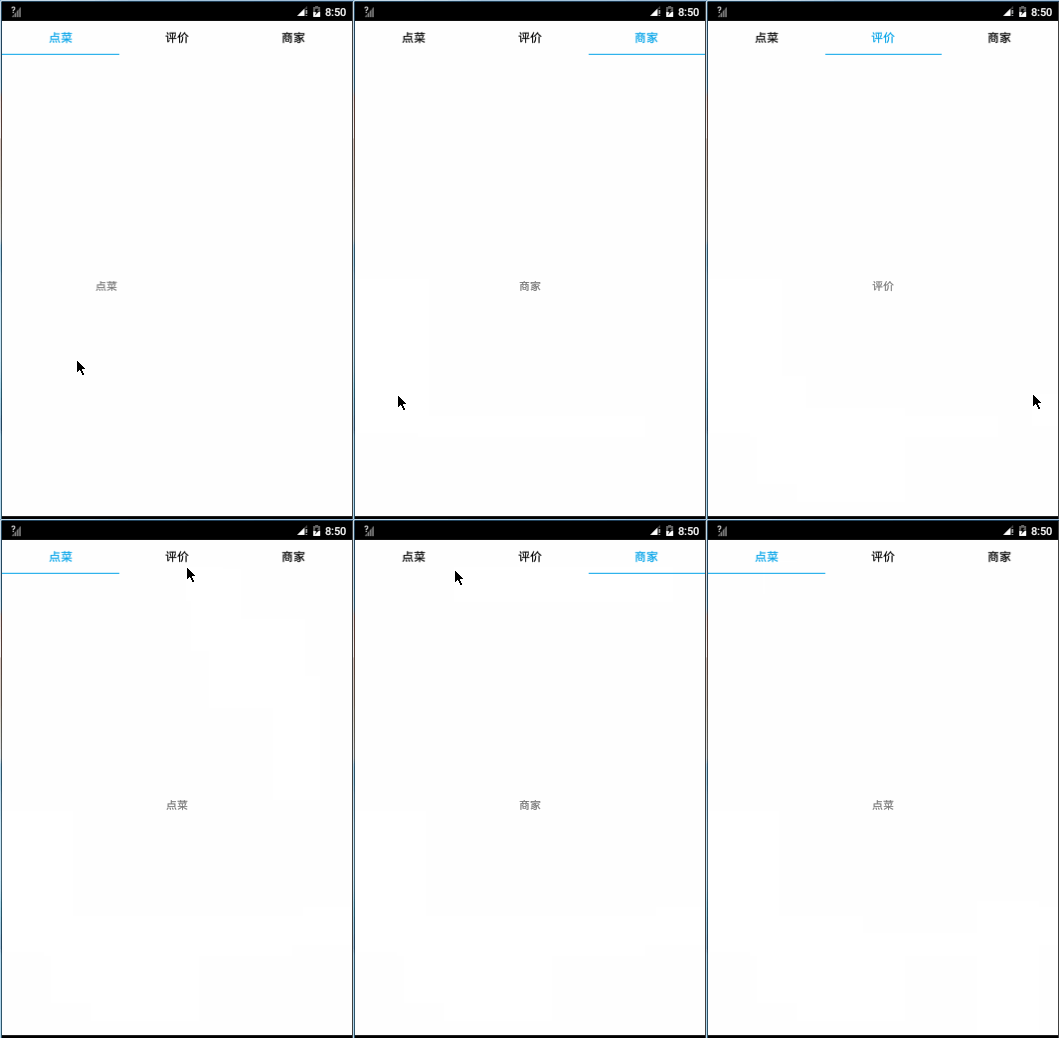
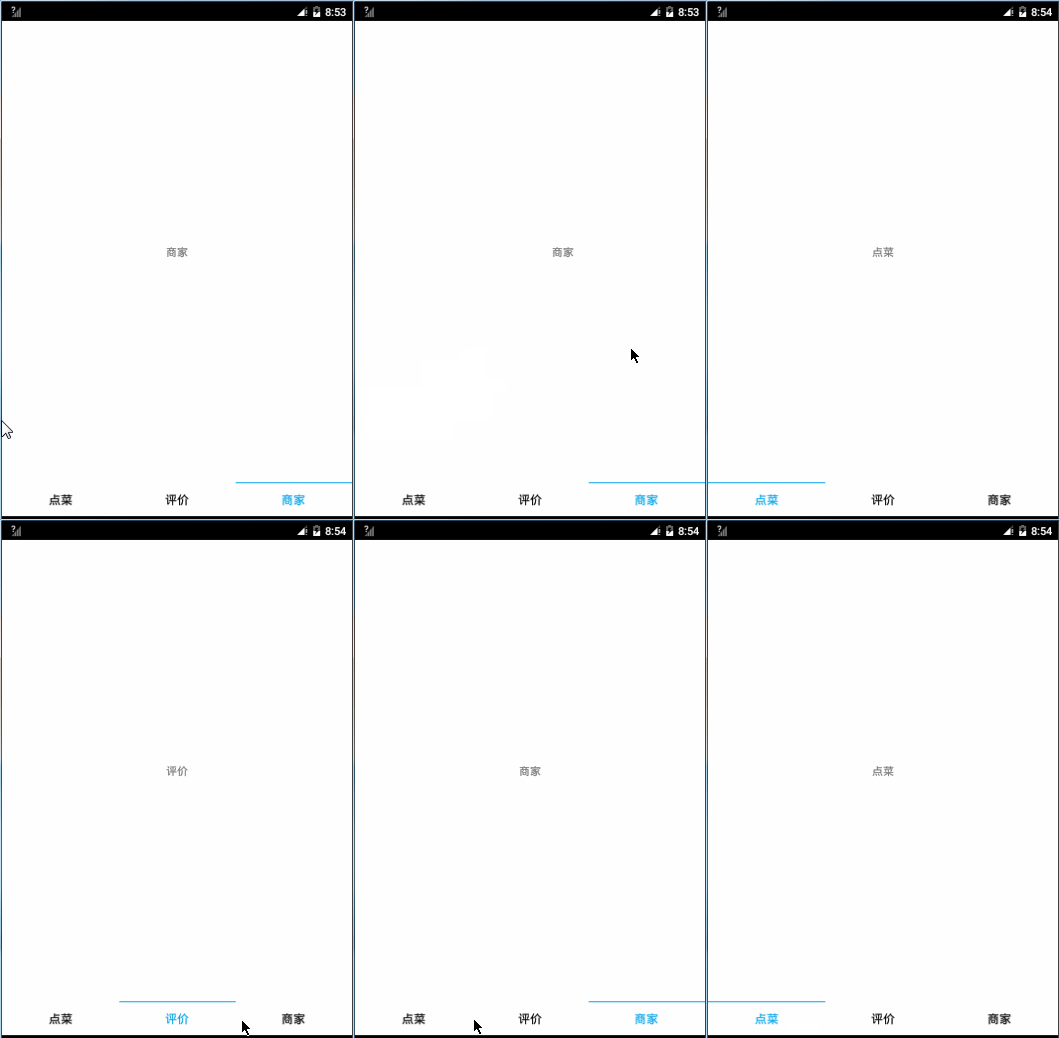
package com.example.shen.tabtest.activity;

import android.os.Bundle;
import android.support.v4.app.Fragment;
import android.support.v4.app.FragmentActivity;
import android.support.v4.view.ViewPager;
import android.widget.RadioButton;
import android.widget.RadioGroup;

import com.example.shen.tabtest.R;
import com.example.shen.tabtest.adapter.myFragmentPagerAdapter;
import com.example.shen.tabtest.fragment.EvaluationFragment;
import com.example.shen.tabtest.fragment.MerchantFragment;
import com.example.shen.tabtest.fragment.OrderFragment;

import java.util.ArrayList;

public class MainActivity extends FragmentActivity
        implements RadioGroup.OnCheckedChangeListener {

    private ViewPager viewPager;
    private RadioGroup radioGroup;
    private RadioButton rbOrder, rbEvaluation, rbMerchant;
    private ArrayList<Fragment> alFragment;

    @Override
    protected void onCreate(Bundle savedInstanceState) {
        super.onCreate(savedInstanceState);
        setContentView(R.layout.activity_main);
        initView();
        initViewPager();
    }

    private void initView() {
        viewPager = (ViewPager) findViewById(R.id.viewpager);
        radioGroup = (RadioGroup) findViewById(R.id.radiogroup);
        rbOrder = (RadioButton) findViewById(R.id.rb_order);
        rbEvaluation = (RadioButton) findViewById(R.id.rb_evaluation);
        rbMerchant = (RadioButton) findViewById(R.id.rb_merchant);
        radioGroup.setOnCheckedChangeListener(this);
    }

    private void initViewPager() {
        OrderFragment orderFragment = new OrderFragment();
        EvaluationFragment evaluationFragment = new EvaluationFragment();
        MerchantFragment merchantFragment = new MerchantFragment();

        alFragment = new ArrayList<>();
        alFragment.add(orderFragment);
        alFragment.add(evaluationFragment);
        alFragment.add(merchantFragment);

        viewPager.setAdapter(new myFragmentPagerAdapter(getSupportFragmentManager(), alFragment));
        viewPager.setCurrentItem(0);

        viewPager.setOnPageChangeListener(new ViewPager.OnPageChangeListener() {
            @Override
            public void onPageScrolled(int position, float positionOffset,
                                       int positionOffsetPixels) {
            }

            /** 滑動 ViewPager 時,同步更新 RadioButton 的選中狀態 */
            @Override
            public void onPageSelected(int position) {
                switch (position) {
                    case 0:
                        radioGroup.check(R.id.rb_order);
                        break;
                    case 1:
                        radioGroup.check(R.id.rb_evaluation);
                        break;
                    case 2:
                        radioGroup.check(R.id.rb_merchant);
                        break;
                }
            }

            @Override
            public void onPageScrollStateChanged(int state) {
            }
        });
    }

    /** 點擊 RadioButton 時切換到對應的 Fragment */
    @Override
    public void onCheckedChanged(RadioGroup group, int checkedId) {
        switch (checkedId) {
            case R.id.rb_order:
                viewPager.setCurrentItem(0, false);
                break;
            case R.id.rb_evaluation:
                viewPager.setCurrentItem(1, false);
                break;
            case R.id.rb_merchant:
                viewPager.setCurrentItem(2, false);
                break;
        }
    }
}
這裡 setCurrentItem(0, false) 的第二個參數是 smoothScroll。點擊 Tab 時設為 false 讓切換瞬間完成,可以避免「點擊 → 平滑滾動 → 觸發 onPageSelected → 又回寫 radioGroup」的迴圈感;滑動時則保留平滑效果。
<RelativeLayout xmlns:android="https://schemas.android.com/apk/res/android"
    android:layout_width="match_parent"
    android:layout_height="match_parent"
    android:background="@color/white">

    <RadioGroup
        android:id="@+id/radiogroup"
        android:layout_width="match_parent"
        android:layout_height="wrap_content"
        android:layout_marginTop="10dp"
        android:orientation="horizontal">

        <RadioButton
            android:id="@+id/rb_order"
            android:layout_width="wrap_content"
            android:layout_height="wrap_content"
            android:checked="true"
            android:text="@string/order" />

        <RadioButton
            android:id="@+id/rb_evaluation"
            android:layout_width="wrap_content"
            android:layout_height="wrap_content"
            android:text="@string/evaluation" />

        <RadioButton
            android:id="@+id/rb_merchant"
            android:layout_width="wrap_content"
            android:layout_height="wrap_content"
            android:text="@string/merchant" />
    </RadioGroup>
</RelativeLayout>
package com.example.shen.tabtest.adapter;

import android.support.v4.app.Fragment;
import android.support.v4.app.FragmentManager;
import android.support.v4.app.FragmentPagerAdapter;

import java.util.ArrayList;

public class myFragmentPagerAdapter extends FragmentPagerAdapter {

    private ArrayList<Fragment> list;

    public myFragmentPagerAdapter(FragmentManager fm, ArrayList<Fragment> list) {
        super(fm);
        this.list = list;
    }

    @Override
    public Fragment getItem(int position) {
        return list.get(position);
    }

    @Override
    public int getCount() {
        return list.size();
    }
}
把重複的樣式抽到 style 裡,Tab 按鈕的樣板會乾淨很多:
<style name="style_radiobutton">
    <item name="android:layout_weight">1</item>
    <item name="android:button">@null</item>
    <item name="android:background">@null</item>
    <item name="android:gravity">center</item>
    <item name="android:drawablePadding">10dp</item>
    <item name="android:drawableBottom">@drawable/radiobutton_selector</item>
    <item name="android:textColor">@drawable/textcolor_selector</item>
    <item name="android:textSize">16sp</item>
</style>
幾個關鍵設定:android:button="@null" 拿掉 RadioButton 預設的圓形勾選標記,android:background="@null" 去掉按下效果,改由 drawableBottom 搭配 selector 呈現選中狀態,layout_weight="1" 讓各 Tab 平均分配寬度。
整體而言,這個組合的優點是 Fragment 各自獨立管理生命週期與狀態,Tab 切換時不需自行維護 View 的顯示隱藏;若頁面數量較多且每頁都很重,則可把 FragmentPagerAdapter 換成 FragmentStatePagerAdapter,讓不在畫面上的 Fragment 被真正回收。
 一鍵 root 失敗了怎麼辦?改用刷入 Root 包應急
如果手機無法透過刷機精靈「實用工具」中的「Root 解鎖」取得權限,可以改走卡刷 Root 包這條路。本方案適用於多數帶 Bootloader 的機型,例如 HTC、Go
 Android 透過 WebService 存取 SQL Server:資料庫、伺服器端到客戶端的完整實作
開頭先把兩件事講清楚,免得又被說是標題黨。 第一,Android 沒辦法直接連上 SQL Server。SQL Server 裝完動輒好幾個 GB,而 App 跑在記憶體
 Android 快速註冊頁與驗證碼的實作教學
本文示範一個簡潔的註冊頁面,包含用戶名、密碼、密碼確認、暱稱、性別單選,以及一組可點擊刷新的驗證碼。整體以 ScrollView 搭配 LinearLayout 與多個
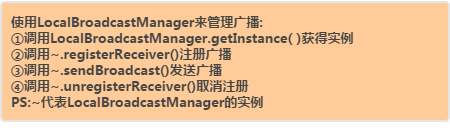 Android四大組件之BroadcastReceiver(下篇)
一、前言 在前一篇文章中,我們已經對廣播接收者BroadcastReceiver有了初步的認識:掌握了標準廣播與有序廣播這兩種基本類型,學會了動態註冊與靜態註冊兩種方式,