

編輯:關於 Android 程式設計
網路請求進行中,畫面上總得有個「正在努力」的提示,否則使用者會以為 App 當掉了。最常見的做法就是彈一個沒有邊框、鋪滿畫面的 Dialog,中間放一個旋轉的進度圖示。
關鍵在於自訂 style 讓 Dialog 去掉標題與背景,再透過 WindowManager.LayoutParams 把寬高設為全螢幕覆蓋:
dialog = new Dialog(context, R.style.loading);
dialog.setContentView(R.layout.loadinglayout); // 版面配置中只放一個 ProgressBar
dialog.setCancelable(true);                     // 允許取消
dialog.show();

WindowManager.LayoutParams params = dialog.getWindow().getAttributes();
params.height = -1;   // MATCH_PARENT
params.width = -1;    // MATCH_PARENT
params.format = PixelFormat.TRANSLUCENT;
params.flags = LayoutParams.FLAG_FULLSCREEN | LayoutParams.FLAG_LAYOUT_IN_SCREEN;
dialog.getWindow().setAttributes(params);

// 需要關閉時
dialog.cancel();
對應的 style 定義大致如下,把視窗背景與標題都拿掉,才不會出現一塊突兀的白底:
<style name="loading" parent="@android:style/Theme.Dialog">
    <item name="android:windowBackground">@android:color/transparent</item>
    <item name="android:windowNoTitle">true</item>
</style>
loadinglayout.xml 本質上就是一個置中的 ProgressBar:
<LinearLayout xmlns:android="https://schemas.android.com/apk/res/android"
    android:layout_width="fill_parent"
    android:layout_height="fill_parent"
    android:gravity="center"
    android:orientation="vertical">

    <ProgressBar
        android:id="@+id/loadingbar"
        style="@style/loadingStyle"
        android:layout_width="fill_parent"
        android:layout_height="130dp"
        android:layout_gravity="center" />
</LinearLayout>
如果想要自訂的轉圈效果,用 animation-list 把幾張圖排成動畫即可,duration 控制每一幀的停留時間(毫秒):
<?xml version="1.0" encoding="UTF-8"?>
<animation-list android:oneshot="false"
    xmlns:android="https://schemas.android.com/apk/res/android">
    <item android:duration="150" android:drawable="@drawable/load1" />
    <item android:duration="150" android:drawable="@drawable/load2" />
    <item android:duration="150" android:drawable="@drawable/load3" />
    <item android:duration="150" android:drawable="@drawable/load4" />
    <item android:duration="150" android:drawable="@drawable/load5" />
    <item android:duration="150" android:drawable="@drawable/load6" />
</animation-list>
oneshot 設為 false 表示無限循環,設為 true 則只播放一次。把這個 animation-list 指定給 ProgressBar 的 style,它就會持續播放。
第一,記得在請求結束的兩個分支都關閉 Dialog。成功、失敗、逾時任一條路徑漏掉 cancel(),畫面就會被永久遮罩,使用者只能強制關閉 App。比較穩妥的寫法是把 Dialog 的生命週期綁到 Activity,在 onDestroy 中統一釋放,避免視窗洩漏(android.view.WindowLeaked)。
第二,幀動畫的圖片請控制尺寸與張數。六到八幀、每幀幾百毫秒的節奏已經足夠流暢,圖太大只會讓記憶體與解析成本上升,反而拖慢你在意的那些畫面。
 IIS 怎麼加上自訂 MIME 類型?以 apk、ipa 為例
在 IIS 7 中,預設的 MIME 類型並不包含所有的副檔名,像是現在很常見的 apk、ipa 安裝檔,都需要手動補上,否則用戶下載時可能會遇到無法正確處理的問題。 具
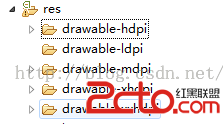 Android Studio 中如何引用圖片資源:drawable 與 mipmap 的差別
近距離接觸 Android Studio 之後,會不斷發現它與 Eclipse 的差異。差別不只表現在目錄結構上,更內在地體現在資源管理的方式。這一篇就來談談圖片資源的擺
 用 ListView 打造圓角表格樣式的清單效果
ListView 除了單調的列表,也能透過客製 Adapter 與背景資源,做出具有視覺層次的表格樣式。本文示範一個只有三筆資料的清單,並依位置套用不同的圓角背景(頂端、
 Android ListView 下拉刷新與上拉加載實戰(一):下拉刷新思路全解析
下拉刷新與上拉加載幾乎是所有 App 的必備功能。網上已有不少相關文章,但我還是想梳理一下自己的思路,重點放在「怎麼想、怎麼做」,而非直接貼代碼(想直接看代碼的可以跳到底