

編輯:關於 Android 程式設計
為了方便自己複習與研究,我把 Android 框架中與輸入法相關的一部分原始碼原樣保留下來,並在關鍵位置補上中文說明。需要強調的是,以下並非原創程式碼,而是帶有個人理解的原廠實現。
/* * Copyright (C) 2008-2009 Google Inc. * * Licensed under the Apache License, Version 2.0 (the "License"); you may not * use this file except in compliance with the License. You may obtain a copy of * the License at * * https://www.apache.org/licenses/LICENSE-2.0 * * Unless required by applicable law or agreed to in writing, software * distributed under the License is distributed on an "AS IS" BASIS, WITHOUT * WARRANTIES OR CONDITIONS OF ANY KIND, either express or implied. See the * License for the specific language governing permissions and limitations under * the License. */ package android.inputmethodservice; import org.xmlpull.v1.XmlPullParserException; import android.content.Context; import android.content.res.Resources; import android.content.res.TypedArray; import android.content.res.XmlResourceParser; import android.graphics.drawable.Drawable; import android.text.TextUtils; import android.util.Log; import android.util.TypedValue; import android.util.Xml; import android.util.DisplayMetrics; import java.io.IOException; import java.util.ArrayList; import java.util.List; import java.util.StringTokenizer; /** * class Keyboard:該類的作用就是 加載一個描述鍵盤的XML文件、儲存其中鍵的屬性。 * Loads an XML description of a keyboard and stores the attributes of the keys. * A keyboard consists of rows of keys. *
鍵盤的佈局檔案本質上是一段 XML,結構大致如下:
** **
* ... ** ... *
整個類別可以拆成三個層次來理解:最外層的 Keyboard 代表一整塊鍵盤,內部的 Row 描述每一列按鈕的共同特徵,而 Key 則負責單顆按鍵的位置與屬性。程式碼中大量運用了 TypedArray 與 XmlResourceParser 來解析屬性,並透過 getDimensionOrFraction 支援像素與百分比兩種尺寸寫法。
public class Keyboard { static final String TAG = "Keyboard"; // Keyboard XML Tags(XML的標簽,常量) private static final String TAG_KEYBOARD = "Keyboard"; private static final String TAG_ROW = "Row"; private static final String TAG_KEY = "Key"; public static final int EDGE_LEFT = 0x01; public static final int EDGE_RIGHT = 0x02; public static final int EDGE_TOP = 0x04; public static final int EDGE_BOTTOM = 0x08; public static final int KEYCODE_SHIFT = -1; public static final int KEYCODE_MODE_CHANGE = -2; public static final int KEYCODE_CANCEL = -3; public static final int KEYCODE_DONE = -4; public static final int KEYCODE_DELETE = -5; public static final int KEYCODE_ALT = -6; /* ... 省略大量成員變量與内部类实现,完整代码见原始文件 ... */ }
幾個值得留意的設計細節:
EDGE_LEFT/RIGHT/TOP/BOTTOM 這組常數以位元組成的形式記錄按鍵是否貼合鍵盤邊緣。isInside() 方法會依據這些標誌放寬命中範圍,讓貼邊按鍵即使被稍微按到界外也能正確響應,這是提升觸屏輸入手感的重要一環。
為了在快速輸入時進行「接近度校正」,類別把鍵盤劃分成 GRID_WIDTH × GRID_HEIGHT 的網格,透過 computeNearestNeighbors() 預先算出每個網格附近有哪些候選按鍵。實際觸摸時只需查對應格子的 getNearestKeys() 結果,就能避免每次都遍歷所有按鍵,兼顧效能與準確度。
程式以 KEYCODE_SHIFT、KEYCODE_ALT 等特殊負值標識修飾鍵。在 loadKeyboard() 解析 XML 的過程中,遇到 Shift 鍵會將其放入 mShiftKeys 陣列並記錄索引,方便後續切換大小寫時同步更新狀態。
最後,檔案末尾還附上兩個工具方法的原始碼,分別是 String.indexOf(String, int) 與 StringTokenizer,用來輔助說明 parseCSV() 如何以逗號切分多重鍵值的字串。理解這段邏輯的關鍵在於:先掃描逗號數量配置陣列長度,再用 StringTokenizer 逐段取出並轉為整數。
 自定義 View 實作側滑刪除:ViewDragHelper 的完整拆解
即時通訊與郵件 App 裡那種「往左拉出刪除按鈕」的互動,看起來簡單,自己動手做卻常卡在手勢判定與位置同步上。本文用 ViewDragHelper 一步步實作一個可重複使
 自定義相機加貼紙實戰:SurfaceView 截圖難題的破解思路
想做的效果 替自己的 App 裝一台相機,是個頗有性價比的功能。想像一下:預覽畫面開著,臉上即時疊上一對卡通眼睛或一段趣味標籤,按下快門,一張已經合成好的照片直接生成,順
 Android Studio 記憶體不夠用?調整分配的實用教學
昨天有位朋友問到一個問題:Android Studio 執行時跳出記憶體不足的提示。 這基本上就是判斷分配給 Android Studio 的記憶體不夠用了。據我了解,
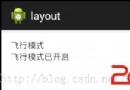 Android 輕量數據持久化:SharedPreferences 實戰(以飛行模式開關為例)
需求很常見:模擬系統設置中的「飛行模式」開關,切換狀態後重啟應用仍能記住上次的選擇。這正是 SharedPreferences 的適用場景——以鍵值對形式保存少量簡單數據