

編輯:關於 Android 程式設計
隨著物聯網與智慧穿戴裝置的普及,BLE(低功耗藍牙)已成為行動開發中越來越常見的需求。相比傳統基於 IP 的 Socket 通訊,BLE 有著自己的一套概念與編程模式。本文就從基礎概念講起,並附上完整程式碼,帶你快速上手 BLE 開發。
BLE(Bluetooth Low Energy)是一項低成本、短距離、可互操作的無線技術,工作在免授權的 2.4GHz ISM 频段,從設計之初就主打超低功耗。它採用可變的連線間隔(幾毫秒到幾秒不等),並透過極快的連線方式運作:平時裝置處於「非連線」狀態以節省電力,只在必要時才建立連線,並在最短時間內完成通訊後關閉。簡單來說,它就是藍牙的一項新技術,特點是低功耗、連線快,但只適合傳輸小量資料。
請牢記這個層級關係:一個 BLE 裝置可以有多個 Service,一個 Service 可以有多個 Characteristic,一個 Characteristic 有一個 Value 與多個 Descriptor,而一個 Descriptor 包含一個 Value。
BluetoothManager bluetoothManager = (BluetoothManager) getSystemService(Context.BLUETOOTH_SERVICE);BluetoothAdapter mBluetoothAdapter = bluetoothManager.getAdapter();各操作與回調的對應關係如下:setCharacteristicNotification 對應 onCharacteristicChanged;readCharacteristic 對應 onCharacteristicRead;writeCharacteristic 對應 onCharacteristicWrite;連線/斷線對應 onConnectionStateChange;discoverServices 對應 onServicesDiscovered,以此類推。
整體流程是:進入 BLEActivity 掃描裝置,選擇目標裝置點擊後啟動 BLEService,由它建立 GATT 連線、依 UUID 取得對應的 Service 與 Characteristic,隨後即可讀寫資料。BLEService 對外提供了三個介面:self() 取得服務實例、writeToBLE(byte[]) 寫入資料、readFromBLE() 讀取資料。
<uses-permission android:name="android.permission.BLUETOOTH" />
<uses-permission android:name="android.permission.BLUETOOTH_ADMIN" />
<uses-feature android:name="android.hardware.bluetooth_le" android:required="false" />
關鍵在於 checkBluetooth() 先判斷是否支援 BLE,接著在 onResume 中啟動掃描,並透過 LeScanCallback 把掃描到的裝置加入清單;使用者點擊項目後,儲存裝置位址並啟動 BLEService:
private void scanLeDevice(final boolean enable) {
    if (enable) {
        mHandler.postDelayed(new Runnable() {
            public void run() {
                mScanning = false;
                mBluetoothAdapter.stopLeScan(mLeScanCallback);
            }
        }, SCAN_PERIOD);
        mScanning = true;
        mBluetoothAdapter.startLeScan(mLeScanCallback);
    } else {
        mScanning = false;
        mBluetoothAdapter.stopLeScan(mLeScanCallback);
    }
}
在 onServicesDiscovered 回調中取得目標 Service 與 Characteristic,開啟通知後即可讀寫:
public void onServicesDiscovered(BluetoothGatt gatt, int status) {
    if (status == BluetoothGatt.GATT_SUCCESS) {
        BluetoothGattService mGattService = mBluetoothGatt.getService(SampleGattAttributes.UUID_SERVICE);
        mCharacteristic = mGattService.getCharacteristic(SampleGattAttributes.UUID_CHARACTERISTIC);
        setCharacteristicNotification(mCharacteristic, true);
    }
}

public boolean wirteToBLE(byte[] value) {
    mCharacteristic.setValue(value);
    return mBluetoothGatt.writeCharacteristic(mCharacteristic);
}

public byte[] readFromBLE() {
    if (mBluetoothGatt.readCharacteristic(mCharacteristic)) {
        return mCharacteristic.getValue();
    }
    return null;
}
BLE 開發真正的重點不在於程式碼本身,而在於理解它的工作模式與編程步驟。工作模式就是「中心裝置與周邊裝置」以及 GATT/ATT 通訊;編程步驟則可歸納為:準備(加權限、判斷支援、開啟藍牙)→ 掃描裝置 → 建立連線 → 列舉服務 → 開始讀寫通訊 → 關閉連線。把這條主線記牢,BLE 開發就不再難了。
 Android 疑難:HTC One S 上 SearchView 的軟鍵盤不吃 actionSearch
前言 怪問題年年有,今年特別多。這次遇到的是 SearchView 在 HTC One S 上的行為異常,不處理就完全沒辦法在這台機器上正常使用 SearchView——
 你的 App 是怎麼被掉包的?Activity 劫持與安裝劫持病毒剖析
一、什麼是 App 劫持 App 劫持指的是程式的執行流程被惡意重定向。依手法不同,大致可分為 Activity 劫持、安裝劫持、流量劫持與函式執行劫持等類型。本文以近期
 Android SpannableString 複合文本實戰
當需要在一個 TextView 中同時呈現不同顏色、字體大小、底線、刪除線、圖片或點擊事件時,SpannableString 是非常實用的工具。 常見 Span 前景色
 用 ListView 打造圓角表格樣式的清單效果
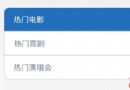
ListView 除了單調的列表,也能透過客製 Adapter 與背景資源,做出具有視覺層次的表格樣式。本文示範一個只有三筆資料的清單,並依位置套用不同的圓角背景(頂端、