

編輯:關於 Android 程式設計
在對話框中讓使用者輸入裝置名稱時,若後端儲存空間只有 20 bytes,且只接受 ASCII 可見字元,就需要在輸入階段即時過濾,避免資料寫入後才發現錯誤。
在 afterTextChanged 中呼叫 setText 或 delete,快速輸入時容易造成重入與同步問題。較穩定的做法是透過 InputFilter 在輸入來源進入前攔截。
以下範例只允許 ASCII 字元,並限制總長度。若需要更精細的 UTF-8 字節計算,可將每個字元轉為 byte 後累加。
public class AsciiByteLengthFilter implements InputFilter {
    private final int maxBytes;

    public AsciiByteLengthFilter(int maxBytes) {
        this.maxBytes = maxBytes;
    }

    public CharSequence filter(CharSequence source, int start, int end,
                               Spanned dest, int dstart, int dend) {
        int keep = 0;
        for (int i = start; end > i; i++) {
            char c = source.charAt(i);
            if (c > 127) {
                break;
            }
            keep++;
        }

        int current = dend - dstart;
        if (current + keep > maxBytes) {
            return "";
        }
        return source.subSequence(start, start + keep);
    }
}mDeviceNameView.setFilters(new InputFilter[] {
new AsciiByteLengthFilter(MODEL_NAME_MAX_LENGTH_BYTES)
});這樣可以讓使用者看到明確的限制,也能避免把非法字元寫入受限的儲存空間。
 Android Service 啟動流程源碼解析
Service 不是背景執行緒 Service 雖然常用於背景任務,但它預設執行在主執行緒。若直接執行長時間運算,仍可能阻塞 UI 或造成 ANR。若需要耗時工作,應在
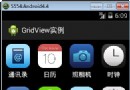 Android GridView 網格控件使用實例(附 Adapter 與佈局完整代碼)
選列表還是網格,判斷很簡單:單列多行走 ListView,多行多列的網狀排列就用 GridView。要做九宮格圖、App 抽屜、相簿縮圖牆,GridView 是最省事的首
 Android 仿余額寶數字滾動動畫實作
余額寶那種金額數字從 0 快速滾動到最終值的動畫,視覺效果很好,實作起來卻不難。以下是一個可直接複用的自訂 TextView。 效果預覽 完整程式碼 package
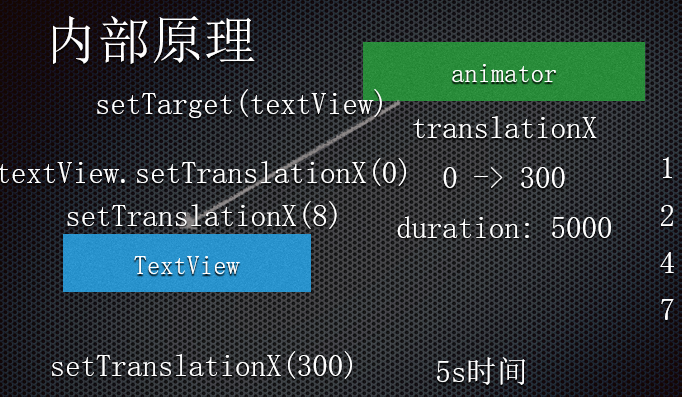 Day34 - Animation 動畫:補間、逐幀與屬性動畫一次講透
人眼存在視覺殘留現象,連續播放一系列靜態圖像,就會形成動畫效果。Android 中的動畫大致分為三類: · 遊戲動畫:利用自訂 View 的繪製方法,開啟執行緒高頻刷新介