

編輯:關於 Android 程式設計
平常我們大多使用 android:xxx="..." 這樣的系統屬性。但有時我們需要自定義屬性,尤其是在開發自定義 View 的時候特別常見。整個流程大致分為以下幾個步驟。
1. 在 res/values 下定義 attrs.xml 檔案
在其中透過 <declare-styleable> 宣告自定義 View 的名稱與它所使用的屬性,例如 textColor、textSize 等。
2. 重寫自定義 View 的構造方法
透過 R.styleable.MyView 取得我們定義的屬性。這裡通常會使用 TypedArray 來讀取,並在最後呼叫 .recycle(),以保持該屬性在後續使用時的一致性。
public class MyView extends View {
    private Paint mPaint;
    private static final String mString = "oh,God!";

    public MyView(Context context) {
        super(context);
    }

    public MyView(Context context, AttributeSet attrs) {
        super(context, attrs);
        mPaint = new Paint();
        TypedArray a = context.obtainStyledAttributes(attrs, R.styleable.MyView);
        int textColor = a.getColor(R.styleable.MyView_textColor, 0xffffff); // 注意加上默認值
        float textSize = a.getDimension(R.styleable.MyView_textSize, 36);
        mPaint.setTextSize(textSize);
        mPaint.setColor(textColor);
        a.recycle();
    }

    @Override
    protected void onDraw(Canvas canvas) {
        super.onDraw(canvas);
        mPaint.setStyle(Paint.Style.FILL);
        // 畫一個矩形,前兩個是左上角座標,後兩個是右下角座標
        canvas.drawRect(new Rect(10, 10, 100, 100), mPaint);
        mPaint.setColor(Color.BLUE);
        canvas.drawText(mString, 10, 110, mPaint); // 繪製文字
    }
}
3. 在 XML 布局檔案中使用自定義屬性
使用時要特別注意命名空間前綴(這裡以 test 為例,指向應用的 package):
<LinearLayout xmlns:android="https://schemas.android.com/apk/res/android"
    xmlns:test="https://schemas.android.com/apk/res/com.example.viewdemo"
    android:layout_width="match_parent"
    android:layout_height="match_parent"
    android:orientation="vertical">
    <com.example.viewdemo.MyView
        android:layout_width="match_parent"
        android:layout_height="wrap_content"
        test:textColor="#fff"
        test:textSize="40px" />
</LinearLayout>
運行後,畫面上便會出現一個由自定義屬性控制顏色與字號的矩形與文字:
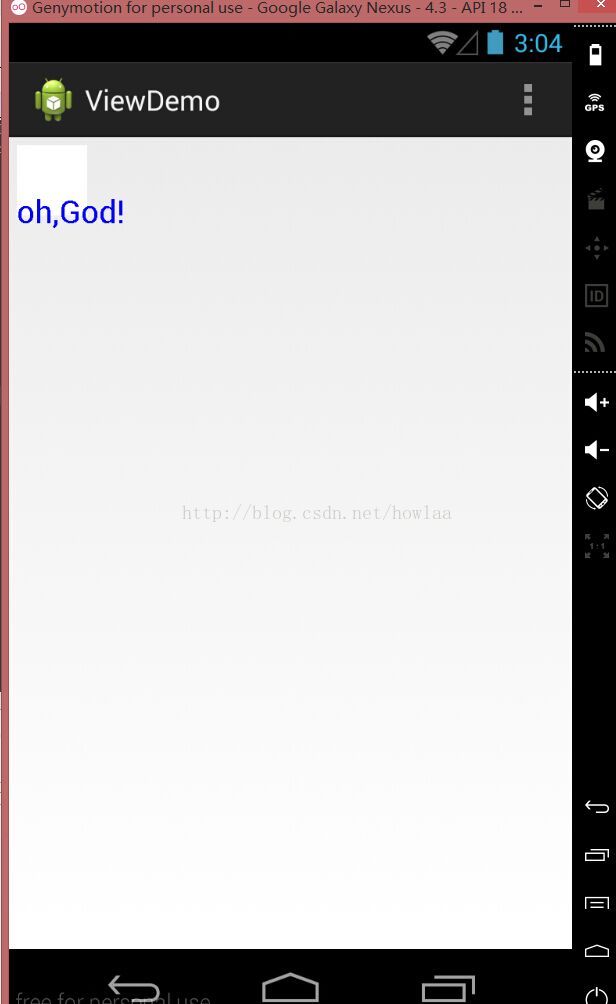
透過 attrs.xml 定義屬性、在構造方法中讀取、再在布局中引用,這三個步驟就構成了 Android 自定義屬性的完整閉環,讓你的 View 也能像系統控件一樣靈活配置。
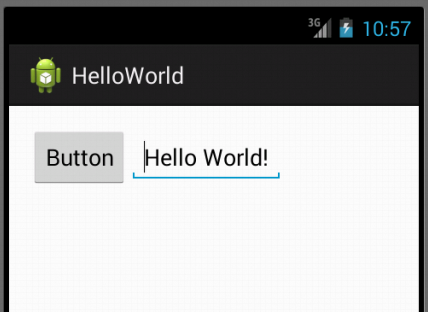 Android 入門實作:打造可點擊的 Button
不論是為了日後的工作需求,還是眼下的專案,掌握行動開發都是一項值得投資的技能。而學習任何新技術,總得從最經典的 Hello World 開始,Android 自然也不例外
 自製電子書翻頁時的 Fragment 崩潰排查記:Duplicate id 問題全記錄
做原生看書頁面的時候,書籍內容頁需要放一個輪播圖組件。我在網上找到一個現成的 CycleViewPager 別人封裝好的开源實作,直接下載來用,結果踩了一個頗有教育意義的
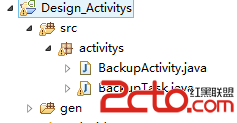 Android 資料庫備份與還原實作:AsyncTask、FileChannel 與 Environment 一起用
本文示範一個實用的模式:在 UI Activity 中用 AsyncTask 開一條背景執行緒,於 onPause() 時備份 SQLite 資料庫、於 onResume
 仿微信朋友圈九宮格:Android 圖片瀏覽器完整實作
閱讀本文前,不妨先打開微信點進朋友圈仔細觀察:那塊「九宮格」的圖片區,點一下會跳到單張大圖的檢視頁,還能滑動與縮放。這個功能其實非常常見,而我剛好做了個 Demo,就趁這