

編輯:關於 Android 程式設計
SQLite 是一款輕量、跨平台、開源的數據庫引擎,憑藉優異的讀寫效率、極低的資源消耗、微小的延遲與整體的簡單性,成為行動平台數據庫的最佳方案(如 Android、iOS)。Android 系統內建了 SQLite,並提供完整的 API 供我們進行增刪改查。
然而,Android 自帶的 SQLite 有一個致命缺陷:不支援加密。這代表存放在 SQLite 中的資料,任何人都能用任何文字編輯器打開來看。若是普通資料還好,一旦涉及帳號密碼或聊天內容,應用就會面臨嚴重的資安漏洞。
將內容加密後再寫入數據庫:這種方式簡單易行,入庫與出庫時只需對欄位做對應的加解密即可,某種程度上解決了資料赤裸暴露的問題。但它並非徹底加密——表結構等資訊仍可被檢視,而且內容加密後也讓搜尋變得棘手。
對數據庫檔案整體加密:把整個數據庫檔加密,基本上能解決資訊安全的問題。目前已有的 SQLite 加密方案大多採用這種方式。
本文要介紹的是一款開源的 SQLite 加密工具 SQLCipher,程式碼託管在 GitHub 上。它使用 256-bit AES 加密,由於基於免費版的 SQLite,主要的加密介面與 SQLite 相同,但也額外增加了一些自己的介面(事實上 SQLite 本身就有加解密介面,只是免費版並未實作)。
SQLCipher 分為 Community Edition(免費)與 Commercial Edition。跨平台支援相當廣泛,官方說明涵蓋 C/C++、Obj-C、QT、Win32/.NET、Java、Python、Ruby、Linux、Mac OS X、iPhone/iOS、Android、Xamarin.iOS 與 Xamarin.Android 等,其中同時支援 Android 與 iOS 兩大行動平台。
以下透過一個簡單範例,示範如何快速把 SQLCipher 整合進專案。
3.1 下載官方二進位檔:可從官方 S3 下載 sqlcipher-for-android-community 壓縮檔。
3.2 匯入相依檔:解壓後可看到 libs 等內容。
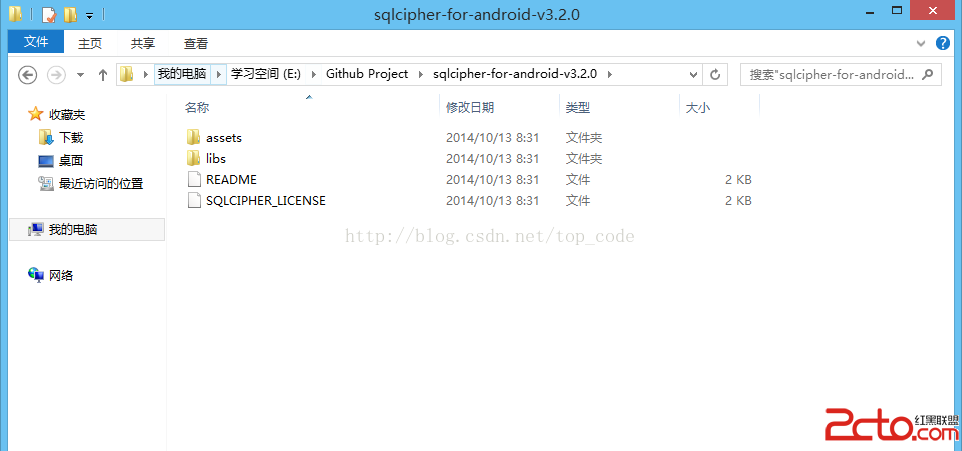
3.3 操作數據庫:首先自訂 MySQLiteOpenHelper,繼承自 net.sqlcipher.database.SQLiteOpenHelper(而非 android.database.sqlite.SQLiteOpenHelper),這一點千萬別搞錯:
package com.ricky.android.sqlitecipher.db;
import android.content.Context;
import net.sqlcipher.database.SQLiteDatabase;
import net.sqlcipher.database.SQLiteDatabase.CursorFactory;
import net.sqlcipher.database.SQLiteOpenHelper;
public class MySQLiteOpenHelper extends SQLiteOpenHelper {
    private static final String DB_NAME = "test.db";
    private static final int DB_VERSION = 3;
    public MySQLiteOpenHelper(Context context) {
        super(context, DB_NAME, null, DB_VERSION);
    }
    public MySQLiteOpenHelper(Context context, String name, CursorFactory factory, int version) {
        super(context, name, factory, version);
    }
    @Override
    public void onCreate(SQLiteDatabase db) {
        db.execSQL("CREATE TABLE student(id INTEGER PRIMARY KEY AUTOINCREMENT, name text, age integer)");
    }
    @Override
    public void onUpgrade(SQLiteDatabase db, int arg1, int arg2) {
    }
}
接著在 DAO 類中使用 net.sqlcipher.database.SQLiteDatabase 操作數據庫(同樣別匯入錯 package):
package com.ricky.android.sqlitecipher.dao;
import java.util.ArrayList;
import java.util.List;
import net.sqlcipher.Cursor;
import net.sqlcipher.database.SQLiteDatabase;
import net.sqlcipher.database.SQLiteOpenHelper;
import android.content.ContentValues;
import android.content.Context;
import com.ricky.android.sqlitecipher.db.SQLiteHelperFactory;
import com.ricky.android.sqlitecipher.model.Student;
public class StudentDAOImpl implements StudentDAO {
    private SQLiteOpenHelper sqLiteOpenHelper;
    private String password = "ricky";
    public StudentDAOImpl(Context context) {
        sqLiteOpenHelper = SQLiteHelperFactory.create(context);
    }
    @Override
    public long insert(Student stu) {
        SQLiteDatabase db = null;
        try {
            db = sqLiteOpenHelper.getWritableDatabase(password);
            ContentValues values = new ContentValues();
            values.put("name", "Ricky");
            values.put("age", 24);
            return db.insert("student", null, values);
        } finally {
            if (db != null) db.close();
        }
    }
    @Override
    public List<Student> query() {
        SQLiteDatabase db = null;
        Cursor cursor = null;
        try {
            db = sqLiteOpenHelper.getWritableDatabase(password);
            cursor = db.query("student", new String[]{"id","name","age"}, null, null, null, null, null);
            List<Student> list = new ArrayList<>();
            while (cursor != null && cursor.moveToNext()) {
                Student stu = new Student();
                stu.setId(cursor.getInt(0));
                stu.setName(cursor.getString(1));
                stu.setAge(cursor.getInt(2));
                list.add(stu);
            }
            return list;
        } finally {
            if (cursor != null) cursor.close();
            if (db != null) db.close();
        }
    }
}
值得注意的是:必須先呼叫 SQLiteDatabase.loadLibs(context),然後才能執行任何數據庫操作。為方便管理,我另外寫了一個 SQLiteHelperFactory 負責建立 helper,並在建立後呼叫 loadLibs:
package com.ricky.android.sqlitecipher.db;
import android.content.Context;
import net.sqlcipher.database.SQLiteDatabase;
import net.sqlcipher.database.SQLiteOpenHelper;
public class SQLiteHelperFactory {
    private static SQLiteOpenHelper sqLiteOpenHelper;
    private SQLiteHelperFactory() { }
    public static SQLiteOpenHelper create(Context context) {
        if (sqLiteOpenHelper == null) {
            synchronized (SQLiteHelperFactory.class) {
                if (sqLiteOpenHelper == null) {
                    sqLiteOpenHelper = new MySQLiteOpenHelper(context.getApplicationContext());
                    // 必須先呼叫此方法
                    SQLiteDatabase.loadLibs(context);
                }
            }
        }
        return sqLiteOpenHelper;
    }
}
最後在 MainActivity 中透過 DAO 進行新增與查詢:
case R.id.bt_insert:
    Student stu = new Student();
    stu.setName("Mike");
    stu.setAge(24);
    long id = studentDAO.insert(stu);
    break;
case R.id.bt_query:
    List<Student> list = studentDAO.query();
    break;
至此,SQLCipher 的整合便大功告成。相較於原生 SQLite,它多出的成本僅是替換 package 與多呼叫一次 loadLibs(),卻能為敏感的帳號、聊天等資料加上 256-bit AES 的保護,非常值得。
 新浪微博手機端怎麼關掉自動定位?不再洩漏所在位置
新浪微博擁有超過五億註冊用戶,用 140 字記錄生活、分享新鮮事,早已成為一種日常習慣。不過不少使用者發現,明明沒做任何設定,發文時卻自動帶上了當前位置。想避免這種情況,
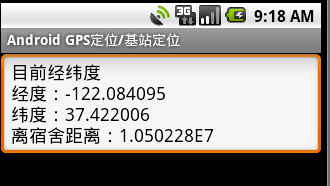 Android Service 結合 GPS 與基地台定位的實作
需求說明 本實例希望 Service 每隔 1 秒執行一次定位,優先使用 GPS,若 GPS 無法取得位置,則改用基地台定位,最後將經緯度即時顯示在畫面上。 所需權限 &
 Android 編譯系統剖析(五):system.img 是怎麼誕生的
完整編譯 Android 系統時,最終會產生幾個關鍵鏡像檔,如 system.img、userdata.img、ramdisk.img 等。本文聚焦於 system.im
 Android AIDL 入門:跨進程通訊與簡單計算服務實作
AIDL 是什麼 AIDL,全名 Android Interface Definition Language,是 Android 用來定義跨進程通訊介面的語言。它讓不同應