

編輯:關於 Android 程式設計
Thread 結合 Handler 是 Android 中實現定時更新界面的經典組合。下面用一個「打地鼠」的小遊戲來演示:後台線程隨機計算地鼠出現的位置,通過 Handler 把消息發給主線程更新界面,點擊地鼠後計數並讓它消失。
直接上代碼:
package com.mingrisoft; import java.util.Random; import android.app.Activity; import android.os.Bundle; import android.os.Handler; import android.os.Message; import android.view.MotionEvent; import android.view.View; import android.view.View.OnTouchListener; import android.widget.ImageView; import android.widget.Toast; public class MainActivity extends Activity { private int i = 0; private ImageView mouse; private Handler handler; public int[][] position = new int[][] { { 231, 325 }, { 424, 349 }, { 521, 256 }, { 543, 296 }, { 719, 245 }, { 832, 292 }, { 772, 358 } }; @Override public void onCreate(Bundle savedInstanceState) { super.onCreate(savedInstanceState); setContentView(R.layout.main); mouse = (ImageView) findViewById(R.id.imageView1); mouse.setOnTouchListener(new OnTouchListener() { @Override public boolean onTouch(View v, MotionEvent event) { v.setVisibility(View.INVISIBLE); i++; Toast.makeText(MainActivity.this, "打到[" + i + "]只地鼠!", Toast.LENGTH_SHORT).show(); return false; } }); handler = new Handler() { @Override public void handleMessage(Message msg) { int index = 0; if (msg.what == 0x101) { index = msg.arg1; mouse.setX(position[index][0]); mouse.setY(position[index][1]); mouse.setVisibility(View.VISIBLE); } super.handleMessage(msg); } }; Thread t = new Thread(new Runnable() { @Override public void run() { int index = 0; while (!Thread.currentThread().isInterrupted()) { index = new Random().nextInt(position.length); Message m = handler.obtainMessage(); m.what = 0x101; m.arg1 = index; handler.sendMessage(m); try { Thread.sleep(new Random().nextInt(500) + 500); } catch (InterruptedException e) { e.printStackTrace(); } } } }); t.start(); } }
配套的布局文件:
關鍵點在於:線程不能直接操作 UI,所以地鼠位置的更新必須通過 Handler 發送 Message 交給主線程處理。利用 Message 的 arg1 字段攜帶位置索引,就能把後台計算的結果準確地傳遞到界面刷新邏輯中。
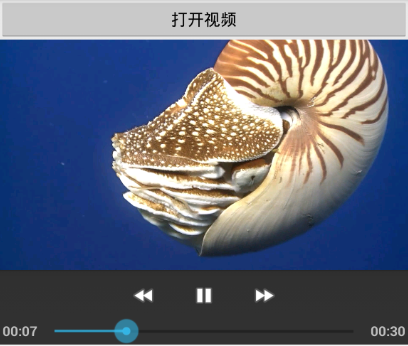 Android 自定義影片播放器實作解析
Android 播放影片的兩種方式 Android 常見的影片播放方式有兩種。第一種是 MediaPlayer 搭配 SurfaceView,靈活度高,但控制項都要自己實
 Android 4.0 USB Camera 实战(三):通用 UVC 设备的接入
前两篇讲了 zc301 的具体实现,这一篇把通用的 UVC 设备补上。两者的差别在于数据格式:zc301 直接给出 JPEG,拿到就能显示;标准 UVC 输出的是 YUV
 Android FM 模組學習:錄音功能的完整剖析
稍前我們分析了 FM 的整体流程與主要類別,接下來把焦點放在 FM 的錄音功能上。先看整體流程圖: 錄音的啟動:發送廣播 按下錄音鍵後,FMRadioService
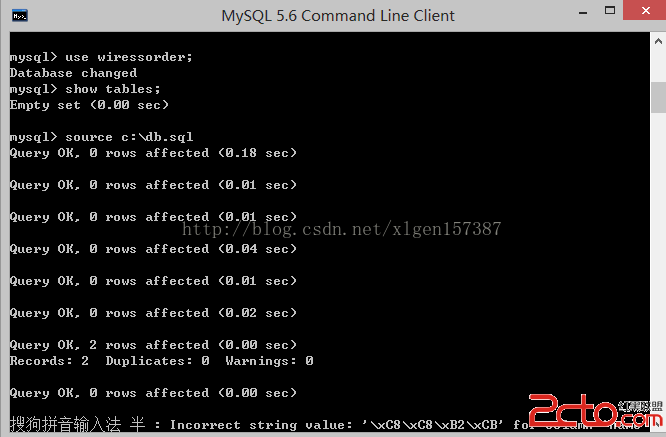 無線點餐系統資料庫設計:MySQL 表結構規劃
無線點餐系統的資料庫設計,需要涵蓋使用者、餐桌、菜單分類、菜單、訂單與訂單明細。 主要資料表 usertbl 保存帳號、密碼與權限;tabletbl 記錄餐桌狀態;men