

編輯:關於 Android 程式設計
幾乎每個 App 都需要在發請求前先確認網路狀態:有沒有連線、走的是 Wi-Fi 還是行動網路、是否正在漫遊。這些判斷散落在各處容易重複撰寫,收攏成一個工具類會乾淨很多。
以下用 ConnectivityManager 搭配 TelephonyManager 封裝出常用的判斷方法:
import android.content.Context;
import android.net.ConnectivityManager;
import android.net.NetworkInfo;
import android.net.NetworkInfo.State;
import android.net.Uri;
import android.telephony.TelephonyManager;
import android.util.Log;

public class NetWorkHelper {
    public static final int NETWORN_NONE  = 0;
    public static final int NETWORN_WIFI  = 1;
    public static final int NETWORN_MOBILE = 2;

    private static String LOG_TAG = "NetWorkHelper";
    public static Uri uri = Uri.parse("content://telephony/carriers");

    /** 判斷是否有網路 */
    public static boolean isNetworkAvailable(Context context) {
        ConnectivityManager connectivity =
                (ConnectivityManager) context.getSystemService(Context.CONNECTIVITY_SERVICE);
        if (connectivity == null) {
            Log.w(LOG_TAG, "couldn't get connectivity manager");
        } else {
            NetworkInfo[] info = connectivity.getAllNetworkInfo();
            if (info != null) {
                for (int i = 0; i < info.length; i++) {
                    if (info[i].isAvailable()) {
                        Log.d(LOG_TAG, "network is available");
                        return true;
                    }
                }
            }
        }
        Log.d(LOG_TAG, "network is not available");
        return false;
    }

    /** 檢查網路狀態(是否已連上) */
    public static boolean checkNetState(Context context) {
        boolean netstate = false;
        ConnectivityManager connectivity =
                (ConnectivityManager) context.getSystemService(Context.CONNECTIVITY_SERVICE);
        if (connectivity != null) {
            NetworkInfo[] info = connectivity.getAllNetworkInfo();
            if (info != null) {
                for (int i = 0; i < info.length; i++) {
                    if (info[i].getState() == NetworkInfo.State.CONNECTED) {
                        netstate = true;
                        break;
                    }
                }
            }
        }
        return netstate;
    }

    /** 判斷是否為行動網路漫遊 */
    public static boolean isNetworkRoaming(Context context) {
        ConnectivityManager connectivity =
                (ConnectivityManager) context.getSystemService(Context.CONNECTIVITY_SERVICE);
        if (connectivity == null) {
            Log.w(LOG_TAG, "couldn't get connectivity manager");
        } else {
            NetworkInfo info = connectivity.getActiveNetworkInfo();
            if (info != null && info.getType() == ConnectivityManager.TYPE_MOBILE) {
                TelephonyManager tm = (TelephonyManager)
                        context.getSystemService(Context.TELEPHONY_SERVICE);
                if (tm != null && tm.isNetworkRoaming()) {
                    Log.d(LOG_TAG, "network is roaming");
                    return true;
                } else {
                    Log.d(LOG_TAG, "network is not roaming");
                }
            } else {
                Log.d(LOG_TAG, "not using mobile network");
            }
        }
        return false;
    }

    /** 判斷行動數據是否可用 */
    public static boolean isMobileDataEnable(Context context) {
        ConnectivityManager connectivityManager = (ConnectivityManager)
                context.getSystemService(Context.CONNECTIVITY_SERVICE);
        return connectivityManager.getNetworkInfo(ConnectivityManager.TYPE_MOBILE)
                .isConnectedOrConnecting();
    }

    /** 判斷 Wi-Fi 是否可用 */
    public static boolean isWifiDataEnable(Context context) {
        ConnectivityManager connectivityManager = (ConnectivityManager)
                context.getSystemService(Context.CONNECTIVITY_SERVICE);
        return connectivityManager.getNetworkInfo(ConnectivityManager.TYPE_WIFI)
                .isConnectedOrConnecting();
    }

    /** 回傳目前網路型態:無網路 / Wi-Fi / 行動網路 */
    public static int getNetworkState(Context context) {
        ConnectivityManager connManager = (ConnectivityManager)
                context.getSystemService(Context.CONNECTIVITY_SERVICE);

        State state = connManager.getNetworkInfo(ConnectivityManager.TYPE_WIFI).getState();
        if (state == State.CONNECTED || state == State.CONNECTING) {
            return NETWORN_WIFI;
        }

        state = connManager.getNetworkInfo(ConnectivityManager.TYPE_MOBILE).getState();
        if (state == State.CONNECTED || state == State.CONNECTING) {
            return NETWORN_MOBILE;
        }

        return NETWORN_NONE;
    }
}
使用時別忘了在清單檔中加上 android.permission.ACCESS_NETWORK_STATE 權限,判斷 Wi-Fi 狀態時建議再補上 android.permission.ACCESS_WIFI_STATE。
要留意的是,這套寫法屬於舊世代 API。Android 10 之後 getAllNetworkInfo() 與 getNetworkInfo(int) 已被標記為不建議使用,新專案應改用 ConnectivityManager 的 NetworkRequest 搭配 NetworkCallback 來取得網路狀態。
 Android 使用 DrawerLayout 實現右侧抽屉菜單效果
側邊欄(抽屜效果)是 Android 應用中很常見的界面效果,而利用 DrawerLayout 實現右側欄相對簡單,這個控件自帶滑動效果,十分方便。 DrawerLayo
 手把手打造類 360 懸浮視窗:WindowManager 實戰源碼解析
當我們在手机上安装 360 安全卫士时,屏幕上总会浮现一个不起眼的小浮动窗口。点击它便可跳转至安全卫士的操作界面,而且它并不会被其他 Activity 所遮盖,始终清晰可
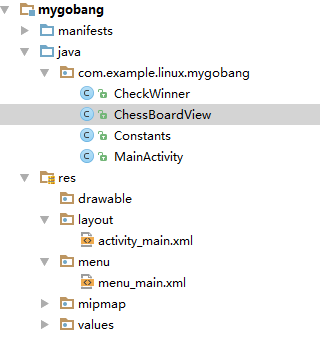 Android 五子棋完整實作:自訂棋盤 View、落子判斷與四方向勝負演算法
近來學了五子棋相關的課程,收穫不少,於是動手做了一個 Android 版本。這個題目看似簡單,卻很適合練習自訂 View、事件處理、狀態保存與演算法設計,能學到的東西比預
 自定義 View 實作狀態提示圖表 AreaChartsView
1. 緣起 前面讀了一堆系統原始碼,該停下來喘口氣。趁著無事,看到一個有意思的需求就拿來練功——自定義控件。 這個案例很適合新手入門自定義 View,因為它完全由 Can