

編輯:關於 Android 程式設計
在 Android 開發中,處理檔案的壓縮與解壓縮是很常見的需求。本文提供一個完整的 ZipUtil 工具類別,封裝了整包解壓縮、單檔案讀取、檔案清單列舉等多項實用方法,方便日後直接取用。
這個工具類別主要包含以下幾個方法:UnZipFolder 負責將整個 ZIP 解壓縮到指定目錄;ZipFolder 與 ZipFiles 負責把檔案或資料夾打包成 ZIP;UpZip 用來取得壓縮檔內單一檔案的 InputStream;GetFileList 則可列出壓縮檔內容的檔案與資料夾清單。
public class ZipUtil { public ZipUtil(){ } /** * DeCompress the ZIP to the path * @param zipFileString name of ZIP * @param outPathString path to be unZIP * @throws Exception */ public static void UnZipFolder(String zipFileString, String outPathString) throws Exception { ZipInputStream inZip = new ZipInputStream(new FileInputStream(zipFileString)); ZipEntry zipEntry; String szName = ""; System.out.println("start"); while ((zipEntry = inZip.getNextEntry()) != null) { szName = zipEntry.getName(); System.out.println(szName); if (zipEntry.isDirectory()) { // get the folder name of the widget szName = szName.substring(0, szName.length() - 1); File folder = new File(outPathString + File.separator + szName); folder.mkdirs(); } else { File file = new File(outPathString + File.separator + szName); file.createNewFile(); // get the output stream of the file FileOutputStream out = new FileOutputStream(file); int len; byte[] buffer = new byte[1024]; // read (len) bytes into buffer while ((len = inZip.read(buffer)) != -1) { // write (len) byte from buffer at the position 0 out.write(buffer, 0, len); out.flush(); } out.close(); } } System.out.println("ssssss"); inZip.close(); } /** * Compress file and folder * @param srcFileString file or folder to be Compress * @param zipFileString the path name of result ZIP * @throws Exception */ public static void ZipFolder(String srcFileString, String zipFileString)throws Exception { //create ZIP ZipOutputStream outZip = new ZipOutputStream(new FileOutputStream(zipFileString)); //create the file File file = new File(srcFileString); //compress ZipFiles(file.getParent()+File.separator, file.getName(), outZip); //finish and close outZip.finish(); outZip.close(); } /** * compress files * @param folderString * @param fileString * @param zipOutputSteam * @throws Exception */ private static void ZipFiles(String folderString, String fileString, ZipOutputStream zipOutputSteam)throws Exception{ if(zipOutputSteam == null) return; File file = new File(folderString+fileString); if (file.isFile()) { ZipEntry zipEntry = new ZipEntry(fileString); FileInputStream inputStream = new FileInputStream(file); zipOutputSteam.putNextEntry(zipEntry); int len; byte[] buffer = new byte[4096]; while((len=inputStream.read(buffer)) != -1) { zipOutputSteam.write(buffer, 0, len); } zipOutputSteam.closeEntry(); } else { //folder String fileList[] = file.list(); //no child file and compress if (fileList.length <= 0) { ZipEntry zipEntry = new ZipEntry(fileString+File.separator); zipOutputSteam.putNextEntry(zipEntry); zipOutputSteam.closeEntry(); } //child files and recursion for (int i = 0; i < fileList.length; i++) { ZipFiles(folderString, fileString+java.io.File.separator+fileList[i], zipOutputSteam); }//end of for } } /** * return the InputStream of file in the ZIP * @param zipFileString name of ZIP * @param fileString name of file in the ZIP * @return InputStream * @throws Exception */ public static InputStream UpZip(String zipFileString, String fileString)throws Exception { ZipFile zipFile = new ZipFile(zipFileString); ZipEntry zipEntry = zipFile.getEntry(fileString); return zipFile.getInputStream(zipEntry); } /** * return files list(file and folder) in the ZIP * @param zipFileString ZIP name * @param bContainFolder contain folder or not * @param bContainFile contain file or not * @return * @throws Exception */ public static List GetFileList(String zipFileString, boolean bContainFolder, boolean bContainFile)throws Exception { List fileList = new ArrayList(); ZipInputStream inZip = new ZipInputStream(new FileInputStream(zipFileString)); ZipEntry zipEntry; String szName = ""; while ((zipEntry = inZip.getNextEntry()) != null) { szName = zipEntry.getName(); if (zipEntry.isDirectory()) { // get the folder name of the widget szName = szName.substring(0, szName.length() - 1); File folder = new File(szName); if (bContainFolder) { fileList.add(folder); } } else { File file = new File(szName); if (bContainFile) { fileList.add(file); } } } inZip.close(); return fileList; } }
使用時只需依需求呼叫對應的靜態方法即可,例如 UnZipFolder 解壓整包、UpZip 取出特定檔案內容,或 GetFileList 取得壓縮檔內的檔案清單,相當便利。
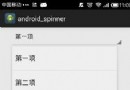 Android 下拉選單 Spinner 的實作範例
Spinner 的作用有點像 HTML 裡的下拉框 <select></select>:使用者點開後從清單中挑選一項。本文分享具體的實現代碼,供大
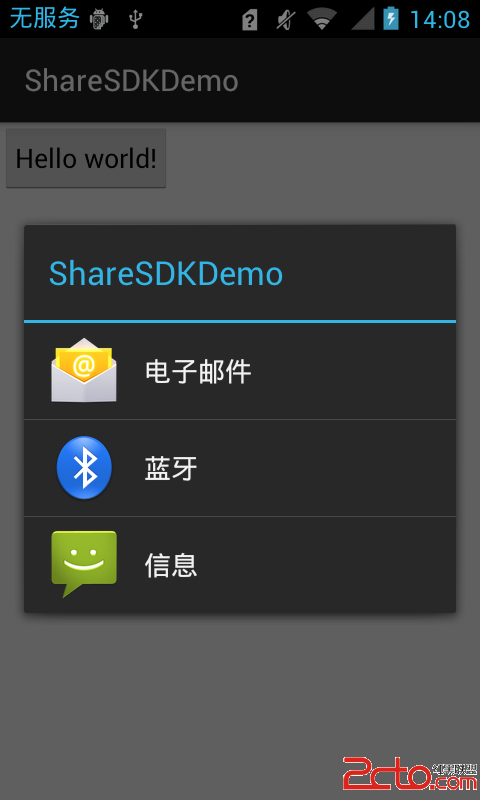 Android 專案實戰:社群分享功能的兩種實現方案
為什麼要重視分享功能 如今社群平台林立的時代,人們的時間大量被各類社交客戶端佔據。正因如此,在我們的應用裡加入一鍵分享功能,對提升產品知名度有著不小的幫助。新浪微博、騰訊
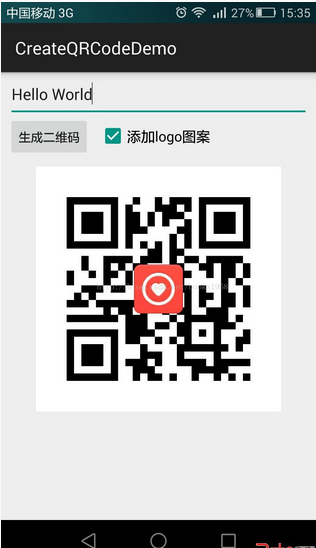 Android 使用 ZXing 生成二維碼(支持添加中心 Logo)
ZXing 是 Google 開源的一個經典庫,既能生成二維碼,也能掃描二維碼。本文聚焦第一部分——生成二維碼並支持在中心嵌入 Logo。先上效果圖:ZXing 相關文件
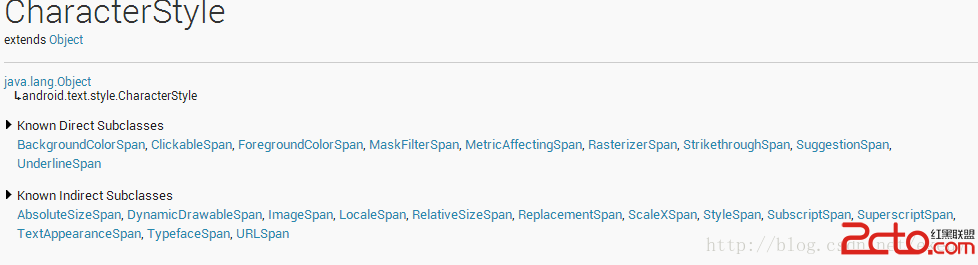 用 SpannableString 讓 TextView 顯示效果更豐富:SpannableUtils 工具類實作
做 TextView 時常會遇到這樣的需求:一整段文字裡,只有中間幾個字要加粗、換色、加上標或做成超連結。用好幾個 TextView 硬湊當然做得到,但只要特殊處理的片段