

編輯:關於 Android 程式設計
當要送出的資料比較長、或包含敏感資訊時,POST 會比 GET 合適:參數放在請求本文而非網址列上,長度不受 URL 限制,也不會明文暴露在網址中。
/**
 * 以 POST 方式發送請求
 *
 * @param username 使用者名稱
 * @param password 密碼
 * @return null 表示請求路徑有問題,text 為請求取得的資料
 */
public static String postRequest(String username, String password) {
    try {
        String path = "https://172.22.64.156:8080/0001AndroidWebService/LoginServlet";
        URL url = new URL(path);
        HttpURLConnection conn = (HttpURLConnection) url.openConnection();
        conn.setReadTimeout(500);
        conn.setRequestMethod("POST");

        // 準備要傳輸的資料
        String data = "username=" + URLEncoder.encode(username)
                + "&password=" + URLEncoder.encode(password);

        // 指定本文型別與長度
        conn.setRequestProperty("Content-Type", "application/x-www-form-urlencoded");
        conn.setRequestProperty("Content-Length", data.length() + "");

        // 取得輸出流並寫入資料
        OutputStream os = conn.getOutputStream();
        os.write(data.getBytes());

        int code = conn.getResponseCode();
        if (code == 200) {
            // 請求成功
            InputStream is = conn.getInputStream();
            String text = StreamUtil.readStream(is);
            return text;
        } else {
            // 請求失敗
            return null;
        }
    } catch (Exception e) {
        e.printStackTrace();
    }
    return null;
}
本文長度要用位元組數。data.length() 回傳的是字元數,一旦本文含中文,實際位元組數會比字元數多,導致伺服器只讀到部分內容。正確作法是 data.getBytes("UTF-8").length。
字元編碼要一致。寫入時指定編碼、送出時也宣告同樣的編碼,兩邊對齊才不會出現亂碼:
os.write(data.getBytes("UTF-8"));
別忘了收尾。輸出流與輸入流都應關閉,conn.disconnect() 也有助於釋放連線資源。
逾時值要務實。500 毫秒在行動網路上太激進,容易把正常請求誤判為失敗。
另外要說明的是,範例中的 conn.setDefaultUseCaches(true) 對 POST 請求並無實質作用——POST 依規範不應被快取,這行可以移除。
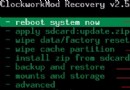 雙清是什麼意思?刷機前還是刷機後執行
雙清,也稱為雙 wipe,是 Android 系統刷機的專有名詞。wipe 解釋為「擦、拭、抹去」的意思,因此雙清就是「恢復出廠設定」與「清除緩存」兩項操作。由於在英文
 自定義 View 仿 QQ 運動步數圓弧:Canvas 繪圖與屬性動畫實戰
在之前的「Android 超精準計步器開發」專案中,首頁用到了一個自定義控件,效果與 QQ 運動的界面有點類似,還帶有動畫。下面就來講講這個 View 是怎麼一步步繪製出
 Unity 結合 Vuforia 實戰:原生層控制相機的踩坑全記錄
專案一直趕進度,能寫文的時間越來越少。真正投入 Unity 開發差不多兩個月,方向是 AR,用的是高通那家的 Vuforia。從工程融合一路折騰到 Unity 與 Vuf
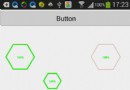 自定義 Android 六邊形進度條(附完整源碼)
圓形進度條做熟之後,把外框換成多邊形其實只是換一套座標計算。這次我們來做一個六邊形版本:外框用 Path 畫出六個頂點,進度則依「目前走到第幾條邊、走了該邊的百分之幾」分