

編輯:關於 Android 程式設計
上一篇完成了 HTTP 請求的監聽,接下來要回答:怎麼回應?實務上會遇到幾種典型情況。
public class SessionThread extends Thread {
    private Socket _clientSocket = null;
    private final int BUFFER_MAX = 8192;
    private DataHandle _dataHandle = null;

    public SessionThread(Socket clientSocket) {
        this._clientSocket = clientSocket;
    }

    public void closeSocket() {
        if (_clientSocket == null) return;
        try {
            _clientSocket.close();
        } catch (IOException e) {
            e.printStackTrace();
        }
    }

    @Override
    public void run() {
        try {
            InputStream socketInput = _clientSocket.getInputStream();
            byte[] buffer = new byte[BUFFER_MAX];
            socketInput.read(buffer);
            _dataHandle = new DataHandle(buffer);
            byte[] content = _dataHandle.fetchContent();
            sendResponse(_clientSocket, content);
        } catch (Exception e) {
            e.printStackTrace();
        }
    }

    private void sendResponse(Socket clientSocket, byte[] content) throws IOException {
        OutputStream socketOut = clientSocket.getOutputStream();
        byte[] header = _dataHandle.fetchHeader(content.length);
        socketOut.write(header);
        socketOut.write(content);
        socketOut.close();
        clientSocket.close();
    }
}
重點:
public class DataHandle {
    private String _receiveInfo = "";
    private HttpHeader _httpHeader = null;
    private String _encoding = "utf-8";
    private String _serverName = "Simple Web Server";
    private String _responseCode = "200 OK";
    private String _contentType = "text/html";

    public DataHandle(byte[] recieveData) throws UnsupportedEncodingException {
        this._receiveInfo = new String(recieveData, _encoding);
        _httpHeader = new HttpHeader(_receiveInfo);
    }

    public byte[] fetchContent() {
        if (!isSupportMethod()) return fetchNotSupportMethodBack();

        String filePath = fetchFilePath();
        if (!FileSp.isExist(filePath)) return fetchNotFoundBack();

        if (!isSupportExtension()) return fetchNotSupportFileBack();

        return fetchBackFromFile(filePath);
    }

    public byte[] fetchHeader(int contentLength) throws UnsupportedEncodingException {
        return ("HTTP/1.1 " + _responseCode + "\r\n"
                + "Server: " + _serverName + "\r\n"
                + "Content-Length: " + contentLength + "\r\n"
                + "Connection: close\r\n"
                + "Content-Type: " + _contentType + ";charset=" + _encoding + "\r\n\r\n")
                .getBytes(_encoding);
    }

    private boolean isSupportMethod() {
        String method = _httpHeader.getMethod();
        if (method == null || method.length() <= 0) return false;
        method = method.toUpperCase();
        return method.equals("GET") || method.equals("POST");
    }

    private boolean isSupportExtension() {
        String contentType = _httpHeader.getContentType();
        if (contentType == null || contentType.length() <= 0) return false;
        _contentType = contentType;
        return true;
    }

    private String fetchFilePath() {
        String root = Defaults.getRoot();
        String fileName = _httpHeader.getFileName();
        if (fileName.startsWith("/") || fileName.startsWith("\\")) {
            return root + fileName.substring(1);
        }
        return root + fileName;
    }

    private byte[] fetchBackFromFile(String filePath) {
        return FileSp.read(filePath);
    }

    // 以下為三種錯誤頁面的組裝,格式相同,僅狀態碼與說明不同
    private byte[] fetchNotSupportMethodBack() { /* 501 - Method Not Implemented */ }
    private byte[] fetchNotSupportFileBack()  { /* 404.7 - Type Not Support */ }
    private byte[] fetchNotFoundBack()        { /* 404 - Not Found */ }
}
完成回應之後,剩下就是把這些能力接到界面上做控制,下一篇再談。
轉載請註明出處:Android 版 Web 服務器實現(三)HTTP 回應
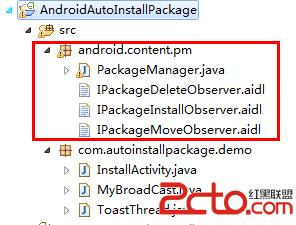 在 Android 中實現靜默安裝與卸載應用的兩種方案
不知不覺又一段時間沒更新部落格了,一方面是工作比較繁忙,另一方面是前陣子一直在折騰 Android 源碼的下載(這段經歷後續會專門写一篇記錄,確實挺有收穫)。那麼今天聊點
 深入淺出 Android ContentProvider 資料共享機制
在 Android 的四大元件中,ContentProvider(內容提供者)是唯一專責「對外共享資料」的元件。它讓不同應用之間能以統一的方式存取彼此(或系統)的資料,像
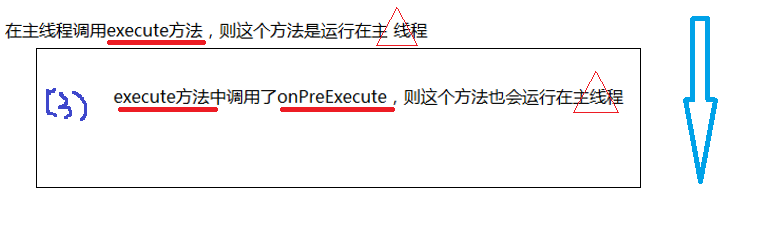 Android 異步任務 AsyncTask 源碼深度解析
相信大家对 AsyncTask 機制都不陌生:繼承 AsyncTask 類別並重寫 doInBackground() 於子線程執行耗時操作;onPostExecute()
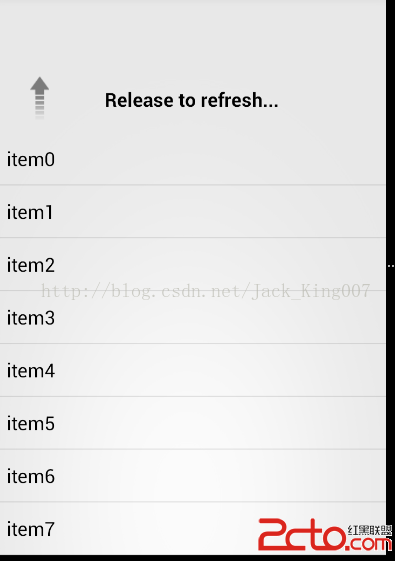 手把手整合 PullToRefresh 下拉刷新庫
做專案時常會想回頭盤點:一個 App 到底需要哪些基礎能力?下拉刷新肯定是其中之一。這篇就重新梳理一次經典開源庫 PullToRefresh 的整合流程。 一、複製