

編輯:關於 Android 程式設計
家裡用無線路由器,平板走 WiFi 上網,臨時要傳幾個檔案卻找不到傳輸線——這種時候只要兩端都能跑 Python,用 socket 自己搭一條通道是最快的解法。以下是一個 PC 端服務 + 平板端客戶端的完整實作。
PC 執行 getfile.py -mode server 開一個 TCP 監聽埠(預設 55555);平板執行客戶端腳本,輸入檔名後連上 PC 的 IP,把檔案寫到 /mnt/sdcard/sl4a/scripts/。同一份腳本透過 -mode 參數切換兩種角色。
import sys, os, thread, time
from socket import *

bufsz = 1024
defaultHost = 'localhost'
defaultPort = 55555
path = '/python4android/'

helptext = """
Usage...
  server => getfile.py -mode server [-port nnn] [-host hhh|localhost]
  client => getfile.py [-mode client] -file fff [-port nnn] [-host hhh|localhost]
"""

def now():
    return time.strftime('%Y-%m-%d %X', time.localtime())

def parsecommandline():
    dict = {}
    args = sys.argv[1:]              # 跳過程式名稱
    while len(args) >= 2:
        dict[args[0]] = args[1]
        args = args[2:]
    return dict

def client(host, port, filename):
    sock = socket(AF_INET, SOCK_STREAM)
    sock.connect((host, port))
    sock.send(filename + '\n')       # 先告知要哪個檔
    file = open(filename, 'wb')
    while True:
        data = sock.recv(bufsz)      # 每次收 1K
        if not data:
            break                    # 對端關閉即結束
        file.write(data)
    sock.close()
    file.close()
    print 'Client get', filename, 'at', now()

def serverthread(clientsock):
    sockfile = clientsock.makefile('r')
    filename = sockfile.readline()[:-1]          # 去掉換行符
    dropdir = path + os.path.split(filename)[1]  # 只取檔名,丟掉路徑
    try:
        file = open(dropdir, 'rb')
        while True:
            bytes = file.read(bufsz)
            if not bytes:
                break
            sent = clientsock.send(bytes)
            assert sent == len(bytes)
        print 'download file :', dropdir
    except:
        print 'Error download file on server:', filename
    clientsock.close()

def server(host, port):
    serversock = socket(AF_INET, SOCK_STREAM)
    serversock.bind((host, port))
    serversock.listen(5)
    while True:
        clientsock, clientaddr = serversock.accept()
        print 'Server connected by', clientaddr, 'at', now()
        thread.start_new_thread(serverthread, (clientsock,))

def main(args):
    host = args.get('-host', defaultHost)
    port = int(args.get('-port', defaultPort))
    if args.get('-mode') == 'server':
        if host == 'localhost':
            host = gethostbyname(gethostname())   # localhost 對遠端無效
        server(host, port)
    elif args.get('-file'):
        client(host, port, args['-file'])
    else:
        print helptext

if __name__ == '__main__':
    main(parsecommandline())
幾個設計上的巧思值得留意:os.path.split(filename)[1] 只取檔名部分,避免客戶端傳來的路徑在伺服器上造成任意檔案寫入;用 makefile('r') 把 socket 包成檔案物件再讀一行,比自行處理緩衝區優雅得多;每個連線開一條 thread,讓多人同時下載不會互相阻塞。
# -*- coding: utf8 -*-
import android
import sys, os, time
from socket import *

def now():
    return time.strftime('%Y-%m-%d %X', time.localtime())

droid = android.Android()

filename = droid.dialogGetInput(u"從PC接收文件", u"請輸入文件名:").result
print filename

bufsz = 1024
host = '192.168.0.103'                  # 改成你 PC 的 IP
port = 55555
path = '/mnt/sdcard/sl4a/scripts/'

sock = socket(AF_INET, SOCK_STREAM)
sock.connect((host, port))
sock.send(filename + '\n')
file = open(path + filename, 'wb')
while True:
    data = sock.recv(bufsz)
    if not data:
        break
    file.write(data)
sock.close()
file.close()
print 'Client get', filename, 'at', now()
查 PC 的 IP。在 Windows 命令提示字元執行 ipconfig,找「IPv4 位址」,把客戶端腳本裡的 host 換掉。
防火牆要放行。Windows 預設會攔截 55555 埠的外部連入,第一次執行時記得在防火牆提示中按「允許」,否則客戶端會卡在 connect 階段。
這段程式碼不能這樣上生產。它傳輸時完全沒有加密與身分驗證,任何在該網段上的裝置都能連上 55555 埠下載 path 目錄下的檔案。僅適合家庭內部臨時使用。若需要長期方案,請改用 SSH/SFTP、或至少加上一組預先共享的簡單 token 驗證。
此腳本於 Android 4.1 平板實測通過(Python 2 語法)。
 自定義 View 實現圓環等待動畫與音量調節效果
圓環交替、等待效果 效果如上圖。分析了一下,大概有這幾個屬性:兩個顏色、一個速度、一個圓環寬度。自定義 View 大致分四步:1、自定義 View 的屬性;2、在 Vi
 Android Activity 屏幕切換動畫:左右滑動效果實作
Activity 之間的切換效果,可以透過 overridePendingTransition 指定進入與退出動畫。自 Android 2.0 起,開發者能在 start
 Android開發實用Tips彙編
整理一些在Android開發中經常會用到的小知識點。 1. Download文件夾 絕對路徑: /storage/emulated/0/Download/xxx 遍
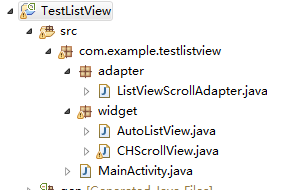 Android ListView 下拉刷新、上拉加載與多欄橫向滾動整合實作
ListView 是 Android 最常被使用的清單控制項,可以搭配不同的檢視模式呈現大圖示、小圖示、清單或報表。實際專案裡,「下拉刷新+上拉加載」幾乎是標配;而如果資