

編輯:關於 Android 程式設計
1、設置佈局 layout/main.xml:
<?xml version="1.0" encoding="utf-8"?>
<LinearLayout
    android:layout_width="fill_parent"
    android:layout_height="fill_parent"
    android:orientation="vertical">
    <TextView
        android:layout_width="fill_parent"
        android:layout_height="wrap_content"
        android:text="請輸入圖片的路徑" />
    <EditText
        android:layout_width="fill_parent"
        android:layout_height="wrap_content"
        android:id="@+id/et_path"
        android:hint="請輸入圖片的路徑" />
    <Button
        android:layout_width="wrap_content"
        android:layout_height="wrap_content"
        android:onClick="viewImage"
        android:text="浏覽" />
    <ImageView
        android:layout_width="match_parent"
        android:layout_height="match_parent"
        android:id="@+id/iv"
        android:src="@drawable/ic_launcher"
        android:scaleType="centerInside" />
</LinearLayout>
2、DemoActivity 中的業務程式碼:
public class DemoActivity extends Activity {
    private EditText et_path;   // 圖片位址的輸入框
    private ImageView iv;       // 顯示圖片的組件

    @Override
    public void onCreate(Bundle savedInstanceState) {
        super.onCreate(savedInstanceState);
        setContentView(R.layout.main);
        et_path = (EditText) this.findViewById(R.id.et_path);
        iv = (ImageView) this.findViewById(R.id.iv);
    }

    // 點擊按鈕響應方法
    public void viewImage(View view) {
        String path = et_path.getText().toString().trim();
        if (TextUtils.isEmpty(path)) {
            Toast.makeText(this, "路徑不能為空", Toast.LENGTH_SHORT).show();
            return;
        } else {
            // 模擬瀏覽器的 http get 請求,獲取圖片數據並展現到界面上
            try {
                URL url = new URL(path);                       // url 不合法的異常
                HttpURLConnection conn = (HttpURLConnection) url.openConnection();
                conn.setRequestMethod("GET");
                conn.setConnectTimeout(5000);                  // 網絡超時的異常
                int code = conn.getResponseCode();             // 伺服器返回的狀態碼
                if (code == 200) {
                    String length = conn.getContentLength() + ""; // 響應數據的長度
                    String type = conn.getContentType();          // 響應數據的類型
                    InputStream is = conn.getInputStream();       // 獲取伺服器返回的流
                    Bitmap bitmap = BitmapFactory.decodeStream(is); // 將流轉成 Bitmap(io 異常)
                    iv.setImageBitmap(bitmap);                    // 設置給 ImageView
                } else {
                    Toast.makeText(this, "圖片不存在,或者伺服器異常", Toast.LENGTH_SHORT).show();
                }
            } catch (Exception e) {
                e.printStackTrace();
                if (e instanceof MalformedURLException) {
                    Toast.makeText(this, "url 不合法", Toast.LENGTH_SHORT).show();
                } else if (e instanceof SocketTimeoutException) {
                    Toast.makeText(this, "網絡連接超時", Toast.LENGTH_SHORT).show();
                } else if (e instanceof IOException) {
                    Toast.makeText(this, "照片數據錯誤", Toast.LENGTH_SHORT).show();
                } else {
                    Toast.makeText(this, "未知錯誤", Toast.LENGTH_SHORT).show();
                }
            }
        }
    }
}
3、由於連接伺服器會產生流量,需在 AndroidManifest.xml 中添加網路權限。
1、設置佈局(重點是一個 ScrollView 包裹 TextView,以便出現側拉條):
<?xml version="1.0" encoding="utf-8"?>
<LinearLayout
    android:layout_width="fill_parent"
    android:layout_height="fill_parent"
    android:orientation="vertical">
    <TextView
        android:layout_width="fill_parent"
        android:layout_height="wrap_content"
        android:text="請輸入網頁的路徑" />
    <EditText
        android:layout_width="fill_parent"
        android:layout_height="wrap_content"
        android:id="@+id/et_path"
        android:text="https://192.168.1.247:8080/web/index.jsp"
        android:hint="請輸入網頁的路徑" />
    <Button
        android:layout_width="wrap_content"
        android:layout_height="wrap_content"
        android:onClick="viewHtml"
        android:text="查看" />
    <ScrollView
        android:layout_width="match_parent"
        android:layout_height="match_parent">
        <TextView
            android:layout_width="match_parent"
            android:layout_height="match_parent"
            android:id="@+id/tv" />
    </ScrollView>
</LinearLayout>
2、業務程式碼:
public void viewHtml(View view) {
    String path = et_path.getText().toString().trim();
    if ("".equals(path)) {
        Toast.makeText(this, "路徑不能為空", 0).show();
        return;
    } else {
        try {
            URL url = new URL(path);                         // 創建 url 物件
            try {
                HttpURLConnection conn = (HttpURLConnection) url.openConnection();
                conn.setRequestMethod("GET");                // 可以不寫
                conn.setConnectTimeout(5000);
                int code = conn.getResponseCode();
                if (code == 200) {
                    InputStream is = conn.getInputStream();
                    try {
                        byte[] result = StreamTools.getBytes(is); // 將輸入流轉成字節數組
                        tv.setText(new String(result));
                    } catch (Exception e) {
                        Toast.makeText(this, "io 錯誤", 0).show();
                        e.printStackTrace();
                    }
                }
            } catch (IOException e) {
                Toast.makeText(this, "協議不支持,io 錯誤", 0).show();
                e.printStackTrace();
            }
        } catch (MalformedURLException e) {
            Toast.makeText(this, "url 不合法", 0).show();
            e.printStackTrace();
        }
    }
}
3、記得設定連接網路的權限。
1、設置佈局:使用 ListView 顯示視頻播放列表。
① 在 layout/main.xml 中定義 ListView:
<?xml version="1.0" encoding="utf-8"?>
<LinearLayout
    android:layout_width="fill_parent"
    android:layout_height="fill_parent"
    android:orientation="vertical" >
    <ListView
        android:layout_width="fill_parent"
        android:layout_height="fill_parent"
        android:id="@+id/lv" />
</LinearLayout>
② 設置 listView 中每個項目要顯示的佈局 layout/item.xml:
<?xml version="1.0" encoding="utf-8"?>
<LinearLayout
    android:layout_width="match_parent"
    android:layout_height="wrap_content"
    android:background="#449f9f9f"
    android:orientation="horizontal">
    <ImageView
        android:id="@+id/iv_item_icon"
        android:layout_width="wrap_content"
        android:layout_height="48dip"
        android:src="@drawable/default1" />
    <LinearLayout
        android:layout_width="fill_parent"
        android:layout_height="wrap_content"
        android:gravity="center_horizontal"
        android:orientation="vertical" >
        <TextView
            android:id="@+id/tv_item_title"
            android:layout_width="wrap_content"
            android:layout_height="wrap_content"
            android:text="標題" />
        <TextView
            android:id="@+id/tv_item_time"
            android:layout_width="wrap_content"
            android:layout_height="wrap_content"
            android:text="播放時間"
            android:textColor="@color/green" />
        <TextView
            android:id="@+id/tv_item_count"
            android:layout_width="wrap_content"
            android:layout_height="wrap_content"
            android:text="點播次數"
            android:textColor="@color/green" />
    </LinearLayout>
</LinearLayout>
2、業務程式碼。從伺服器端獲取的是 XML 檔,先將 XML 轉成 Channel 物件的集合。
① DemoActivity 中組件的顯示設置:
public class DemoActivity extends Activity {
    private ListView lv;
    private ChannelService service;
    private List<Channel> channels;
    private LayoutInflater inflater;

    @Override
    public void onCreate(Bundle savedInstanceState) {
        super.onCreate(savedInstanceState);
        setContentView(R.layout.main);
        lv = (ListView) this.findViewById(R.id.lv);         // 獲取列表
        inflater = LayoutInflater.from(this);               // 獲取佈局填充器
        service = new ChannelService(this);                 // 創建服務類物件
        channels = service.getChannels();                   // 將伺服器獲取的 xml 轉成 channel 列表
        lv.setDivider(new ColorDrawable(Color.WHITE));      // 設置分隔線顏色
        lv.setDividerHeight(1);                             // 高度
        lv.setAdapter(new MyAdapter());                     // 為 ListView 設置適配器

        // listView 的點擊項目事件
        lv.setOnItemClickListener(new OnItemClickListener() {
            public void onItemClick(AdapterView<?> parent, View view,
                    int position, long id) {
                Channel channel = (Channel) lv.getItemAtPosition(position);
                String title = channel.getTitle();
                System.out.println("播放" + title + "提交請求給伺服器,通知播放次數加 1");
            }
        });
    }

    // 自定義適配器類
    private class MyAdapter extends BaseAdapter {
        @Override
        public int getCount() {
            return channels.size();
        }

        @Override
        public Object getItem(int position) {
            return channels.get(position);
        }

        @Override
        public long getItemId(int position) {
            return position;
        }

        @Override
        public View getView(int position, View convertView, ViewGroup parent) {
            Channel channel = channels.get(position);
            View view = inflater.inflate(R.layout.item, null); // 將 item.xml 轉成 view
            TextView tv_count = (TextView) view.findViewById(R.id.tv_item_count);
            TextView tv_time = (TextView) view.findViewById(R.id.tv_item_time);
            TextView tv_title = (TextView) view.findViewById(R.id.tv_item_title);
            tv_count.setText("點播次數:" + channel.getCount());
            tv_time.setText("播放時間:" + channel.getTime());
            tv_title.setText(channel.getTitle());
            ImageView iv = (ImageView) view.findViewById(R.id.iv_item_icon);
            String iconpath = channel.getIconpath();
            // 判斷 sd 卡上是否有該圖片,有則使用 sd 卡圖片,否則才下載
            String iconname = getIconName(iconpath);
            File file = new File(Environment.getExternalStorageDirectory(), iconname);
            if (file.exists()) {
                System.out.println("使用 sd 卡的緩存圖片");
                iv.setImageURI(Uri.fromFile(file));
            } else {
                try {
                    URL url = new URL(iconpath);
                    HttpURLConnection conn = (HttpURLConnection) url.openConnection();
                    conn.setRequestMethod("GET");
                    conn.setConnectTimeout(5000);
                    if (conn.getResponseCode() == 200) {
                        InputStream is = conn.getInputStream();
                        Bitmap bitmap = BitmapFactory.decodeStream(is);
                        if (bitmap != null) {
                            iv.setImageBitmap(bitmap);
                            // 需要把圖片保存在 sd 卡裡面
                            FileOutputStream stream = new FileOutputStream(file);
                            System.out.println("使用的是下載的圖片");
                            bitmap.compress(CompressFormat.JPEG, 100, stream);
                        }
                    }
                } catch (Exception e) {
                    e.printStackTrace();
                }
            }
            return view;
        }

        /** 獲取一個圖片路徑對應的圖片名字 */
        private String getIconName(String path) {
            int start = path.lastIndexOf("/");
            return path.substring(start + 1);
        }
    }
}
② 將服務端獲取的 XML 轉成 Channel 物件的 List 集合(使用 XmlPullParser 解析):
public class ChannelService {
    private Context context;

    public ChannelService(Context context) {
        this.context = context;
    }

    public List<Channel> getChannels() throws Exception {
        String path = context.getResources().getString(R.string.serverurl);
        URL url = new URL(path);
        HttpURLConnection conn = (HttpURLConnection) url.openConnection();
        conn.setRequestMethod("GET");
        conn.setConnectTimeout(5000);

        if (conn.getResponseCode() == 200) {
            InputStream is = conn.getInputStream();
            XmlPullParser parser = Xml.newPullParser();     // 得到 xml 解析器
            parser.setInput(is, "utf-8");                   // 初始化解析器
            int type = parser.getEventType();
            List<Channel> channels = new ArrayList<Channel>();
            Channel channel = null;
            while (type != XmlPullParser.END_DOCUMENT) {
                switch (type) {
                    case XmlPullParser.START_TAG:
                        if ("channel".equals(parser.getName())) {
                            channel = new Channel();
                        } else if ("title".equals(parser.getName())) {
                            channel.setTitle(parser.nextText());
                        } else if ("time".equals(parser.getName())) {
                            channel.setTime(parser.nextText());
                        } else if ("count".equals(parser.getName())) {
                            channel.setCount(Integer.parseInt(parser.nextText()));
                        } else if ("iconpath".equals(parser.getName())) {
                            channel.setIconpath(parser.nextText());
                        }
                        break;
                    case XmlPullParser.END_TAG:
                        if ("channel".equals(parser.getName())) {
                            channels.add(channel);
                            channel = null;
                        }
                        break;
                }
                type = parser.next();
            }
            return channels;
        }
        return null;
    }
}
③ 服務端的 XML 檔格式:
<?xml version="1.0" encoding="utf-8"?>
<channels>
    <channel>
        <title>...</title>
        <time>10:20</time>
        <count>2314</count>
        <iconpath>https://192.168.1.247:8080/web/a.jpg</iconpath>
    </channel>
    <channel>
        <title>...</title>
        <time>8:20</time>
        <count>314</count>
        <iconpath>https://192.168.1.247:8080/web/b.jpg</iconpath>
    </channel>
</channels>
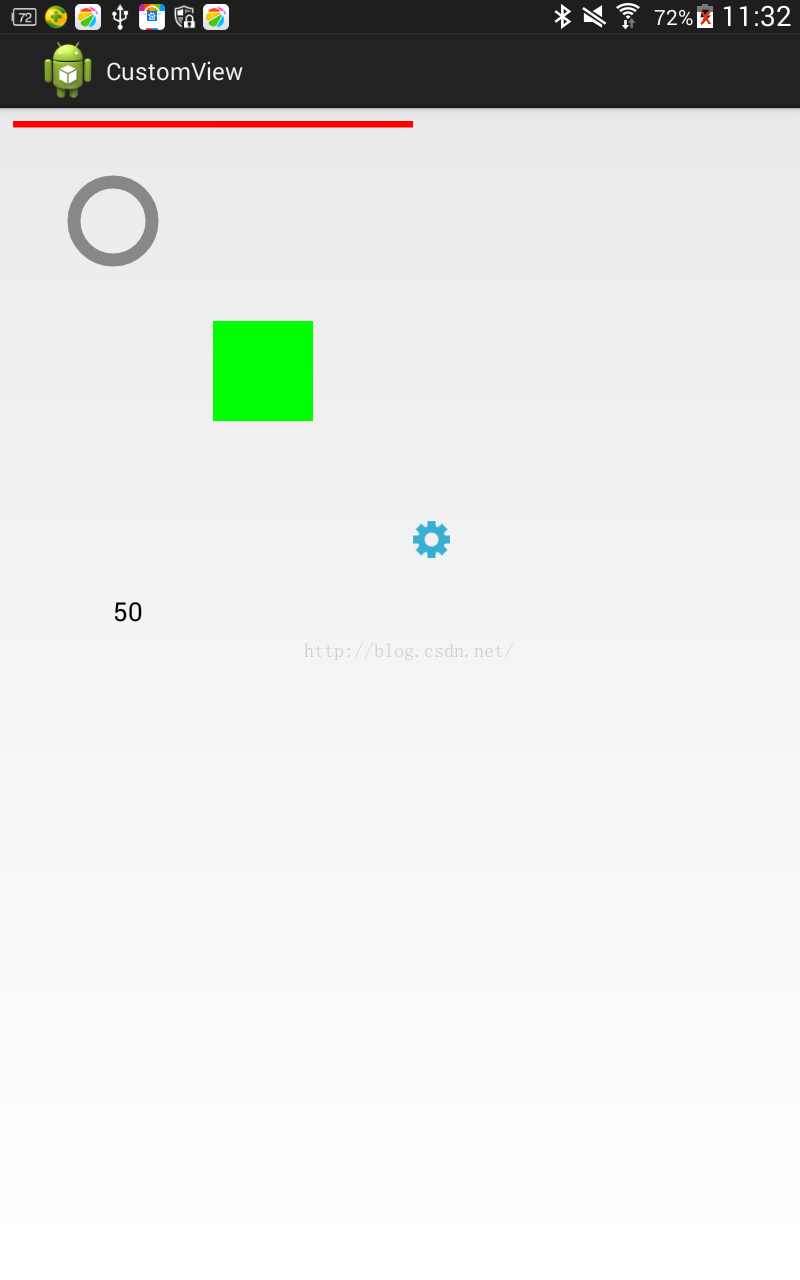 Android 繪圖(二):Canvas 畫布常用 API 詳解與實戰
今天這篇,我們來好好聊聊 Canvas。Canvas 是畫布,用來響應繪畫(Draw)的調用,並把結果寫入 Bitmap。先看看官方文檔對 Canvas 的描述: The
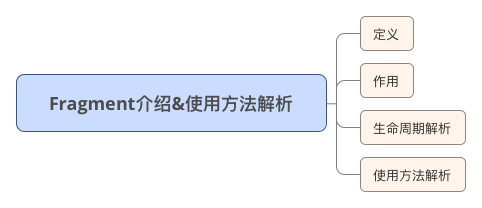 底部導航菜單實戰:FragmentTabHost + ViewPager + Fragment
前言 在 Android 開發裡,底部菜單欄幾乎是 App 的標配。實現方式其實有不少選擇:早期的 TabWidget、隱藏 TabWidget 後用 RadioGrou
 Android 滑出式菜單實作:從手勢排版到 SlidingMenu
滑出式菜單(側滑菜單)從外觀上看,簡直就是一個水平滾動視圖 HorizontalScrollView——實際上也確實可以用它來做。不過本篇想談的是另一條路:用線性布局 L
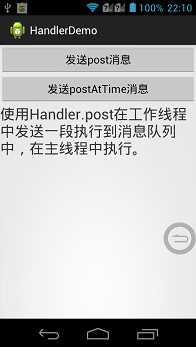 Android Handler 多執行緒詳解:post 與 sendMessage 兩大體系
Android——多執行緒之 Handler前言Android 的訊息傳遞機制可視為另一種形式的「事件處理」,主要目的是解決多執行緒問題。在 Android 中,不允許