

編輯:關於 Android 程式設計
在開發商業應用時,往往需要應對後續的版本升級。若資料庫檔案本身相當龐大(例如遊戲類型),每次更新都重新複製顯然不切實際。將資料庫與安裝包分離,正是解決之道。以下逐步說明。
try {
    // 取得程式當前版本
    PackageInfo info = getPackageManager().getPackageInfo(PACKAGE_NAME, 0);
    currentVersion = info.versionCode;
    // 取得上一個版本
    SharedPreferences prefs = PreferenceManager.getDefaultSharedPreferences(this);
    lastVersion = prefs.getInt(VERSION_KEY, 0);
    System.out.println("當前版本是版本" + currentVersion);
    // 判斷是否為第一次安裝
    if (currentVersion > lastVersion) {
        // 當前版本大於上次版本,屬於首次啟動
        initDatabase();
    }
} catch (NameNotFoundException e) {
    e.printStackTrace();
}
private void initDatabase() {
    // 取得資料庫存放路徑
    databaseFilename = DATABASE_PATH + "/" + DATABASE_FILENAME;
    File dir = new File(DATABASE_PATH);
    // 目錄不存在則建立
    if (!dir.exists()) {
        dir.mkdir();
    }
    // 檔案不存在則導入
    if (!(new File(databaseFilename)).exists()) {
        StartFrameTask startFrameTask = new StartFrameTask();
        startFrameTask.execute();
    } else {
        System.out.println("資料庫已經存在");
    }
}
private void copyDataBase() {
    try {
        // 取得 InputStream 物件
        InputStream is = getResources().openRawResource(R.raw.cpdata);
        pd.setMax(is.available());
        FileOutputStream fos = new FileOutputStream(databaseFilename);
        byte[] buffer = new byte[1024];
        int count = 0;
        // 開始複製 db 檔案
        int process = 0;
        while ((count = is.read(buffer)) > 0) {
            fos.write(buffer, 0, count);
            process += count;
            pd.setProgress(process);
        }
        fos.close();
        is.close();
    } catch (Exception e) {
        e.printStackTrace();
    }
}
完整的 Activity 實作如下,包含進度对话框與 AsyncTask 的搭配:
package com.example.testsqlite;

import java.io.File;
import java.io.FileOutputStream;
import java.io.InputStream;
import android.app.Activity;
import android.app.ProgressDialog;
import android.content.SharedPreferences;
import android.content.pm.PackageInfo;
import android.content.pm.PackageManager.NameNotFoundException;
import android.os.AsyncTask;
import android.os.Bundle;
import android.preference.PreferenceManager;
import android.widget.Toast;

public class MainActivity extends Activity {
    private static final String PACKAGE_NAME = "com.example.testsqlite";
    private static final String VERSION_KEY = "versionCode";
    private static final String DATABASE_PATH = "data/data/com.example.testsqlite";
    private static final String DATABASE_FILENAME = "cpdata.db";
    private int currentVersion;
    private int lastVersion;
    private ProgressDialog pd;
    private String databaseFilename;

    @Override
    protected void onCreate(Bundle savedInstanceState) {
        super.onCreate(savedInstanceState);
        setContentView(R.layout.activity_main);
        try {
            PackageInfo info = getPackageManager().getPackageInfo(PACKAGE_NAME, 0);
            currentVersion = info.versionCode;
            SharedPreferences prefs = PreferenceManager.getDefaultSharedPreferences(this);
            lastVersion = prefs.getInt(VERSION_KEY, 0);
            if (currentVersion > lastVersion) {
                initDatabase();
            }
        } catch (NameNotFoundException e) {
            e.printStackTrace();
        }
    }

    private void initDatabase() {
        databaseFilename = DATABASE_PATH + "/" + DATABASE_FILENAME;
        File dir = new File(DATABASE_PATH);
        if (!dir.exists()) {
            dir.mkdir();
        }
        if (!(new File(databaseFilename)).exists()) {
            new StartFrameTask().execute();
        }
    }

    private void copyDataBase() {
        try {
            InputStream is = getResources().openRawResource(R.raw.cpdata);
            pd.setMax(is.available());
            FileOutputStream fos = new FileOutputStream(databaseFilename);
            byte[] buffer = new byte[1024];
            int count = 0;
            int process = 0;
            while ((count = is.read(buffer)) > 0) {
                fos.write(buffer, 0, count);
                process += count;
                pd.setProgress(process);
            }
            fos.close();
            is.close();
        } catch (Exception e) {
            e.printStackTrace();
        }
    }

    private void startProgressDialog() {
        if (pd == null) {
            pd = new ProgressDialog(this);
            pd.setProgressStyle(ProgressDialog.STYLE_HORIZONTAL);
            pd.setMessage("正在初始化資料庫檔案");
            pd.setCancelable(false);
        }
        pd.show();
    }

    private void stopProgressDialog() {
        if (pd != null) {
            pd.dismiss();
            pd = null;
        }
    }

    public class StartFrameTask extends AsyncTask<Integer, String, Integer> {
        @Override
        protected void onCancelled() {
            stopProgressDialog();
            super.onCancelled();
        }

        @Override
        protected Integer doInBackground(Integer... params) {
            copyDataBase();
            return null;
        }

        @Override
        protected void onPreExecute() {
            startProgressDialog();
        }

        @Override
        protected void onPostExecute(Integer result) {
            stopProgressDialog();
        }
    }
}
目錄結構如下圖所示:

透過版本比對判斷首次安裝、檢查檔案是否存在,再以非同步任務搭配進度提示完成複製,即可優雅地將資料庫與安裝包分離,大幅降低每次更新的負擔。
 小米Note能插記憶卡嗎?各版本擴充性說明
小米Note主打效能與雙卡雙待,但標準版、女神版、全網通版與頂配版皆不支援記憶卡擴充。 若常看高畫質影片或玩大型遊戲,建議選擇較高儲存版本,或善用雲端與OTG隨身碟。
 Android 自定義控件實作:打造流暢的動態柱狀圖
設計思路 整個柱狀圖的繪製可以拆解為四個步驟:先畫柱狀圖,再畫豎線,接著畫頂部橫線,最後補上文字。下面逐一說明。 一、繪製柱狀圖 畫柱狀圖本身並不難,核心就是 canv
 Android 菜單學習筆記(一):Options Menu 選項菜單入門
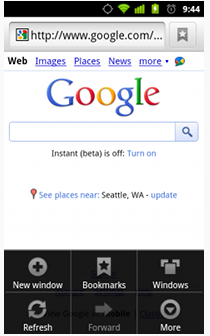
這是 Menu 系列的第一篇,將從最基本的選項菜單(Options Menu)談起,帶大家理解 Android 菜單體系的演進與基本用法。 背景:從實體菜單鍵到 Acti
 Android 從 1.0 到 6.0:各版本特性與演進全解析
從 2008 年到 2016 年,短短八年間 Android 從 1.0 一路迭代到 6.0。由於升級節奏極快,市面上的設備系統版本五花八門,業界把這種現象稱為「碎片化嚴