

編輯:關於 Android 程式設計
在 Android 中開發複合動畫時,需要使用 AnimationSet 類別。透過它的 add 方法即可加入多個動畫,也可以在佈局檔中用 <set> 標籤一次加入多個動畫——不過這種方式下的多個動畫會在同一時間一起開始。
<?xml version="1.0" encoding="utf-8"?>
<set xmlns:android="https://schemas.android.com/apk/res/android">
</set>
AnimationSet 提供了一個把多個動畫組合成一個組合的機制,並可設定組中動畫的時序關係,例如同時播放、順序播放等。以下示範同時應用 5 個動畫:
// 播放 anim1;
// 同時播放 anim2、anim3、anim4;
// 播放 anim5。
AnimatorSet bouncer = new AnimatorSet();
bouncer.play(anim1).before(anim2);
bouncer.play(anim2).with(anim3);
bouncer.play(anim2).with(anim4);
bouncer.play(anim5).after(anim2);
bouncer.start();
其中 before、with、after 分別用來描述動畫之間的「先後」與「同時」關係,靈活搭配即可編排出豐富的複合動畫效果。
 Android 倒計時功能實作:Timer 與 CountDownTimer 兩種寫法
倒計時是相當常見的需求——限時答題、活動倒數、驗證碼有效期限等等。Android 提供了 CountDownTimer 這個現成類別可以直接使用,但仍有不少人習慣用 Ti
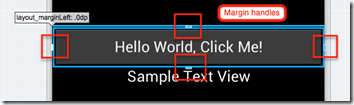 Android 項目開發中的 UI 設計器使用指南
開發人員可以用以下兩種方式聲明 UI:一是透過 .xml 文件(不帶預覽界面)或 .axml 文件(帶預覽界面)來描述;二是用 C# 程式碼實現。 用 .axml 文件描
 Android 軟鍵盤遮擋輸入框的四種解決方案
當使用者點擊輸入框時,系統會彈出軟鍵盤。若頁面沒有做好配置,鍵盤可能會遮擋輸入框或底部按鈕。以下整理了四種常見解法。 問題效果如下: 方法一:使用 adjustPan
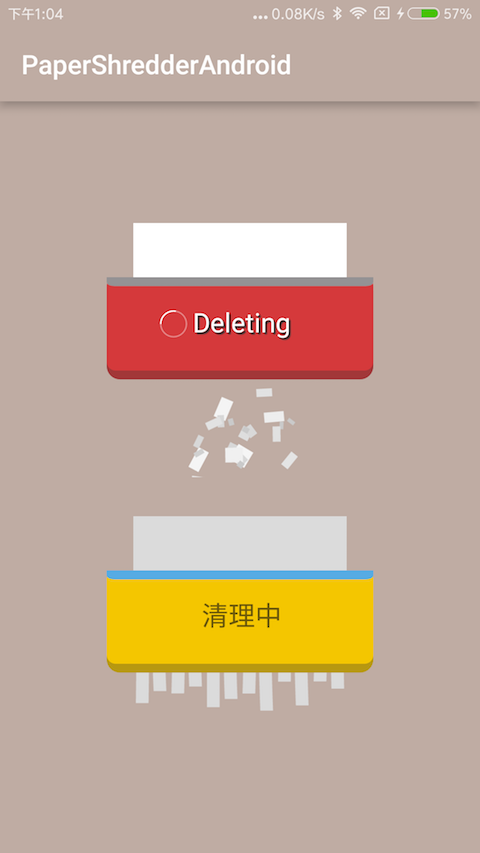 炫酷的 Android 碎紙機動畫效果實現
有些應用場景需要一個生動的「碎紙」動畫來強化操作反饋,比如清理垃圾、刪除數據時。本文借助開源的 PaperShredder 庫,展示如何輕鬆做出紙片飛散與紙條絞碎的動畫效