

編輯:關於 Android 程式設計
原生的 SQLite 資料庫是完全沒有加密的,任何人只要把 /data/data/<package>/databases/ 下的檔案拉出來,用任意 SQLite 工具就能看光所有內容。SQLCipher 是目前 Android 上最主流的解法,它在 SQLite 與檔案系統之間插入一層 AES 加密。
libs/armeabi(以及 armeabi-v7a、x86 等)下的 .so 原生庫一併放進去。net.sqlcipher.* 底下,而不是 android.database.*。public class SQLCipherOpenHelper extends SQLiteOpenHelper {
private final static String DATABASE_NAME = "test.db";
public SQLCipherOpenHelper(Context context) {
super(context, DATABASE_NAME, null, 1);
}
@Override
public void onCreate(SQLiteDatabase db) {
db.execSQL("create table person(personid integer primary key autoincrement,"
+ "name varchar(20), phone VARCHAR(12))");
}
@Override
public void onUpgrade(SQLiteDatabase db, int oldVersion, int newVersion) {
}
}注意 import 來源:
import net.sqlcipher.database.SQLiteDatabase;
import net.sqlcipher.database.SQLiteOpenHelper;private final String SECRET_KEY = "95279527";
private void initDataBase() {
// 1. 載入 libs 下的 so 原生庫
SQLiteDatabase.loadLibs(this);
// 2. 取得 Helper
mSqlCipherOpenHelper = new SQLCipherOpenHelper(this);
// 3. 帶著密碼開啟(或建立)資料庫
mSqLiteDatabase = mSqlCipherOpenHelper.getWritableDatabase(SECRET_KEY);
}寫入用參數綁定,避免 SQL 注入:
public void addData(Person person) {
    mSqLiteDatabase.execSQL("insert into person (name, phone) values(?, ?)",
            new Object[] { person.getName(), person.getPhone() });
}
查詢時必須使用 SQLCipher 自己的 Cursor:
import net.sqlcipher.Cursor;

public Person queryData(int id) {
    Cursor cursor = mSqLiteDatabase.rawQuery(
            "select * from person where personid=?",
            new String[] { String.valueOf(id) });
    while (cursor.moveToFirst()) {
        int personid = cursor.getInt(cursor.getColumnIndex("personid"));
        String name  = cursor.getString(cursor.getColumnIndex("name"));
        String phone = cursor.getString(cursor.getColumnIndex("phone"));
        return new Person(personid, name, phone);
    }
    cursor.close();
    return null;
}SECRET_KEY 只是為了示範。正式專案應該把金鑰存放於 Android Keystore,或由使用者輸入,並且不落磁碟。.so,在該架構的裝置上會直接 UnsatisfiedLinkError。建議用 abiFilters 明確宣告支援範圍。EncryptedSharedPreferences(Jetpack Security)會是更輕的選擇。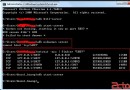 解決 Android Studio 反覆提示重啟 ADB 的問題
用手機連上電腦除錯時,Android Studio 常常跳出提示要你重啟 ADB,但點了重啟之後,那個提示對話框又立刻跳出來。會這樣反覆出現,是因為 ADB 根本沒有重啟
 三星S7微信不提示怎麼辦?收不到消息推送的解決方法
三星S7收不到微信消息推送怎麼辦 三星S7出現微信、QQ等即時通訊軟件無法正常推送的情況,通常與自啟動、網絡休眠策略或系統設置有關。可按以下方向排查。 檢查微信自啟動
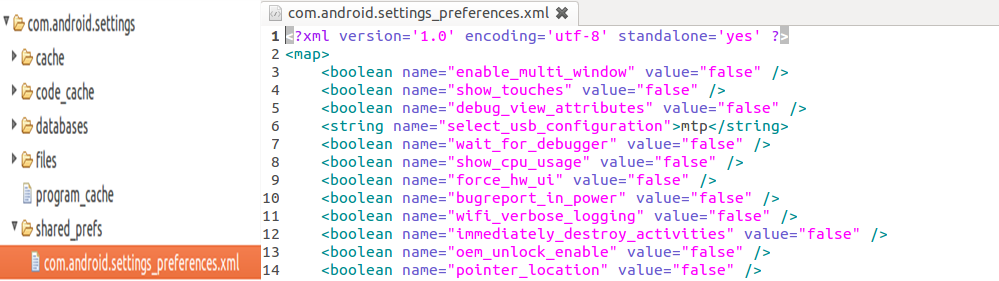 Android Preference進階指南:PreferenceActivity、PreferenceGroup與設定頁管理
引言 Preference是Android中用來構建設定頁的重要元件。它能夠將使用者設定以列表形式呈現,並自動透過SharedPreferences保存狀態。本文將整理P
 Android 使用 DrawerLayout 實現右侧抽屉菜單效果
側邊欄(抽屜效果)是 Android 應用中很常見的界面效果,而利用 DrawerLayout 實現右側欄相對簡單,這個控件自帶滑動效果,十分方便。 DrawerLayo