

編輯:關於 Android 程式設計
日常開發中反覆用到的一些小函式,累積起來就是一個好用的工具類。以下幾個是比較常被翻出來的。
public static float getDensity(Context ctx) {
    DisplayMetrics metrics = new DisplayMetrics();
    WindowManager wm = (WindowManager) ctx.getSystemService(Context.WINDOW_SERVICE);
    wm.getDefaultDisplay().getMetrics(metrics);
    return metrics.density;
}
density 是 dp 與 px 的換算係數。已知這個值,就能把設計稿上的 dp 換成實際像素:px = dp * density。
public static String getVersionName(Context context, String packageName) {
    try {
        PackageInfo pInfo = context.getPackageManager()
                .getPackageInfo(packageName, PackageManager.GET_META_DATA);
        return pInfo.versionName;
    } catch (Exception e) {
        e.printStackTrace();
    }
    return "";
}
要拿自己的版本號,可以直接用 context.getPackageName() 當參數,或者更簡潔地讀 BuildConfig.VERSION_NAME(編譯期就決定,不必查 PackageManager)。
public static Bitmap createMirro(Bitmap srcbitmap) {
    int width = srcbitmap.getWidth();
    int height = srcbitmap.getHeight();
    int shadow_height = 15;
    int[] pixels = new int[width * height];
    srcbitmap.getPixels(pixels, 0, width, 0, 0, width, height);

    // 陰影效果:逐行遞增 alpha,越往下越不透明
    int alpha = 0x00000000;
    for (int y = 0; y < height; y++) {
        for (int x = 0; x < width; x++) {
            int index = y * width + x;
            int r = (pixels[index] >> 16) & 0xff;
            int g = (pixels[index] >> 8) & 0xff;
            int b = pixels[index] & 0xff;
            pixels[index] = alpha | (r << 16) | (g << 8) | b;
        }
        if (y >= (height - shadow_height)) {
            alpha = alpha + 0x1F000000;
        }
    }

    // 垂直翻轉
    Bitmap bm = Bitmap.createBitmap(width, height, Bitmap.Config.ARGB_8888);
    for (int y = 0; y < height; y++) {
        bm.setPixels(pixels, y * width, width, 0, height - y - 1, width, 1);
    }
    return Bitmap.createBitmap(bm, 0, 0, width, shadow_height);
}
原理是兩段處理:先把原圖每個像素的 alpha 通道依行號遞減,做出漸層淡出;再用 setPixels 把每一行寫到「垂直鏡像位置」(height - y - 1),完成翻轉;最後裁出底部一小塊當作倒影。
這個倒影函式是雙層迴圈逐像素運算,在解析度高的圖片上會相當吃 CPU,而且產生的 Bitmap 物件沒有 recycle。若要在清單捲動中使用,建議:
Matrix 的 setScale(1, -1) 搭配 LinearGradient 做遮罩,交給 GPU 處理,速度差很多;onDraw() 中即時繪製,不必產生額外 Bitmap。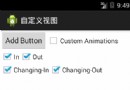 Android 實作點擊 Button 產生水波紋效果
先上圖,看看接下來要介紹的是什麼,如下圖: 接下來要介紹的就是如何實作上圖中的波紋效果。如果沒體驗過,可以看看百度手機衛士或 360 手機衛士,裡面的按鈕點擊效果都是這
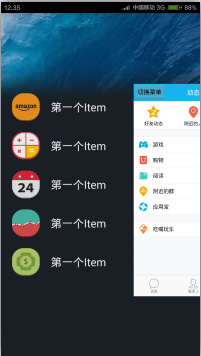 Android 基於 ViewDragHelper 仿 QQ5.0 側滑界面效果
QQ5.0 的側滑效果有多種實現方案,本文我們採用 ViewDragHelper 來實現。先上效果圖:① 自定義控件 SlidingMenu 繼承 FrameLayout
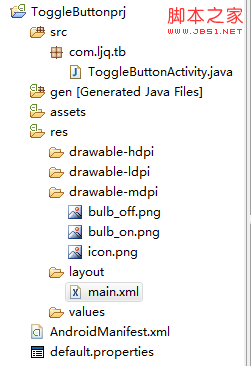 Android ToggleButton 开关按钮的完整用法详解
ToggleButton 是 Android 中常見的兩態切換控件,它只有「選中」與「未選中」兩種狀態,並且可以為這兩種狀態分別指定不同的顯示文字,非常適合用來製作開關類
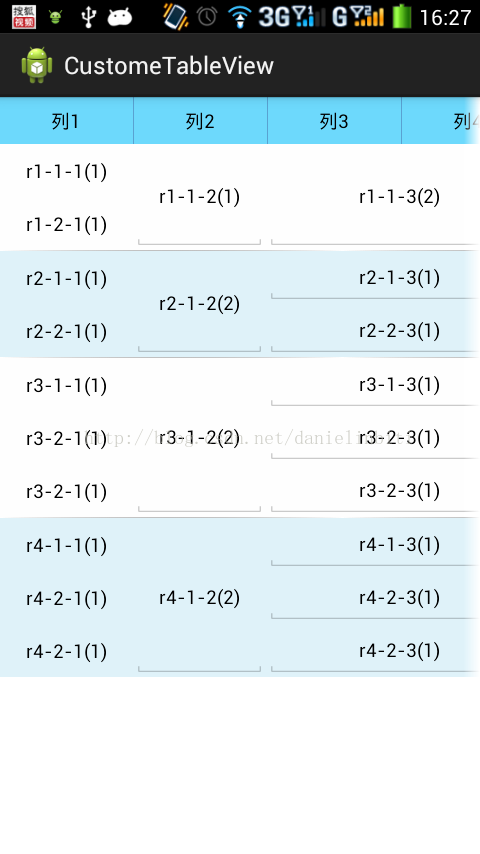 用 ListView 打造自定義表格(三):加入列合併能力
在前兩篇的基礎上,我把自定義表格又往前推了一步——現在它支援「列合併」了。整體架構拆成兩種模式:簡單模式與複雜模式,開發者可依場景自由挑選。 兩種模式的分野 簡單模式: