

編輯:關於 Android 程式設計
它把所有子元件沿同一個方向排成一列:垂直或水平。方向由 android:orientation 決定,只接受 vertical 與 horizontal 兩個值。
android:orientation:排列方向,預設為 horizontal。android:gravity:決定所有子元件在容器內的對齊方式,可用 top、bottom、left、right、center、center_vertical、start、end 等,也能用 | 組合。注意 gravity 與 layout_gravity 的差別:前者影響容器「內部所有子元件」整體的對齊,後者是子元件針對自己在容器中的對齊方式「單獨」指定。
放在 LinearLayout 裡的元件,都必須透過 android:layout_width 與 android:layout_height 告知容器如何配置空間:
match_parent(舊名 fill_parent):佔滿父容器可用空間。wrap_content:只佔顯示內容所需的空間。| 單位 | 說明 |
|---|---|
| px | 像素,螢幕上的實際點,不同 dpi 會有落差,不建議用於版面 |
| dp(dip) | 密度-independent 像素。在 160dpi 螢幕上 1dp = 1px,跨裝置一致,版面首選 |
| sp | 刻度-independent 像素,會隨使用者設定的字體大小縮放,文字尺寸專用 |
| pt | 點,1/72 英寸 |
| in / mm | 英寸 / 毫米 |
android:layout_weight 決定元件「佔掉容器剩餘空間的比例」,是 LinearLayout 最實用的特性,也是其他 Layout 沒有的。
<LinearLayout
    android:layout_width="match_parent"
    android:layout_height="match_parent"
    android:orientation="horizontal">

    <Button
        android:layout_width="0dp"
        android:layout_height="wrap_content"
        android:layout_weight="1"
        android:text="左" />

    <Button
        android:layout_width="0dp"
        android:layout_height="wrap_content"
        android:layout_weight="2"
        android:text="右" />

</LinearLayout>
上例中兩個按鈕會依 1:2 分配剩餘寬度。
關鍵規則:
android:layout_height 設為 0dp。android:layout_width 設為 0dp。為什麼?若不歸零,元件會先依內容佔掉該有的尺寸,剩下真正的「剩餘空間」才被分配,比例就不符合預期。歸零之後,容器會把整個可用空間拿來按權重切分,結果才精準。
android:layout_columnSpan 合併欄位,元件通常包在 <TableRow> 中。LinearLayout 適合「單純的一維排列」,超過兩層巢狀就該考慮改用 ConstraintLayout。層數越深,measure 與 layout 的計算成本越高,這在長清單或低階機上會直接反映在 FPS 上。
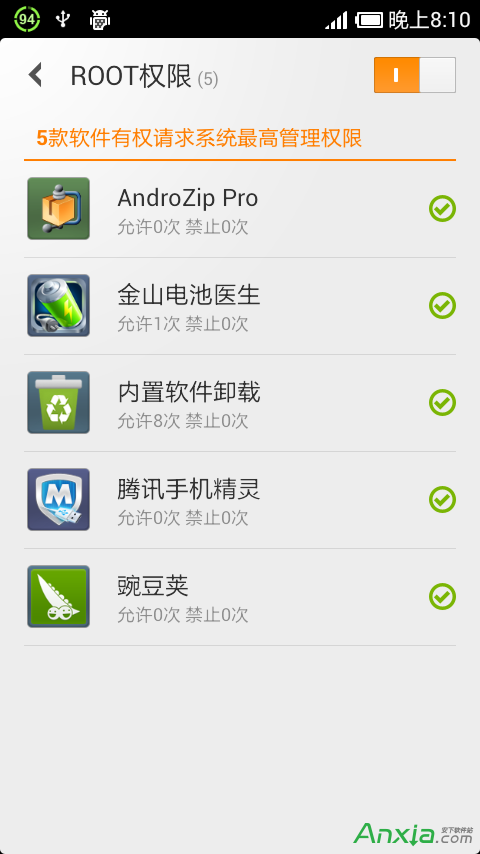 小米手機用久了變卡?六個讓它重新跑順的實用設定
小米在國內的普及率相當高,但用上一段時間之後,不少使用者會發現手機變慢、開機變久。這其實多半不是硬體老化,而是啟動項與背景程序累積太多。以下幾個調整方向,做完之後速度會明
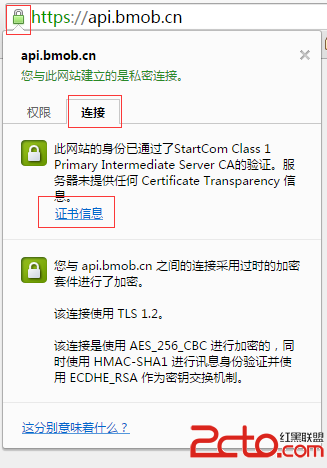 Android 使用 Bmob 移動後端雲 Restful API 的注意事項
如果你只想做個客戶端玩玩,又不想費勁搭建後台服務器,那麼 Bmob 移動後端雲無疑是個不錯的選擇。它同時提供了 Android SDK 和 Restful API。不過個
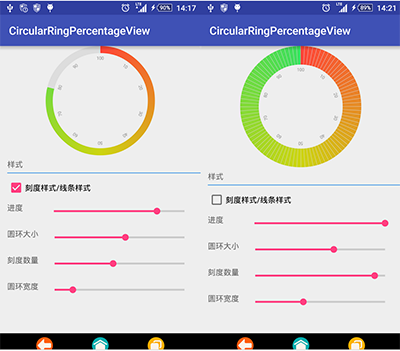 自定義圓形漸變刻度進度條:Android 繪圖實戰
普通的圓形進度條到處都有,但只要加上漸變配色與刻度,質感就差很多。本文示範如何從零畫一個帶刻度、漸變色的圓環進度條。 一、畫出圓環 核心 API 是 drawArc:
 Android 傳感器入門(一):類型介紹與通用使用套路
一、傳感器基礎概念 說到傳感器,大家應該都不陌生,比如微信的搖一搖就用到加速度傳感器。 定義:一種能探測、感受外界訊號或物理條件(光、熱、濕度等)、化學組成(如煙霧),