

編輯:關於 Android 程式設計
Android 的佈局(Layout)本身就是一種特殊的 View——它能包含並排列其他子 View。早期共有五大類:FrameLayout、LinearLayout、AbsoluteLayout、RelativeLayout 與 TableLayout,各有適用場合,而且可以互相巢狀。
最簡單的一種,相當於螢幕上一塊空白的備用區域,所有子元件都疊在同一個位置,後加入的會蓋在前面加入的上面。適合製作浮層、Dialog 的底層,或需要切換顯示的容器(搭配 visibility)。
依你設定的方向把所有子元件排成一條線:
android:orientation="vertical"
android:orientation="horizontal"
所有子元件會依序堆疊。垂直列表的每一列只容納一個元件(不論它多寬),水平列表則只有一個列高(等於最高子元件的高度加上邊距)。
LinearLayout 獨有的 android:layout_weight 可以指定子元件佔用剩餘空間的比例:
android:layout_weight="1"
這樣寫的好處是讓元件自動填滿螢幕的空白處,避免在大螢幕上手機上「一串小元件擠成一堆」的尷尬。系統會依各元件指定的權重比例分配剩餘空間,未指定的預設權重為 0。
舉例:三個文字方塊,其中兩個權重設為 1,那麼這兩個會等比例放大填滿剩餘空間,第三個維持原本大小不變。
讓子元件直接指定精確的 x/y 座標。它沒有內距邊界,也允許元件互相重疊。
android:layout_x="250px"
android:layout_y="40px"
android:layout_width="70px"
這個佈局已被棄用。原因很實際:寫死像素座標讓版面過於剛性,在不同解析度、不同螢幕尺寸的裝置上幾乎必然跑版。除極特殊的遊戲或自繪畫面外,不應使用。
允許子元件指定「相對於其他元件或相對於父容器」的位置(以 id 參照)。你可以讓某元件靠右對齊、放在另一個元件下方,或直接置中。
<RelativeLayout xmlns:android="https://schemas.android.com/apk/res/android"
    android:layout_width="match_parent"
    android:layout_height="match_parent"
    android:paddingBottom="@dimen/activity_vertical_margin"
    android:paddingLeft="@dimen/activity_horizontal_margin"
    android:paddingRight="@dimen/activity_horizontal_margin"
    android:paddingTop="@dimen/activity_vertical_margin" >

    <TextView
        android:id="@+id/textView1"
        android:layout_width="wrap_content"
        android:layout_height="wrap_content"
        android:text="@string/hello_world" />

    <Button
        android:id="@+id/button1"
        style="?android:attr/buttonStyleSmall"
        android:layout_width="wrap_content"
        android:layout_height="wrap_content"
        android:layout_below="@+id/textView1"
        android:layout_centerHorizontal="true"
        android:text="button" />

</RelativeLayout>
它曾是新建專案的預設佈局,彈性高,但巢狀過深時效能會明顯下降。
把子元件分配到列與欄。一個 TableLayout 由多個 <TableRow> 組成,每個 Row 定義一列,可用 android:layout_columnSpan 合併欄位。適合資料表、設定清單等結構性畫面。
除了直接在 XML 中宣告,你也可以用 Android Studio 的 Graphical Layout 視覺化拖曳排版,或在 Java 程式碼中以 API 動態建立。三者可混用,實務上以 XML 為主、程式碼為輔最常見。
上面五種中有兩種(Absolute、Table)已不建議使用,LinearLayout 與 RelativeLayout 則容易產生多層巢狀。目前官方推薦 ConstraintLayout:用「約束」描述元件間的相對關係,能在完全扁平的階層中做出複雜版面,效能與維護性都更好。新專案請以它為起點,舊專案遇到效能問題時也可考慮遷移。
 Android 實戰:實現閃屏頁與倒計時自動跳轉
在開發中經常需要實現閃屏頁(Splash 頁)與倒計時自動跳轉的功能。其實 Android 早已封裝好了 CountDownTimer 類,它把後台線程的創建與 Hand
 Android 自定義音量調節 View:圓弧音量條動畫
效果與素材 手機直播或影片播放介面中,常見以滑動方式調整音量的互動設計。本篇會示範如何用自定義 View 繪製一個圓形音量調節元件。需要注意的是,這裡的重點是視覺呈現與手
 Android 自定義控件實作:打造流暢的動態柱狀圖
設計思路 整個柱狀圖的繪製可以拆解為四個步驟:先畫柱狀圖,再畫豎線,接著畫頂部橫線,最後補上文字。下面逐一說明。 一、繪製柱狀圖 畫柱狀圖本身並不難,核心就是 canv
 來電管家實作(二):ListView + CheckBox 實現多選刪除
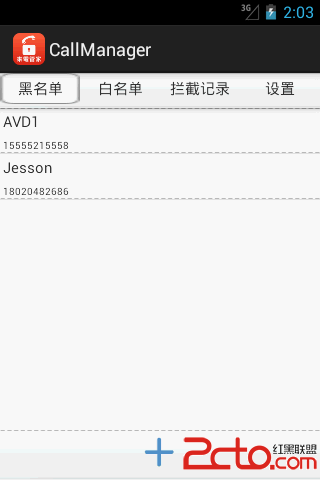
上一節完成了界面設計,這一節來處理具體功能:怎麼把黑名單 / 白名單顯示出來,以及更關鍵的——怎麼刪除。 如果只支援「長按彈出選單刪一筆」或「一鍵清空全部」,都不符合真實