

編輯:關於 Android 程式設計
Intent 是 Android 四大組件彼此溝通的橋樑。除了最常見的頁面跳轉,它還能把參數從一個 Activity 帶到另一個 Activity,再把計算結果回傳。本文以「兩數相乘」為例,示範如何用 Intent 完成一次簡單的跨頁面計算。
主界面只需要兩個 EditText,分別用來輸入乘數與被乘數,再加一顆「計算」按鈕作為觸發點。外層放一個垂直方向的 LinearLayout,裡面再嵌套一個水平佈局,讓兩個輸入框與中間的乘號排在同一列。
<?xml version="1.0" encoding="utf-8"?>
<LinearLayout xmlns:android="https://schemas.android.com/apk/res/android"
    android:layout_width="fill_parent"
    android:layout_height="wrap_content"
    android:orientation="vertical"
    android:gravity="center">

    <LinearLayout
        android:layout_width="fill_parent"
        android:layout_height="wrap_content"
        android:orientation="horizontal"
        android:gravity="center">

        <EditText
            android:id="@+id/factory1"
            android:layout_height="wrap_content"
            android:layout_width="100dip" />

        <TextView
            android:layout_width="50dip"
            android:layout_height="wrap_content"
            android:text="X"
            android:layout_marginLeft="30dip" />

        <EditText
            android:id="@+id/factory2"
            android:layout_height="wrap_content"
            android:layout_width="100dip" />
    </LinearLayout>

    <Button
        android:id="@+id/calute"
        android:layout_width="wrap_content"
        android:layout_height="wrap_content"
        android:text="計算" />
</LinearLayout>
有兩個細節值得留意:android:gravity="center" 讓子元素在父容器中水平垂直居中;android:layout_marginLeft="30dip" 則把中間的乘號與左側輸入框拉開距離,避免貼死。尺寸單位統一寫成 dip,在不同屏幕密度下視覺比例才會一致。
整個流程可以拆成三步:
1. 第一個頁面把兩個數字放進 Intent 的 extras,啟動第二個頁面;
2. 第二個頁面用 getIntExtra() 取出數值並完成乘法;
3. 把結果塞回 Intent,透過 setResult() 回傳,第一個頁面在 onActivityResult() 中接收並顯示。
如果只是單向傳值,startActivity() 搭配 putExtra() 就足夠;若需要接收回傳值,就必須改用 startActivityForResult(),並自行約定一個請求碼(requestCode)以便辨識來源頁面。
字串轉數字時記得包一層 try-catch。輸入框可能留空,也可能被填入非數字內容,直接呼叫 Integer.parseInt() 會拋出 NumberFormatException,導致程式閃退。比較穩妥的做法是先判斷 TextUtils.isEmpty(),再進行轉型。
另外,Intent 只能承載基本型別與少量實作 Parcelable/Serializable 的物件,不適合用來傳遞大圖或長串資料;這類情境應該改用檔案、ContentProvider 或全域狀態來處理。
 新浪微博風格下拉拉伸圖片:PullToZoomListViewEx 在 ListView 上的實作(上)
Android 上有個效果大家應該都不陌生:在個人頁面往下拉,頭部那張大圖會跟著被拉長,手一放又縮回原位。這個效果被新浪微博大量使用,而 GitHub 上的開源專案
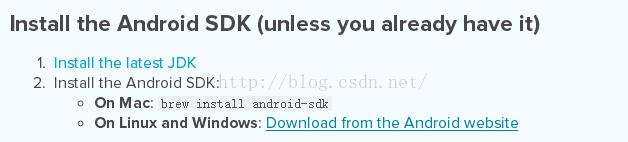 在 Windows 上搭建 React Native 開發環境(Android 篇)
React Native 主打一套代碼同時輸出 iOS 與 Android 原生應用,這個方向大概率會成為趨勢。正好手上有個 App 想自己做,又沒有專職的開發資源,於是
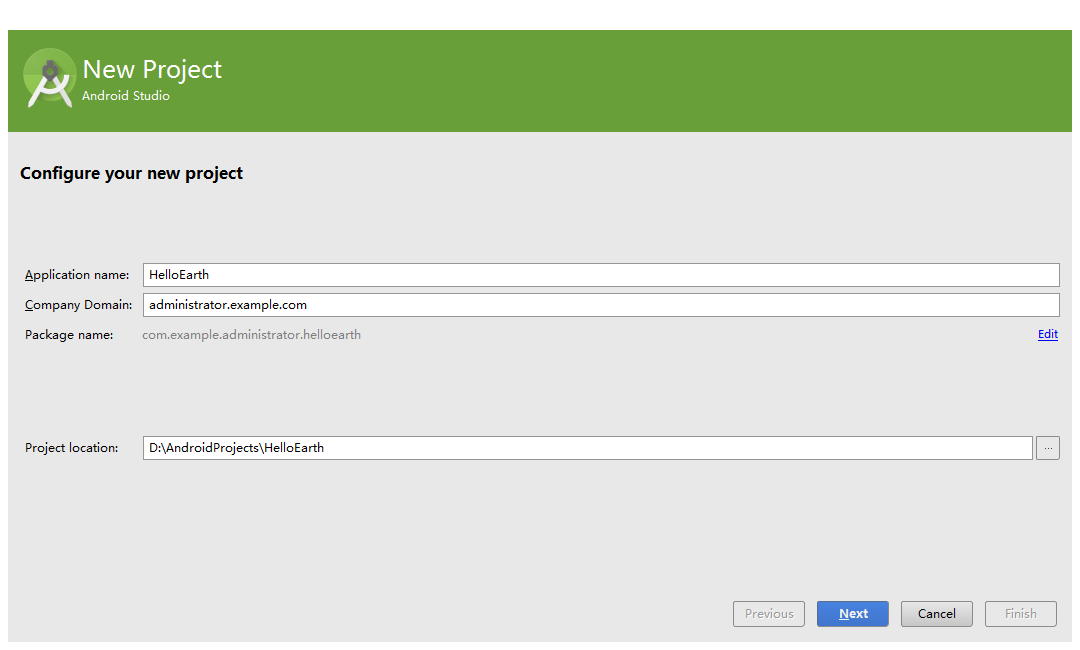 用 WhirlyGlobe-Maply 在 Android 上打造地球與二維地圖
WhirlyGlobe-Maply 是一套以 OpenGL ES 為底層、專為行動裝置設計的開源地圖工具包,同時支援 iOS 與 Android。本文以 Android
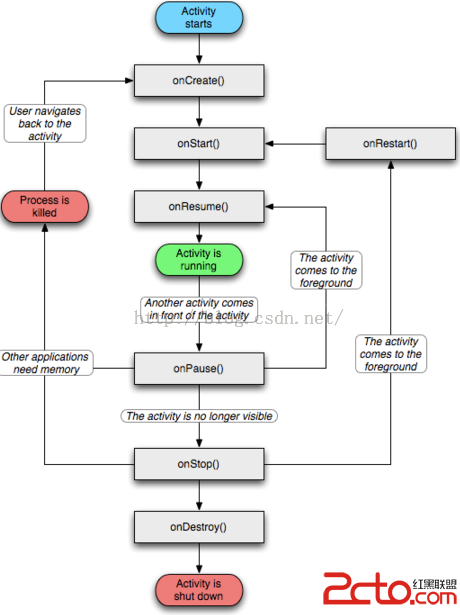 Activity你需要知道的一切:生命週期、啟動模式與IntentFilter匹配規則
在深入分析Activity啟動源碼之前,先把Android中Activity必須掌握的一些基礎知識整理清楚,如此後續看源碼時才能事半功倍。 一、Activity生命週期與