

編輯:關於 Android 程式設計
在我們的介面中,除了使用 Android 內建的 View 之外,往往還需要打造屬於自己的元件。一個設計良好的自定義 View,除了功能完善,更應該能像系統原生控制項那樣,直接在 XML 佈局裡透過屬性來控制外觀與行為。本文就來說明如何定義、指定並讀取這些自定義屬性。
Android 允許你在 XML 元素中描述一個 View,並透過它的屬性來控制外觀與行為。若希望自定義 View 也能享受同樣的待遇,需要完成以下四個步驟:
<declare-styleable> 資源元素中宣告自定義屬性;自定義屬性通常定義在 res/values/attrs.xml 檔案裡。以下範例宣告了 showText 與 labelPosition 兩個屬性,它們都屬於名為 PieChart 的樣式實體(styleable):
<resources>
    <declare-styleable name="PieChart">
        <attr name="showText" format="boolean" />
        <attr name="labelPosition" format="enum">
            <enum name="left" value="0"/>
            <enum name="right" value="1"/>
        </attr>
    </declare-styleable>
</resources>
依照慣例,declare-styleable 的名稱會與自定義 View 的類名保持一致。這並非強制規定,但卻是廣為遵循的命名約定。
定義好屬性後,就能像使用內建屬性一樣在佈局 XML 裡引用它們,差別在於自定義屬性屬於不同的命名空間。可以透過 xmlns 為這個命名空間取一個別名(此例為 custom),避免每次都書寫冗長的 URI:
<?xml version="1.0" encoding="utf-8"?>
<LinearLayout xmlns:android="https://schemas.android.com/apk/res/android"
    xmlns:custom="https://schemas.android.com/apk/res/com.example.customviews">
    <com.example.customviews.charting.PieChart
        custom:showText="true"
        custom:labelPosition="left" />
</LinearLayout>
要留意的是,標籤名稱就是自定義 View 的完整類名。如果該 View 是某個外部類別的內部類別,就必須加上外部類別名並以 $ 連接,例如 com.example.customviews.charting.PieChart$PieView。
當 View 從 XML 建立時,標籤上的所有屬性會以 AttributeSet 的形式傳入建構子。雖然可以直接從 AttributeSet 取值,但這種做法有兩個明顯缺點:屬性值中的資源引用不會被解析,樣式也不會被套用。因此更推薦把 AttributeSet 傳給 obtainStyledAttributes() 方法,它會回傳一個已完成解引用與樣式化的 TypedArray。
Android 的資源編譯器會為每個 <declare-styleable> 在 R.java 中自動產生一組屬性 ID 陣列與對應的常數,讓取值變得輕鬆:
public PieChart(Context context, AttributeSet attrs) {
    super(context, attrs);
    TypedArray a = context.getTheme().obtainStyledAttributes(
        attrs,
        R.styleable.PieChart,
        0, 0);

    try {
        mShowText = a.getBoolean(R.styleable.PieChart_showText, false);
        mTextPos = a.getInteger(R.styleable.PieChart_labelPosition, 0);
    } finally {
        a.recycle();
    }
}
需要特別注意:TypedArray 是一份共享資源,使用完畢後務必呼叫 recycle() 釋放,以免造成資源洩漏。
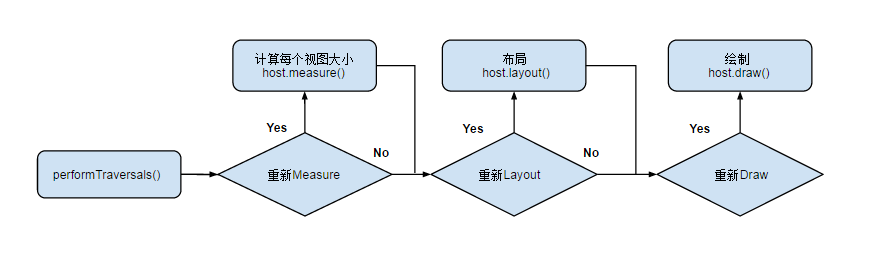 Android View 繪製流程解析:measure、layout 與 draw
Android 的 View 繪製流程可以概括為 measure、layout 與 draw 三個階段。當 Activity 取得焦點後,系統會從根節點開始,對整棵 Vi
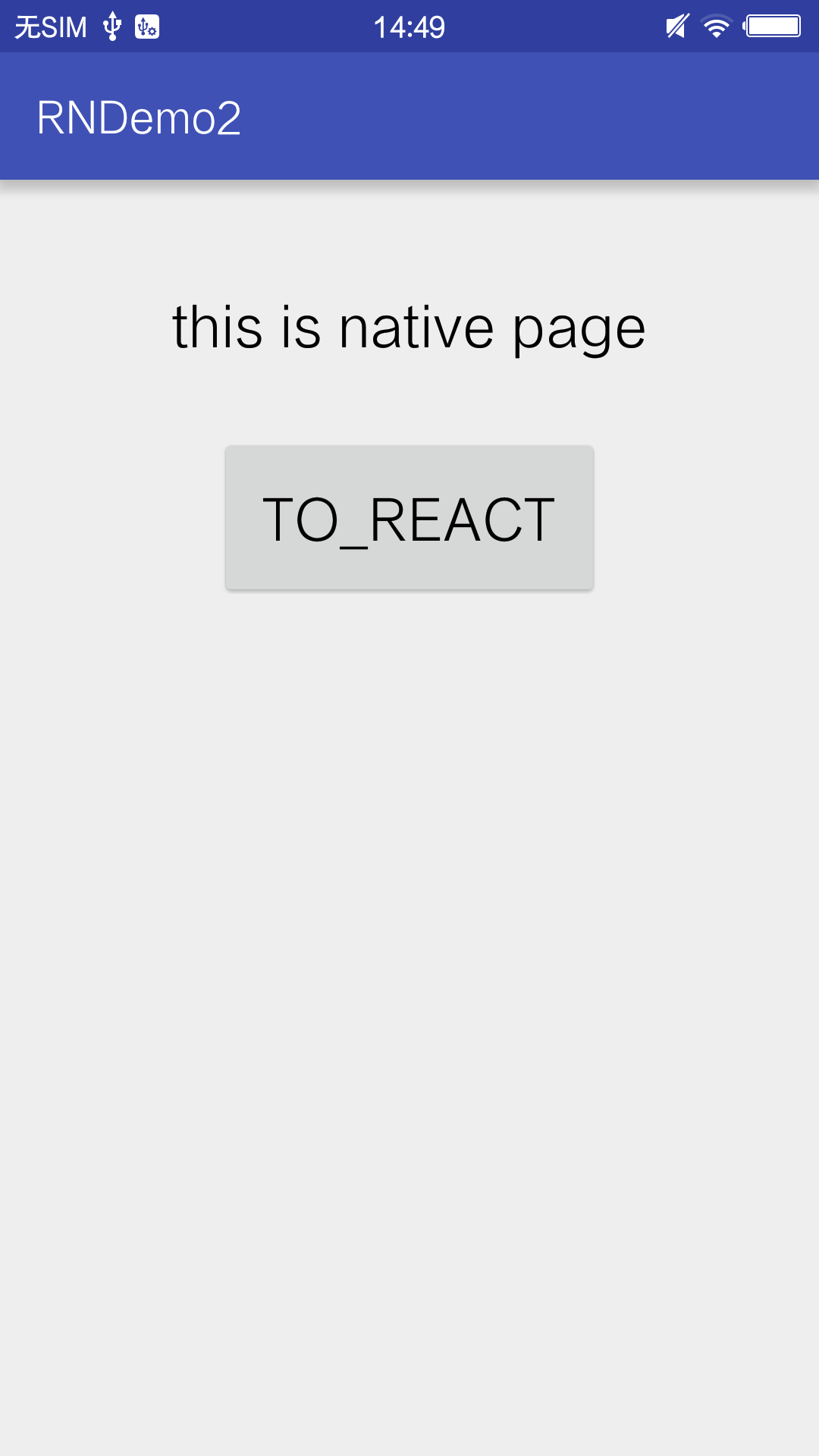 React Native 整合進既有專案:完整步驟與踩坑修復紀錄
前言 React Native 已經存在一段時間,不少團隊都在評估導入。前面幾篇說明了如何從零建立 RN 專案、如何架好原生與 JS 的開發環境,但真實世界的專案往往不是
 用 xUtils 做 Android 批量圖片異步加載與緩存
一、問題描述 要提升圖片列表的加載效率,通常得自己處理緩存策略與異步排程,實作起來相當繁瑣。好在社群已有成熟方案,xUtils 就是其中一個在 GitHub 上相當活躍的
 Android 自craftsmanship自定義多層級篩選控件完整實作
今天實作了一個多層級篩選控件,效果如下: 這個控件由兩大部分組成: 1. 頂部的一排篩選標題按鈕(也就是四個 ToggleButton,會依篩選項數量動態追加)。 2.