

編輯:關於 Android 程式設計
要提升圖片列表的加載效率,通常得自己處理緩存策略與異步排程,實作起來相當繁瑣。好在社群已有成熟方案,xUtils 就是其中一個在 GitHub 上相當活躍的框架。
xUtils 提供四大模組:
本案例主要用到 HttpUtils 與 BitmapUtils。
做一個圖片新聞瀏覽器,資料從伺服器取得,圖片異步加載並可左右滑動切換。
請求參數用 RequestParams 封裝:
RequestParams params = new RequestParams("utf-8"); // 預設編碼 UTF-8
params.addQueryStringParameter("categoryId", "2");  // 設定參數
送出請求時分別指定請求方式、網址、參數與回呼物件:
HttpUtils http = new HttpUtils();
http.configResponseTextCharset("utf-8"); // 設定回傳文字編碼,預設 UTF-8

http.send(HttpMethod.POST, "https://192.168.2.178:8080/21-sun/PhotosServlet",
    params, new RequestCallBack<String>() {
        @Override
        public void onFailure(HttpException e, String m) {
            Log.i("jereh", e.getExceptionCode() + " " + m);
        }

        @Override
        public void onSuccess(ResponseInfo<String> info) {
            // 成功回呼,透過 info.result 取得回傳資料
        }
});顯示設定用 BitmapDisplayConfig 描述:
BitmapDisplayConfig displayConfig = new BitmapDisplayConfig();

// 顯示原始圖片不壓縮;盡量別用,圖片太大容易 OOM
displayConfig.setShowOriginal(true);
displayConfig.setBitmapConfig(Bitmap.Config.RGB_565);

// 設定最大尺寸;不設定時依控件屬性自適應
displayConfig.setBitmapMaxSize(BitmapCommonUtils.getScreenSize(mActivity));

// 加上淡入動畫
AlphaAnimation animation = new AlphaAnimation(0.1f, 1.0f);
animation.setDuration(500);
displayConfig.setAnimation(animation);
BitmapUtils 的建構方式:
/**
 * @param context         上下文
 * @param diskCachePath   磁碟高速緩存路徑
 * @param memoryCacheSize 記憶體緩存大小
 * @param diskCacheSize   磁碟緩存空間大小
 */
BitmapUtils(Context context, String diskCachePath, int memoryCacheSize, int diskCacheSize)

// 其他多載形式
BitmapUtils(Context context)
BitmapUtils(Context context, String diskCachePath)
BitmapUtils(Context context, String diskCachePath, int memoryCachePercent)
實務上通常把記憶體緩存設為應用程式可用記憶體的八分之一左右:
// 取得應用程式最大可用記憶體
int maxMemory = (int) Runtime.getRuntime().maxMemory();
int cacheSize = maxMemory / 8;

FileUtils fileUtils = new FileUtils(mActivity, "jereh");
BitmapUtils utils = new BitmapUtils(mActivity, fileUtils.getCacheDir(), cacheSize);
真正載入圖片的動作只需一行:
utils.display(container, uri, displayConfig);Gson gson = new Gson();
List<ImageInfo> imageInfo = gson.fromJson(jsonString,
new TypeToken<List<ImageInfo>>() {}.getType());public class PhotoBrowseAdapter extends PagerAdapter {
private Activity mActivity;
private List<ImageInfo> imageList;
private LayoutInflater inflate;
private BitmapUtils utils;
private BitmapDisplayConfig displayConfig;
public PhotoBrowseAdapter(Activity mActivity, List<ImageInfo> imageList) {
super();
this.mActivity = mActivity;
this.imageList = imageList;
inflate = LayoutInflater.from(mActivity);
int maxMemory = (int) Runtime.getRuntime().maxMemory();
int cacheSize = maxMemory / 8;
FileUtils fileUtils = new FileUtils(mActivity, "jereh");
utils = new BitmapUtils(mActivity, fileUtils.getCacheDir(), cacheSize);
displayConfig = new BitmapDisplayConfig();
// displayConfig.setShowOriginal(true); 大圖容易 OOM,慎用
displayConfig.setBitmapMaxSize(BitmapCommonUtils.getScreenSize(mActivity));
AlphaAnimation animation = new AlphaAnimation(0.1f, 1.0f);
animation.setDuration(500);
displayConfig.setAnimation(animation);
}
@Override
public int getCount() {
return imageList.size();
}
@Override
public boolean isViewFromObject(View arg0, Object arg1) {
return arg0 == arg1;
}
@Override
public Object instantiateItem(View container, int position) {
ImageInfo info = imageList.get(position);
LinearLayout view = (LinearLayout) inflate.inflate(R.layout.phone_item, null);
((TextView) view.findViewById(R.id.tvTitle)).setText(info.getImgTitle());
((TextView) view.findViewById(R.id.tvContent)).setText(info.getImgDesc());
ImageView img = (ImageView) view.findViewById(R.id.ivPhoto);
img.setTag(info.getImgUrl());
utils.display(img, info.getImgUrl(), displayConfig);
((ViewPager) container).addView(view);
return view;
}
@Override
public void destroyItem(View container, int position, Object obj) {
((ViewPager) container).removeView((View) obj);
}
}public class MainActivity extends Activity {
private ViewPager vpImagePager;
private PhotoBrowseAdapter adapter;
private List<ImageInfo> imageInfoList;
@Override
protected void onCreate(Bundle savedInstanceState) {
super.onCreate(savedInstanceState);
setContentView(R.layout.activity_main);
vpImagePager = (ViewPager) super.findViewById(R.id.vpImgBrowse);
imageInfoList = new ArrayList<ImageInfo>();
adapter = new PhotoBrowseAdapter(this, imageInfoList);
loadData();
}
private void loadData() {
RequestParams params = new RequestParams();
params.addQueryStringParameter("categoryId", "2");
HttpUtils httpUtils = new HttpUtils();
httpUtils.send(HttpMethod.POST, "https://192.168.2.178:8080/21-sun/PhotosServlet",
params, new RequestCallBack<String>() {
@Override
public void onFailure(HttpException e, String m) {
Log.i("jereh", e.getExceptionCode() + " " + m);
}
@Override
public void onSuccess(ResponseInfo<String> info) {
Gson gson = new Gson();
List<ImageInfo> imageInfo = gson.fromJson(info.result,
new TypeToken<List<ImageInfo>>() {}.getType());
imageInfoList.addAll(imageInfo);
vpImagePager.setAdapter(adapter);
}
});
}
}// 封裝圖片資訊
public class ImageInfo {
private String imgUrl;
private String imgTitle;
private String imgDesc;
// ... 省略 getter / setter
}
public class FileUtils {
/** 緩存檔案目錄 */
private File mCacheDir;
public FileUtils(Context context, String cacheDir) {
if (android.os.Environment.getExternalStorageState()
.equals(android.os.Environment.MEDIA_MOUNTED)) {
mCacheDir = new File(cacheDir);
} else {
mCacheDir = context.getCacheDir(); // 改用系統內建的緩存路徑
}
if (!mCacheDir.exists()) {
mCacheDir.mkdirs();
}
}
public String getCacheDir() {
return mCacheDir.getAbsolutePath();
}
}public void doPost(HttpServletRequest request, HttpServletResponse response)
throws ServletException, IOException {
response.setContentType("text/json;charset=utf-8");
String categoryId = request.getParameter("categoryId");
System.out.println(categoryId);
List<ImagePart> partList = new ArrayList<ImagePart>();
ImagePart part1 = new ImagePart();
part1.setImgUrl("https://news.21-sun.com/UserFiles/x_Image/x_20150216131001_0.jpg");
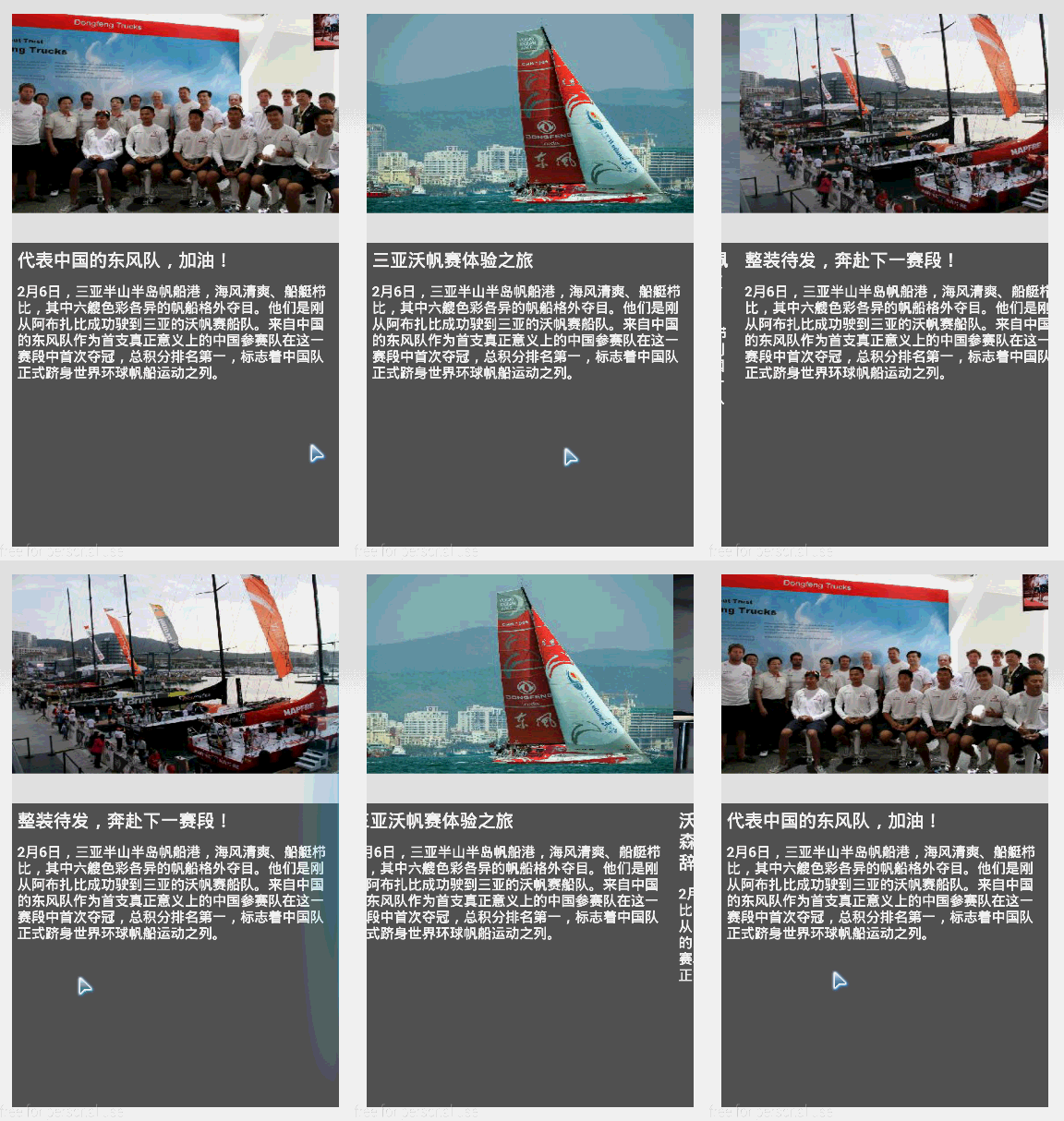
part1.setImgTitle("代表中國的東風隊,加油!");
part1.setImgDesc("...");
ImagePart part2 = new ImagePart();
part2.setImgUrl("https://news.21-sun.com/UserFiles/x_Image/x_20150216131432_0.jpg");
part2.setImgTitle("三亞沃帆賽體驗之旅");
part2.setImgDesc("...");
ImagePart part3 = new ImagePart();
part3.setImgUrl("https://news.21-sun.com/UserFiles/x_Image/x_20150216131157_0.jpg");
part3.setImgTitle("沃爾沃集團總裁兼首席執行官歐羅夫·佩森");
part3.setImgDesc("...");
partList.add(part1);
partList.add(part2);
partList.add(part3);
JSONArray jsonArray = JSONArray.fromObject(partList, config);
response.getWriter().println(jsonArray.toString());
}用框架的好處很明顯:緩存策略、執行緒管理、圖片壓縮都已經處理好,業務程式碼只需專注在資料流。但也別忘了幾個原則——不要對大圖關閉壓縮(setShowOriginal(true) 是 OOM 的主要來源)、緩存目錄要記得在外部儲存不可用時退回內部儲存、列表元件務必實作 destroyItem 釋放資源。理解框架做了什麼,比單純會呼叫 API 更重要。
 Android 中搭建 FTP 伺服器的入門指南
先簡單介紹一下 FTP:FTP(File Transfer Protocol)即檔案傳輸協定。它的作用是讓使用者連上一台運行著 FTP 伺服器程式的遠端電腦,瀏覽遠端有哪
 Android Material Design 風格常用控件實戰整理
Material Design 為 Android 提供了豐富的視覺與交互規範。本文整理常用控件的使用方式,包括 Toolbar、DrawerLayout、Recycle
 打造第三方鎖屏 App:Android 平台難點全解析
一個做得夠漂亮實用的鎖屏 App,若能取代系統預設鎖屏,本身就是極強的日活入口。以下整理實作過程中真正會卡住人的幾個難點。 一、基本原理 鎖屏的做法本身不複雜:監聽系
 Android 開發環境建置總整理(Eclipse 篇)
開始學 Android 開發,第一道關卡就是環境建置。這類文章網路上很多,本文想補充的是兩個常被忽略的環節:ADT 的下載技巧,以及 Eclipse 的配色調整。 一、