

編輯:關於 Android 程式設計
本文彙總了 14 個在 Android 開發中經常用到的實用代碼片段,涵蓋存儲檢查、界面控制、通訊、廣播、內容監聽等常見場景。
String status = Environment.getExternalStorageState();
if (status.equals(Environment.MEDIA_MOUNTED)) {
    // 說明有 SD 卡插入
}
在 onCreate 中不加布局,並設置透明主題:
this.setTheme(R.style.Theme_Transparent);
使用 Activity.findViewById 取得元素句柄後,即可設置或獲取該對象的值:
TextView msgTextView = (TextView) findViewById(R.id.msg);
msgTextView.setText(R.string.push_me);
String body = "this is mms demo";
Intent mmsintent = new Intent(Intent.ACTION_SENDTO, Uri.fromParts("smsto", number, null));
mmsintent.putExtra(Messaging.KEY_ACTION_SENDTO_MESSAGE_BODY, body);
mmsintent.putExtra(Messaging.KEY_ACTION_SENDTO_COMPOSE_MODE, true);
mmsintent.putExtra(Messaging.KEY_ACTION_SENDTO_EXIT_ON_SENT, true);
startActivity(mmsintent);
StringBuilder sb = new StringBuilder();
sb.append("file://");
sb.append(fd.getAbsoluteFile());
Intent intent = new Intent(Intent.ACTION_SENDTO, Uri.fromParts("mmsto", number, null));
intent.putExtra(Messaging.KEY_ACTION_SENDTO_MESSAGE_SUBJECT, subject);
intent.putExtra(Messaging.KEY_ACTION_SENDTO_MESSAGE_BODY, body);
intent.putExtra(Messaging.KEY_ACTION_SENDTO_CONTENT_URI, sb.toString());
startActivity(intent);
Toast.makeText(getApplicationContext(), R.string._item, Toast.LENGTH_SHORT).show();
mime = "img/jpg";
shareIntent.setDataAndType(Uri.fromFile(fd), mime);
shareIntent.putExtra(Intent.EXTRA_STREAM, Uri.fromFile(fd));
shareIntent.putExtra(Intent.EXTRA_SUBJECT, subject);
shareIntent.putExtra(Intent.EXTRA_TEXT, body);
registerReceiver(mMasterResetReciever, new IntentFilter("OMS.action.MASTERRESET"));
private class DownloadsChangeObserver extends ContentObserver {
    public DownloadsChangeObserver(Uri uri) { super(new Handler()); }
    @Override public void onChange(boolean selfChange) {}
}
String user_agent = ProductProperties.get(ProductProperties.USER_AGENT_KEY, null);
CookieSyncManager.createInstance(getApplicationContext());
CookieManager.getInstance().removeAllCookie();
根據連接模式選擇 cmwap 或 cmnet 接入點進行撥號。
public class Setting extends PreferenceActivity {
    public void onCreate(Bundle savedInstanceState) {
        super.onCreate(savedInstanceState);
        addPreferencesFromResource(R.xml.settings);
    }
}
DefaultHttpClient httpClient = new DefaultHttpClient();
HttpGet method = new HttpGet("/templets/default/index.html");
HttpParams params = new BasicHttpParams();
params.setIntParameter(AllClientPNames.CONNECTION_TIMEOUT, 10000);
httpClient.setParams(params);
HttpResponse resp = httpClient.execute(method);
int status = resp.getStatusLine().getStatusCode();
if (status != HttpStatus.SC_OK) {
    return false;
}
以上片段涵蓋了日常開發中的高頻操作,可作為速查參考。實際使用時請注意加上相應的權限聲明與異常處理。
 解決 ZXing 改成直向掃描後預覽畫面被拉伸扭曲的問題
把 ZXing 的掃描介面從橫屏改為豎屏之後,畫面能正常掃碼,但相機預覽卻被明顯拉伸變形。原因並不難理解:相機的預覽尺寸通常是 480×320 這類橫向比例,而螢幕此時已
 Unity3D 導出 Android APK 並在虛擬機中運行的完整步驟
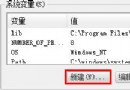
用 Unity3D 開發的遊戲要發佈成 Android APK 並在模擬器中跑起來,整個流程可以拆成六個步驟。以下為新手詳細示範每一步的操作與可能遇到的坑。 總流程概覽
 Android 三級聯動下拉框:Spinner 實作指南
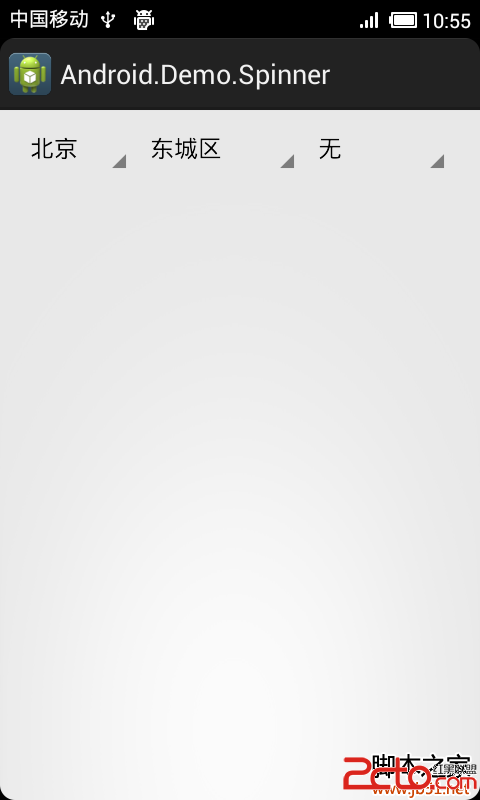
實作思路三級聯動下拉框的核心是動態載入各層級的 Adapter。當上層 Spinner 的選項改變時,重新建立下層 Spinner 的資料源,並設定新的 ArrayAda
 Android 與設計模式:狀態(State)模式的思考
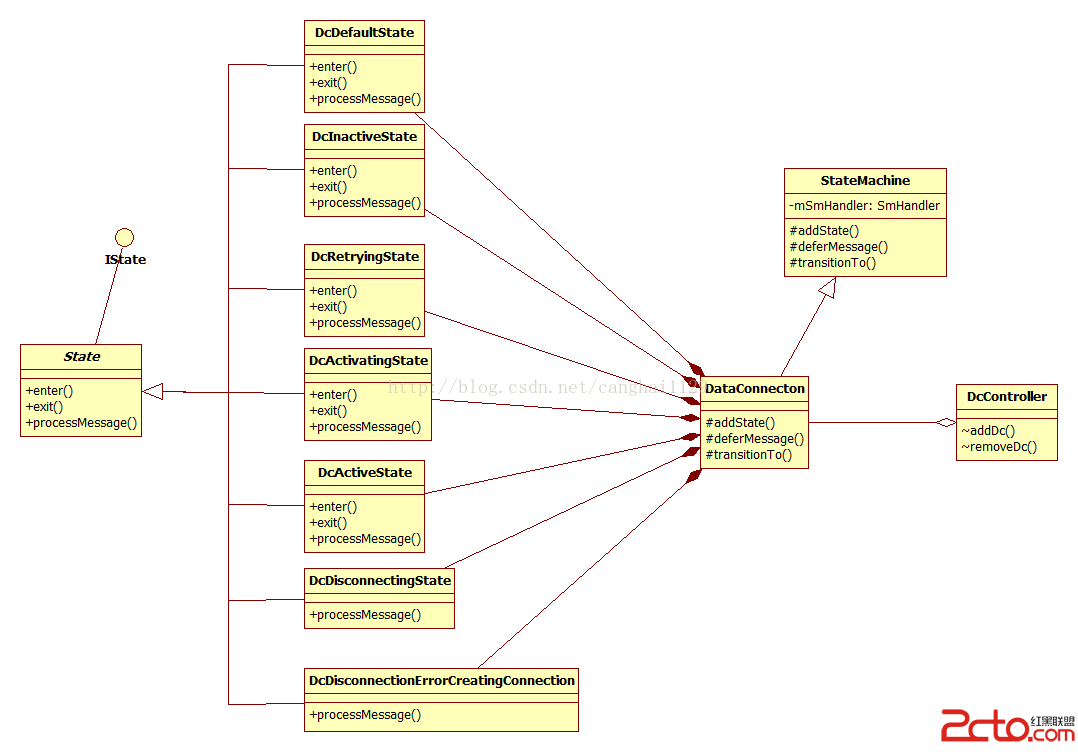
一、什麼是狀態模式 閻宏博士在《JAVA 與模式》一書中,是這樣描述狀態(State)模式的: 狀態模式,又稱狀態對象模式(Pattern of Objects for