

編輯:關於 Android 程式設計
在 App 中直接發起電話撥號,卻在執行時收到 SecurityException,這是權限沒宣告的典型症狀。
java.lang.SecurityException: Permission Denial:
starting Intent { act=android.intent.action.CALL dat=tel:xxx-xxx-xxxx
cmp=com.android.phone/.OutgoingCallBroadcaster } from ProcessRecord{406ceac8
342:com.example.ex_37/10043} (pid=342, uid=10043)
requires android.permission.CALL_PHONE你的應用要直接撥打電話,就必須在功能清單中宣告對應權限。訊息中最後一句 requires android.permission.CALL_PHONE 已經直接點明了缺少哪一項。
在 AndroidManifest.xml 中,<application> 標籤之外加上:
<uses-permission android:name="android.permission.CALL_PHONE" />完整的結構看起來像這樣:
<manifest xmlns:android="https://schemas.android.com/apk/res/android"
    package="com.example.ex_37">

    <uses-permission android:name="android.permission.CALL_PHONE" />

    <application
        android:label="@string/app_name"
        android:icon="@drawable/ic_launcher" >
        ...
    </application>

</manifest>宣告的位置很關鍵:<uses-permission> 必須是 <manifest> 的直接子元素,寫進 <application> 裡面是不會生效的。
如果你其實不介意多跳一層系統撥號介面,那麼根本不需要 CALL_PHONE 這個權限,改用下列寫法即可:
// 方式 A:只帶號碼,由使用者按撥號鍵確認(不需任何權限)
Intent intent = new Intent(Intent.ACTION_DIAL,
        Uri.parse("tel:0912345678"));
startActivity(intent);
ACTION_DIAL 會開啟撥號盤並把號碼填好,由使用者自行按下撥號;而 ACTION_CALL 則是直接撥出,需要 CALL_PHONE 權限。差別在於「要不要使用者最後確認」。
從 Android 6.0(API 23)開始,CALL_PHONE 被歸類為危險權限,光在 manifest 宣告並不足夠,必須在執行期動態請求:
if (ContextCompat.checkSelfPermission(this,
        Manifest.permission.CALL_PHONE) != PackageManager.PERMISSION_GRANTED) {
    ActivityCompat.requestPermissions(this,
            new String[]{ Manifest.permission.CALL_PHONE }, REQUEST_CALL);
} else {
    callPhone("0912345678");
}

@Override
public void onRequestPermissionsResult(int requestCode, String[] permissions,
                                       int[] grantResults) {
    if (requestCode == REQUEST_CALL) {
        if (grantResults.length > 0
                && grantResults[0] == PackageManager.PERMISSION_GRANTED) {
            callPhone("0912345678");
        } else {
            // 使用者拒絕:引導到設定頁,或改用 ACTION_DIAL 讓使用者手動確認
        }
    }
}

private void callPhone(String number) {
    Intent intent = new Intent(Intent.ACTION_CALL);
    intent.setData(Uri.parse("tel:" + number));
    startActivity(intent);
}
使用者拒絕時要有降級方案。實務上常見的做法是退回 ACTION_DIAL:雖然多一步手動確認,但功能仍然可用,也比直接跳錯誤訊息友善得多。
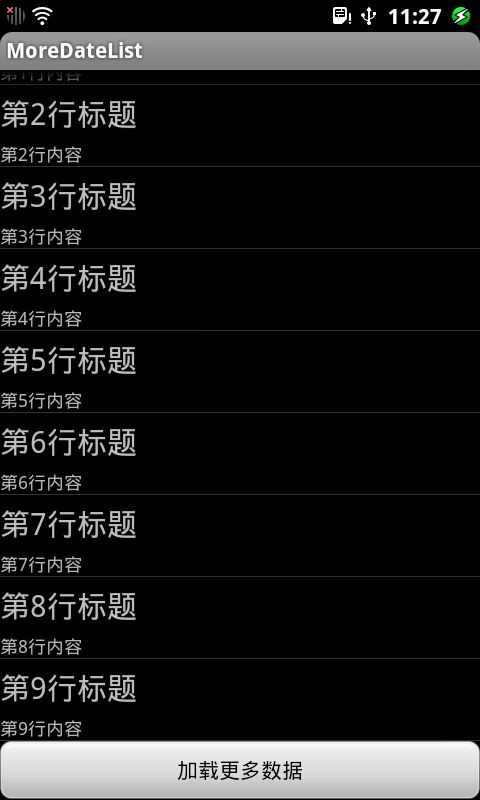 用 OnScrollListener 打造 ListView 的自動分頁加載
想像一下用戶打開微博客戶端,如果一上來就把所有未讀內容一次性拉回來,網絡稍慢就得乾等好幾秒,而且屏幕也放不下這麼多條目。更好的做法是「按需取貨」:滑到哪裡、加載到哪裡。這
 安卓基礎學習(一):開發環境建置與第一個 HelloWorld
在動手建置 Android 開發環境之前,先花點時間認識一下 Android 本身:它以 Java 為主要開發語言,核心基於 Linux,屬於自由且開放原始碼的作業系統,
 ScrollView 裡塞 ListView 只剩一行?破解嵌套滑動衝突
ScrollView 和 ListView 大家都不陌生,但這兩個東西湊在一起就容易出狀況。舉例來說,如果我們想在列表下方再放一些額外的控制項,並希望它們跟著一起滑動,最
 Android 異步訊息處理機制解析:從 Handler 到 AsyncTask
在 Android 開發中,UI 更新通常必須在主執行緒完成。若耗時任務放在子執行緒,直接操作介面元件會引發錯誤。為了解決這個問題,Android 提供了一套以 Mess