

編輯:關於 Android 開發
在 Android 開發中,圖像處理經常需要在 Bitmap、Drawable 與 byte[] 之間轉換,例如將圖片存進資料庫或自網路傳輸時。以下整理幾種常見的轉換寫法。
最簡單的方式是透過資源直接解碼,再反之包裝:
// Drawable → Bitmap Resources res=getResources(); Bitmap bmp=BitmapFactory.decodeResource(res, R.drawable.sample_0); // Bitmap → Drawable Drawable drawable = new BitmapDrawable(bmp);
若手邊已有一個 Drawable 物件,可新建一張同尺寸的 Bitmap,再讓 Drawable 繪製到 Canvas 上:
public static Bitmap drawableToBitmap(Drawable drawable) { Bitmap.Config config; if (drawable.getOpacity() != PixelFormat.OPAQUE) { config = Bitmap.Config.ARGB_8888; } else { config = Bitmap.Config.RGB_565; } Bitmap bitmap = Bitmap.createBitmap(drawable.getIntrinsicWidth(), drawable.getIntrinsicHeight(), config); Canvas canvas = new Canvas(bitmap); drawable.setBounds(0, 0, drawable.getIntrinsicWidth(), drawable.getIntrinsicHeight()); drawable.draw(canvas); return bitmap; }
這裡依 Drawable 是否為不透明來選擇 ARGB_8888 或 RGB_565,兼顧畫質與記憶體用量。
要將 Bitmap 轉為位元組陣列,可先壓縮到 ByteArrayOutputStream:
private byte[] Bitmap2Bytes(Bitmap bm) { ByteArrayOutputStream baos = new ByteArrayOutputStream(); bm.compress(Bitmap.CompressFormat.PNG, 100, baos); return baos.toByteArray(); }
反之,要從位元組陣列還原成 Bitmap,則用 decodeByteArray:
private Bitmap Bytes2Bimap(byte[] b) { if (b.length != 0) { return BitmapFactory.decodeByteArray(b, 0, b.length); } else { return null; } }
掌握這幾組轉換,無論是將圖片存入 SQLite、上傳到伺服器,或從網路載入後顯示,都能得心應手。
 MultiTouch 多點觸控實戰:手勢縮放與拖拽圖片完整解析
MultiTouch 多點觸控:打造可縮放、可拖動的圖片體驗 前言 如今幾乎每一部智慧型手機都支援多點觸控,使用者可以用雙指縮放圖片、拖曳移動位置,操作直覺又順手。但身為
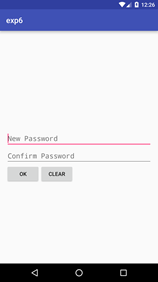 Android 數據存儲實戰:SharedPreferences 與文件讀寫
前言 大家好,本篇我們一起動手做一個帶註冊、登錄功能的備忘錄小應用,在實戰中掌握 SharedPreferences 的基本用法、Android 中常見的文件操作方法,順
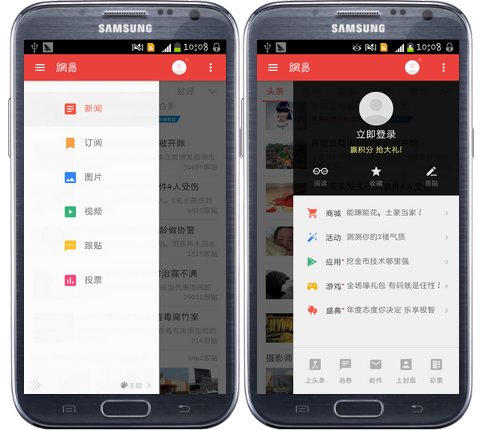 DrawerLayout 抽屜效果實作:打造側滑選單的完整指南
DrawerLayout 是 V4 套件中提供的一種左右滑動抽屜佈局效果,因為是官方提供,所以使用起來相對簡單。它能實現當界面彈出時主要內容區自動變暗、點擊內容區抽屜消失
 Android 測試入門:單元測試與儀器測試
Android 測試入門 Android 測試以 JUnit 為基礎,可執行於本地 JVM,也可作為 instrumented test 在裝置或模擬器上執行。 測試類