

編輯:關於 Android 開發

Logcat 給出的關鍵訊息是:
Caused by: java.lang.IllegalArgumentException: Binary XML file line #23: Duplicate id 0x7f0d0054,
tag null, or parent id 0xffffffff with another fragment for
com.example.sxq123.iljmall.FragmentCatagorySpace
fragment_home.xml 裡用 <fragment> 標籤靜態嵌入了一個子 Fragment:
<?xml version="1.0" encoding="utf-8"?>
<LinearLayout xmlns:android="https://schemas.android.com/apk/res/android"
    android:orientation="vertical"
    android:layout_width="match_parent"
    android:layout_height="match_parent">
    <ScrollView
        android:layout_width="fill_parent"
        android:layout_height="wrap_content"
        android:layout_weight="1">
        <LinearLayout
            android:orientation="vertical"
            android:layout_width="match_parent"
            android:layout_height="wrap_content">
            <TextView
                android:layout_width="wrap_content"
                android:layout_height="wrap_content"
                android:text="@string/home" />
            <fragment
                android:id="@+id/fragment_space"
                android:name="com.example.sxq123.iljmall.FragmentCatagorySpace"
                android:layout_width="match_parent"
                android:layout_height="wrap_content" />
        </LinearLayout>
    </ScrollView>
</LinearLayout>
FragmentHome.java 則在 onCreateView 中 inflate 版面並取得子 Fragment:
public class FragmentHome extends Fragment {
    private View view;
    FragmentCatagorySpace fragmentCatagorySpace;

    @Override
    public View onCreateView(LayoutInflater inflater, ViewGroup container, Bundle savedInsataceState) {
        view = inflater.inflate(R.layout.fragment_home, null);
        Log.d(this.getClass().getName(), " onCreateView() Begin");
        initChildFragment();
        return view;
    }

    private void initChildFragment() {
        Log.d("-------------------", "init space ");
        fragmentCatagorySpace = (FragmentCatagorySpace) getChildFragmentManager()
                                  .findFragmentById(R.id.fragment_space);
        if (fragmentCatagorySpace != null) {
            Log.d("----------------", "init space success and no null");
        }
    }
}
問題出在 FragmentManager 的替換機制。當 Activity 中的多個 Fragment 互相 replace 時,FragmentManager 只會 remove 與 add 這一層的 Fragment,卻不會遞迴去清理每個 Fragment 內部自己載入的子 Fragment。也就是說 FragmentCatagorySpace 一直留在 child FragmentManager 裡沒被移除。
這顯然是個設計上的坑:子 Fragment 明明依附在父 Fragment 上,父 Fragment 被銷毀時理應連帶遞迴清理,但系統沒有這麼做。於是當 FragmentHome 重新 onCreateView、再次 inflate 同一份帶有 <fragment> 的版面時,就多出了同一個 id 的第二個 Fragment 實例,直接拋出 Duplicate id。
解法方向很明確:在 FragmentHome 不再使用的時候,主動把它內部載入的子 Fragment 移除掉,而且這個移除動作必須在父 Fragment 重新 inflate 版面之前完成。
把 remove 的事務放進父 Fragment 的 onDestroyView():
public class FragmentHome extends Fragment {
    private View view;
    FragmentCatagorySpace fragmentCatagorySpace;

    @Override
    public View onCreateView(LayoutInflater inflater, ViewGroup container, Bundle savedInsataceState) {
        view = inflater.inflate(R.layout.fragment_home, null);
        Log.d(this.getClass().getName(), " onCreateView() Begin");
        initChildFragment();
        return view;
    }

    @Override
    public void onDestroyView() {
        super.onDestroyView();
        if (fragmentCatagorySpace != null) {
            Log.d("-------------------", "space no null");
            FragmentManager fragmentManager = getFragmentManager();
            if (fragmentManager != null && !fragmentManager.isDestroyed()) {
                final FragmentTransaction fragmentTransaction = fragmentManager.beginTransaction();
                if (fragmentTransaction != null) {
                    fragmentTransaction.remove(fragmentCatagorySpace);
                    // commit() 與 commitAllowingStateLoss() 都是把工作丟進主執行緒佇列,非同步執行
                    //
                    // 若沒在 inflate 之前完成 remove child fragment,就會發生 duplicate id 例外
                    // fragmentTransaction.commit();
                    // 註:commit() 也可以放在 onCreateView 中執行,但偶爾會與
                    // onSaveInstanceState() 之後不可 commit 的限制相衝突
                    fragmentTransaction.commitAllowingStateLoss();

                    // 重點:立刻執行佇列中的 transaction,不要讓它停留在非同步狀態,
                    // 否則 remove 可能拖到父 Fragment 重新 onCreateView 之後才跑完,
                    // 一樣會出現 duplicate id
                    fragmentManager.executePendingTransactions();
                    Log.d("------------------", " space destroy");
                }
            }
        }
    }

    private void initChildFragment() {
        Log.d("-------------------", "init space ");
        fragmentCatagorySpace = (FragmentCatagorySpace) getChildFragmentManager()
                                  .findFragmentById(R.id.fragment_space);
        if (fragmentCatagorySpace != null) {
            Log.d("----------------", "init space success and no null");
        }
    }
}
Reference: https://www.tuicool.com/articles/FNVN3i
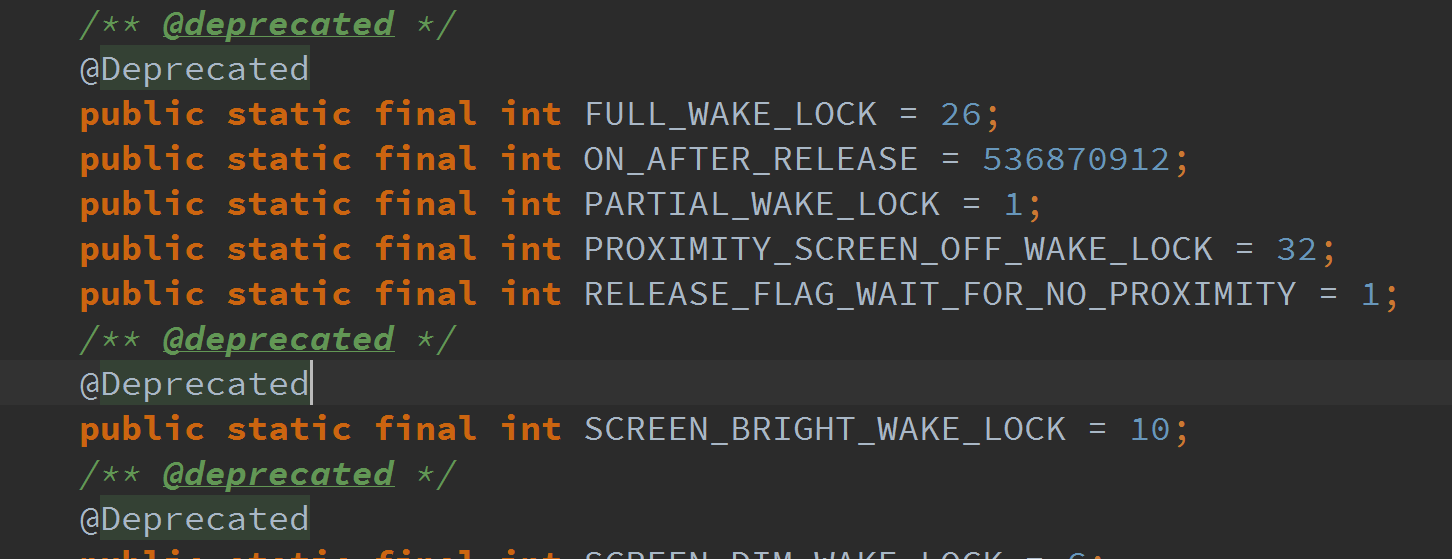 Android 如何讓螢幕保持恆亮?改用 FLAG_KEEP_SCREEN_ON 才是正解
 在 Android 開發中,「讓螢幕保持恆亮」是相當常見的需求。網路上許多文章
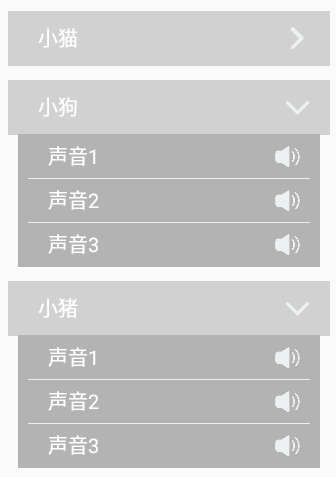 ExpandableListView 實戰:自訂群組樣式與四個常見眉角
前言:這段時間在認真學 Android 並實際做專案,累積了一些對 ExpandableListView 的心得。若文章中有理解錯誤或表達不清的地方,歡迎在留言中指正。
 Android 撥號器簡單實現
撥號功能實現撥號功能可透過 Intent 完成。畫面中放置輸入框與按鈕,點擊後將號碼傳給系統撥號程式。版面配置使用 LinearLayout 垂直排列 TextView、
 AnimCheckBox:還原支付寶轉賬成功那顆打勾動畫
這個有趣的勾選動畫由開源庫 AnimCheckBox 實現,專案地址:https://github.com/lguipeng/AnimCheckBox。點擊時圓圈填色、