

編輯:關於 Android 開發
前言:這段時間在認真學 Android 並實際做專案,累積了一些對 ExpandableListView 的心得。若文章中有理解錯誤或表達不清的地方,歡迎在留言中指正。
它是 ListView 的子類,天生支援兩層結構:外層是可展開的群組(Group),內層是群組底下的子項(Child)。點一下群組標題展開,再點一下收合,就是最典型的使用情境。系統內建的樣式相當樸素,實務上幾乎都會自訂 Group 與 Child 的版面配置。
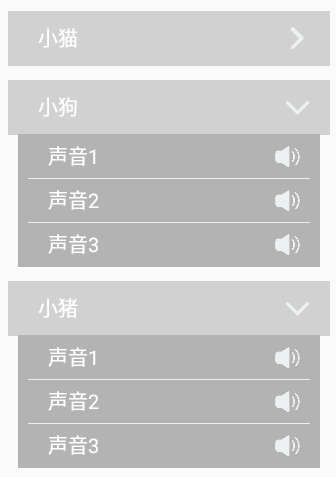
1、在 XML 版面配置中放一個 ExpandableListView
2、在 Activity 或 Fragment 中準備兩個集合,分別存放 Group 與 Child 的資料並完成初始化
3、自訂 Adapter 並繼承 BaseExpandableListAdapter
4、把 Adapter 設定給 ExpandableListView
expandlist_group.xml
<?xml version="1.0" encoding="utf-8"?>
<LinearLayout xmlns:android="https://schemas.android.com/apk/res/android"
    android:orientation="vertical"
    android:layout_width="match_parent"
    android:layout_height="70dp">

    <RelativeLayout
        android:layout_width="match_parent"
        android:layout_height="55dp"
        android:background="#d1d1d1"
        android:layout_marginTop="15dp">

        <TextView
            android:id="@+id/tv_group_name"
            android:layout_width="wrap_content"
            android:layout_height="match_parent"
            android:layout_marginLeft="30dp"
            android:text="小貓"
            android:textColor="#ffffff"
            android:textSize="20sp"
            android:gravity="center_vertical"/>

        <ImageView
            android:id="@+id/iv_arrow"
            android:layout_width="25dp"
            android:layout_height="25dp"
            android:layout_alignParentRight="true"
            android:layout_centerVertical="true"
            android:layout_marginRight="20dp"
            android:background="@drawable/right_arrow"/>
    </RelativeLayout>
</LinearLayout>
expandlist_item.xml
<?xml version="1.0" encoding="utf-8"?>
<LinearLayout xmlns:android="https://schemas.android.com/apk/res/android"
    android:orientation="vertical"
    android:layout_width="match_parent"
    android:layout_height="45dp">

    <RelativeLayout
        android:layout_width="match_parent"
        android:layout_height="45dp"
        android:layout_marginLeft="10dp"
        android:layout_marginRight="10dp"
        android:background="#b3b3b3">

        <TextView
            android:id="@+id/tv_child_name"
            android:layout_width="wrap_content"
            android:layout_height="match_parent"
            android:layout_marginLeft="30dp"
            android:text="聲音1"
            android:textColor="#ffffff"
            android:textSize="20sp"
            android:gravity="center_vertical"/>

        <ImageView
            android:id="@+id/iv_sound"
            android:layout_width="25dp"
            android:layout_height="25dp"
            android:layout_alignParentRight="true"
            android:layout_centerVertical="true"
            android:layout_marginRight="20dp"
            android:background="@drawable/sound"/>

        <ImageView
            android:id="@+id/iv_divider"
            android:layout_width="match_parent"
            android:layout_height="1dp"
            android:background="#ecf0f1"
            android:layout_marginLeft="10dp"
            android:layout_marginRight="10dp"
            android:layout_alignParentTop="true"/>
    </RelativeLayout>
</LinearLayout>
MyExpandableAdapter.java
public class MyExpandableAdapter extends BaseExpandableListAdapter {

    private List<String> groupArray;
    private List<List<String>> childArray;
    private Context mContext;

    public MyExpandableAdapter(Context context, List<String> groupArray,
                               List<List<String>> childArray) {
        mContext = context;
        this.groupArray = groupArray;
        this.childArray = childArray;
    }

    @Override public int getGroupCount() { return groupArray.size(); }

    @Override public int getChildrenCount(int groupPosition) {
        return childArray.get(groupPosition).size();
    }

    @Override public Object getGroup(int groupPosition) { return groupArray.get(groupPosition); }

    @Override public Object getChild(int groupPosition, int childPosition) {
        return childArray.get(groupPosition).get(childPosition);
    }

    @Override public long getGroupId(int groupPosition) { return groupPosition; }

    @Override public long getChildId(int groupPosition, int childPosition) { return childPosition; }

    @Override public boolean hasStableIds() { return true; }

    @Override
    public View getGroupView(int groupPosition, boolean isExpanded,
                             View convertView, ViewGroup parent) {
        View view = convertView;
        GroupHolder holder = null;
        if (view == null) {
            holder = new GroupHolder();
            view = LayoutInflater.from(mContext).inflate(R.layout.expandlist_group, null);
            holder.groupName = view.findViewById(R.id.tv_group_name);
            holder.arrow = view.findViewById(R.id.iv_arrow);
            view.setTag(holder);
        } else {
            holder = (GroupHolder) view.getTag();
        }
        // isExpanded 代表該 Group 目前是否已展開
        if (isExpanded) {
            holder.arrow.setBackgroundResource(R.drawable.dowm_arrow);
        } else {
            holder.arrow.setBackgroundResource(R.drawable.right_arrow);
        }
        holder.groupName.setText(groupArray.get(groupPosition));
        return view;
    }

    @Override
    public View getChildView(int groupPosition, int childPosition, boolean isLastChild,
                             View convertView, ViewGroup parent) {
        View view = convertView;
        ChildHolder holder = null;
        if (view == null) {
            holder = new ChildHolder();
            view = LayoutInflater.from(mContext).inflate(R.layout.expandlist_item, null);
            holder.childName = view.findViewById(R.id.tv_child_name);
            holder.sound = view.findViewById(R.id.iv_sound);
            holder.divider = view.findViewById(R.id.iv_divider);
            view.setTag(holder);
        } else {
            holder = (ChildHolder) view.getTag();
        }
        if (childPosition == 0) {
            holder.divider.setVisibility(View.GONE);
        }
        holder.sound.setBackgroundResource(R.drawable.sound);
        holder.childName.setText(childArray.get(groupPosition).get(childPosition));
        return view;
    }

    @Override public boolean isChildSelectable(int groupPosition, int childPosition) {
        return true;
    }

    class GroupHolder {
        TextView groupName;
        ImageView arrow;
    }

    class ChildHolder {
        TextView childName;
        ImageView sound;
        ImageView divider;
    }
}
如果你發現效果圖裡沒有那支預設箭頭,那是因為它被刻意隱藏了。ExpandableListView 預設會在群組文字左側畫一個指示器,樣式多半與自訂版面不搭:
expandableListView.setGroupIndicator(null); // 傳入 null 即不顯示預設指示器
若不做這個設定,畫面會像下圖這樣多出一支突兀的箭頭:
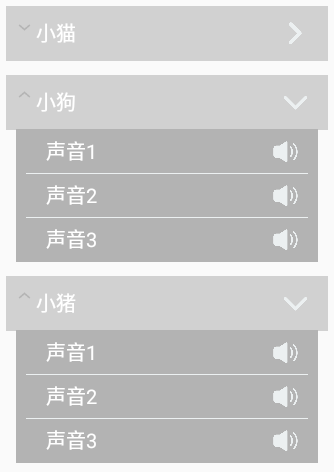
既然把預設的藏起來,就得自己在 Group 樣式裡畫一個。做法是在 getGroupView 中依 isExpanded 切換圖示:

// 依展開狀態切換箭頭
if (isExpanded) {
    holder.arrow.setBackgroundResource(R.drawable.dowm_arrow);
} else {
    holder.arrow.setBackgroundResource(R.drawable.right_arrow);
}
展開時 isExpanded 為 true,收合時為 false,據此切換即可。
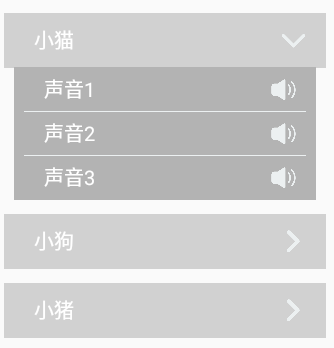
expandableListView.expandGroup(int groupPosition);
只要傳入群組的索引位置,該群組在畫面呈現時就會是展開狀態。
這題讓我卡了很久,翻到的文章也都沒把原因講清楚,最後是靠不斷實測才找出答案。
結論是:高度必須靠巢狀版面才有辦法控制,外層配置一個高度,內層再配置一個高度,而真正決定 item 高度的是內層那個配置。
<LinearLayout xmlns:android="https://schemas.android.com/apk/res/android"
    android:orientation="vertical"
    android:layout_width="match_parent"
    android:layout_height="55dp">

    <RelativeLayout
        android:layout_width="match_parent"
        android:layout_height="55dp"
        android:background="#d1d1d1"
        android:layout_marginTop="15dp">
① 外層 55dp、內層也設 55dp,就是預期的樣子:
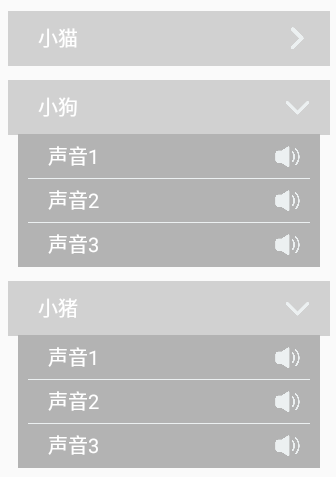
② 外層改成 75dp、內層維持 55dp,高度幾乎沒有變化:
由此可以推斷,真正生效的是內層的高度。有興趣的人可以試著把其中一層移掉,會發現高度就再也設不動了——我實測過,確實如此。
第一次寫文章,希望對同樣卡關的人有幫助。
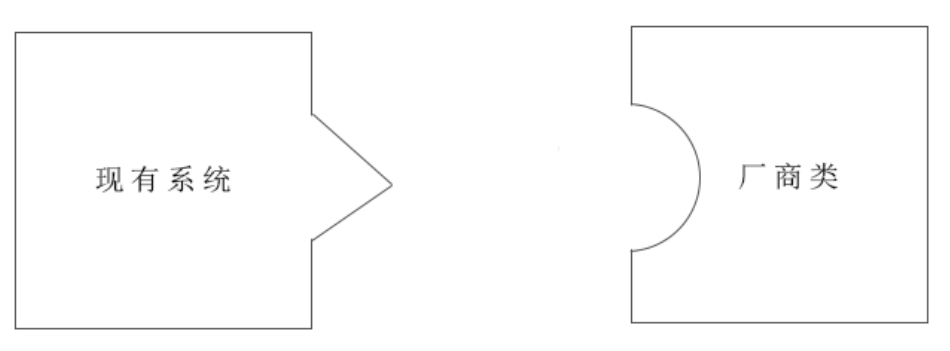 設計模式入門:用鴨子與火雞輕鬆理解適配器模式(Adapter)
適配器模式的定義是:將一個類別的接口,轉換成客戶期望的另一個接口,讓原本接口不相容的類別能夠協同工作。它也可以被稱為「轉換器模式」——本質上就是把某些物件包裝起來,讓它們
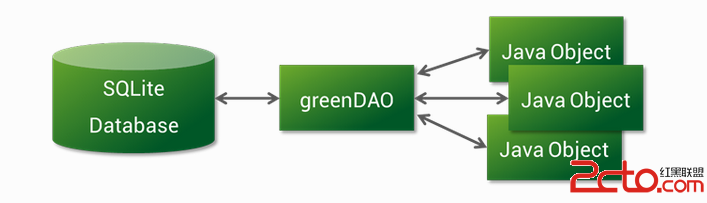 Android 資料庫 ORM 框架 greenDAO 學習與實戰指南
 簡介 根據官網的說法: greenDAO 是一個物件關聯映射(ORM)框架,它提供了一組介面,
 Android 多圖片上傳實作:CodeIgniter 後端與 Volley 客戶端
 在 App 中上傳多張圖片時,常需要同時傳遞參數。本文以 PHP CodeIgnit
 零停機重啟神器 Huptime 深度剖析
零停機重啟程序工具 Huptime 研究.pdf目錄導覽本文將依序介紹:官方專案位置、核心功能、環境需求、實作原理,接著深入 SI