

編輯:關於 Android 開發
在 Android 開發中,我們經常需要在界面上彈出對話框來詢問用戶或讓其選擇,這類功能稱為 Android Dialog,AlertDialog 採用建造者模式實現。下面模擬卸載應用時最常見的警告對話框,如下圖:
layout 布局界面代碼:
<?xml version="1.0" encoding="utf-8"?> <LinearLayout xmlns:android="https://schemas.android.com/apk/res/android" android:orientation="vertical" android:layout_width="match_parent" android:layout_height="match_parent"> <Button android:text="卸載" android:layout_width="match_parent" android:layout_height="wrap_content" android:onClick="show" android:id="@+id/button" /> </LinearLayout>
Java 實現代碼:
public class AlertDialogDemo extends AppCompatActivity { @Override protected void onCreate(@Nullable Bundle savedInstanceState) { super.onCreate(savedInstanceState); setContentView(R.layout.alterdialog); } public void show(View v){ AlertDialog.Builder builder = new AlertDialog.Builder(this); builder.setTitle("卸載"); builder.setMessage("確定卸載嗎"); builder.setPositiveButton("確定", new DialogInterface.OnClickListener() { @Override public void onClick(DialogInterface dialog, int which) { Toast.makeText(AlertDialogDemo.this,"點擊了確定按鈕",Toast.LENGTH_SHORT).show(); } }); builder.setNegativeButton("取消", new DialogInterface.OnClickListener() { @Override public void onClick(DialogInterface dialog, int which) { Toast.makeText(AlertDialogDemo.this,"點擊了取消按鈕",Toast.LENGTH_SHORT).show(); } }); builder.setNeutralButton("等等看吧", new DialogInterface.OnClickListener() { @Override public void onClick(DialogInterface dialog, int which) { Toast.makeText(AlertDialogDemo.this,"點擊了中立按鈕",Toast.LENGTH_SHORT).show(); } }); builder.show(); } }本例展示了警告對話框的三種按鈕:setPositiveButton(正面/確定)、setNegativeButton(反面/取消)與 setNeutralButton(中立),每個按鈕都可綁定各自的點擊事件,最後調用 show() 顯示。
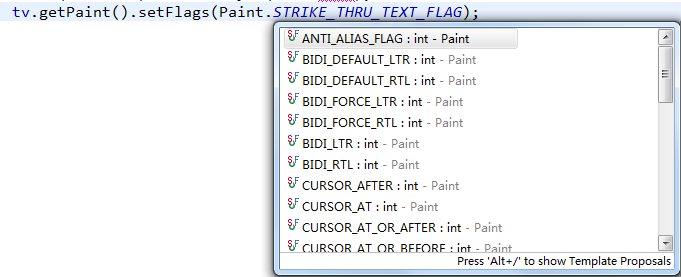 Android TextView 加刪除線:一行程式搞定原價顯示
需求場景 電商類的 App 幾乎都會遇到這個需求:商品除了促銷價,還要顯示一個被劃掉的原始價格,用視覺上的對比讓折扣感更明顯。 實作起來比想像中簡單,一行就夠了: 程式
 手機衛士黑名單功能:ListView 效能優化
ListView 在快速捲動時容易出現 ANR 或記憶體不足,常見原因是 getView 中頻繁建立 View 與 findViewById。每次顯示一筆資料都重新配置版
 Android多分辨率適配實踐(一):用字體圖標精準控制圖標樣式
 目錄 Android多分辨率適配實踐【0】基礎適配篇(撰寫中)Android多分辨率適配實踐【1】使用字
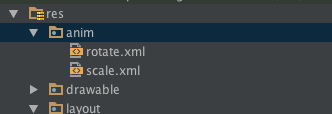 Android Studio 基礎動畫實現(第一篇):補間動畫與逐幀動畫
很多剛開始學習 Android 的同學,常常會遇到需要在項目裡插入一些基礎動畫的需求。那具體該怎麼實現呢?接下來我們一起梳理 Android 中的幾種基本動畫。(這裡默認