

編輯:關於 Android 開發
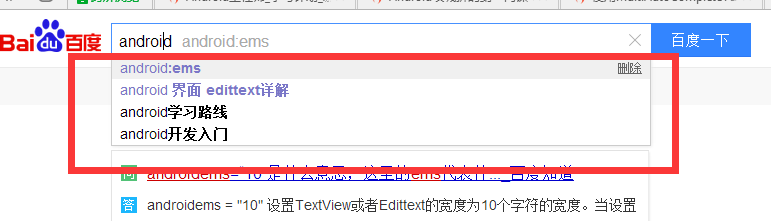
本文探討如何實現輸入的自動匹配提示,就像在搜尋框中輸入時會即時顯示建議一樣。這主要用到兩個控件:AutoCompleteTextView 與 MultiAutoCompleteTextView。
它們與普通 TextView 的主要區別在於能自動匹配用戶輸入的內容,並多了一個關鍵屬性 android:completionThreshold="2",用於指定用戶輸入多少個字元時開始匹配(此處設為 2 個字元)。
布局檔中的相關程式碼如下:
<AutoCompleteTextView
    android:id="@+id/autoCompleteTextView1"
    android:layout_width="match_parent"
    android:layout_height="wrap_content"
    android:layout_alignParentLeft="true"
    android:layout_alignParentRight="true"
    android:layout_alignTop="@+id/textView1"
    android:hint="請輸入內容"
    android:textColor="#000000"
    android:completionThreshold="2" >
    <requestFocus />
</AutoCompleteTextView>
源碼中需定義並綁定適配器:
private AutoCompleteTextView auTextView;
String[] res = {"ab1", "ab2", "ab3", "ab4", "ab5"};

protected void onCreate(Bundle savedInstanceState) {
    super.onCreate(savedInstanceState);
    setContentView(R.layout.activity_main);
    auTextView = (AutoCompleteTextView) findViewById(R.id.autoCompleteTextView1);
    // 定義適配器並添加
    ArrayAdapter<String> adapter = new ArrayAdapter<String>(this,
            android.R.layout.simple_expandable_list_item_1, res);
    auTextView.setAdapter(adapter);
}
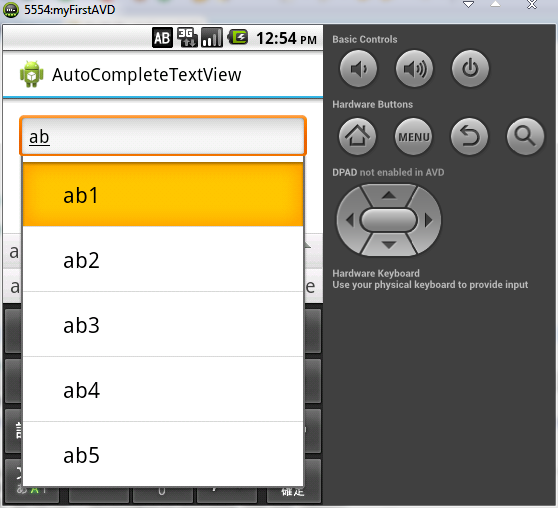
它與 AutoCompleteTextView 的主要區別在於可以多次匹配——只要定義了分隔符,就能對多段內容分別提示,而 AutoCompleteTextView 只能進行一次匹配。
布局檔程式碼:
<MultiAutoCompleteTextView
    android:id="@+id/multiAutoCompleteTextView1"
    android:layout_width="match_parent"
    android:layout_height="wrap_content"
    android:layout_alignParentLeft="true"
    android:layout_below="@+id/autoCompleteTextView1"
    android:layout_marginTop="24dp"
    android:textColor="#000000"
    android:completionThreshold="2"
    android:hint="請輸入內容" />
源碼中除了綁定適配器外,還需設定分隔符:
private MultiAutoCompleteTextView muTextView;
String[] res = {"ab1", "ab2", "ab3", "ab4", "ab5"};

protected void onCreate(Bundle savedInstanceState) {
    super.onCreate(savedInstanceState);
    setContentView(R.layout.activity_main);

    ArrayAdapter<String> adapter = new ArrayAdapter<String>(this,
            android.R.layout.simple_expandable_list_item_1, res);

    muTextView = (MultiAutoCompleteTextView) findViewById(R.id.multiAutoCompleteTextView1);
    muTextView.setAdapter(adapter);
    // 設置逗號分隔符
    muTextView.setTokenizer(new MultiAutoCompleteTextView.CommaTokenizer());
}
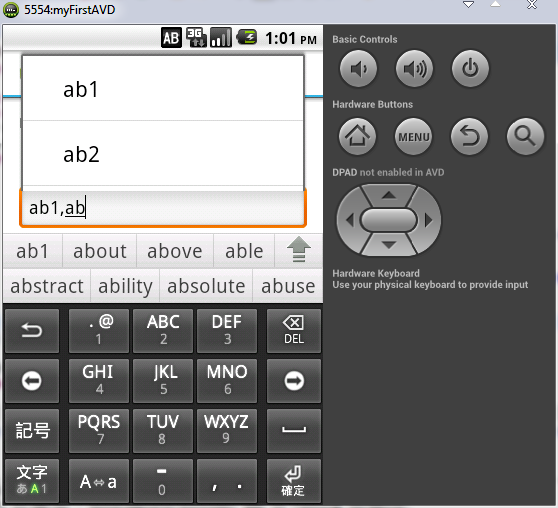
補充說明:設定分隔符時使用的 MultiAutoCompleteTextView.CommaTokenizer() 是一個內建的逗號分隔符實作,它會以逗號作為分詞依據,讓多段內容能各自觸發自動完成提示。
 安卓生成二維碼實作與中文亂碼問題解決
 參考資料:https://blog.csdn.net/books1958/article/details/46346531 與 ht
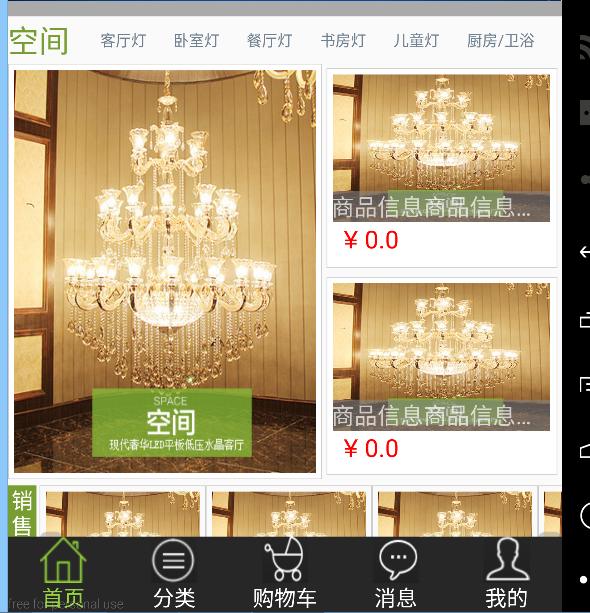 Fragment 巢狀重複 id 崩潰解析:Binary XML file line #23: Duplicate id
問題現場 觸發時機:在首頁與分類頁之間切換,從「分類」返回「首頁」時直接閃退。 Logcat 給出的關鍵訊息是: Caused by: java.lang.Ille
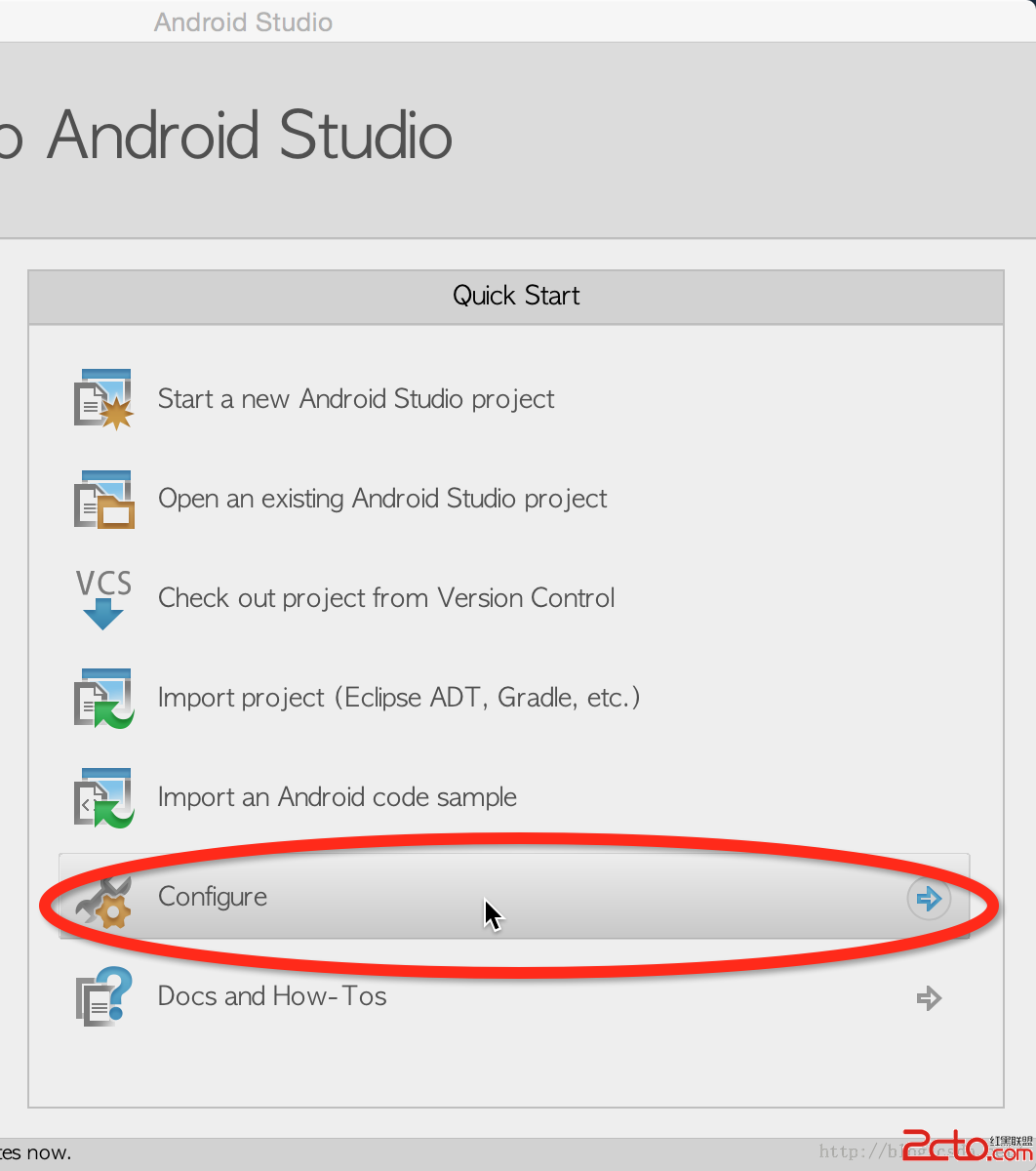 Android Studio 插件安裝指南:兩種入口與完整操作步驟
Android Studio 的強大,很大一部分來自生態裡豐富的第三方插件。裝對插件,代碼生成、樣式復用、接口對接這些繁瑣工作的效率能提升一大截。本文把安裝流程完整梳理一
 抽屜菜單不再只有一個方向:Panel 控件實戰與閃爍 Bug 修復
想在 Android 上做一個類似 Launcher 那樣拉出抽屜的效果,多數人第一個想到的是官方控件 SlidingDrawer。它確實好用,但方向單一、擴展性有限。本