編輯:關於android開發
PullToRefreshListView是第三方開源框架下拉刷新列表,比較流行的QQ 微信等上面都在用。
下載地址(此開源框架於2013年後不再更新)
點此下載
 1 package com.lixu.kaiyuanxiala;
 2
 3 import java.util.ArrayList;
 4
 5 import com.handmark.pulltorefresh.library.PullToRefreshBase;
 6 import com.handmark.pulltorefresh.library.PullToRefreshBase.OnRefreshListener;
 7 import com.handmark.pulltorefresh.library.PullToRefreshListView;
 8 import android.app.Activity;
 9 import android.os.AsyncTask;
10 import android.os.Bundle;
11 import android.widget.ArrayAdapter;
12 import android.widget.ListView;
13 import android.widget.TextView;
14 import android.widget.Toast;
15
16 public class MainActivity extends Activity {
17     private ArrayList<String> date;
18     private int count = 0;
19     private ArrayAdapter<String> adapter;
20     PullToRefreshListView prl;
21
22     @Override
23     protected void onCreate(Bundle savedInstanceState) {
24         super.onCreate(savedInstanceState);
25         setContentView(R.layout.activity_main);
26
27         date = new ArrayList<String>();
28         adapter = new ArrayAdapter<String>(this, android.R.layout.simple_list_item_1, date);
29
30         prl = (PullToRefreshListView) findViewById(R.id.prl);
31
32         prl.setAdapter(adapter);
33
34         TextView tv = new TextView(this);
35         tv.setText("想看內容給我拉下來!!");
36
37         prl.setEmptyView(tv);
38         // 監控下拉事件 每次下拉執行一次 onRefresh()。
39         prl.setOnRefreshListener(new OnRefreshListener<ListView>() {
40
41             @Override
42             public void onRefresh(PullToRefreshBase<ListView> refreshView) {
43                 new MyAsync().execute();
44             }
45         });
46
47     }
48
49     private class MyAsync extends AsyncTask {
50         @Override
51         protected void onPreExecute() {
52             // 開始刷新
53             prl.setRefreshing();
54         }
55
56         @Override
57         protected Object doInBackground(Object... params) {
58
59             return count++;
60         }
61
62         @Override
63         protected void onPostExecute(Object result) {
64             Toast.makeText(getApplicationContext(), "更新成功!", 0).show();
65             date.add(0, "" + result);
66             // 刷新適配器
67             adapter.notifyDataSetChanged();
68             // 結束刷新
69             prl.onRefreshComplete();
70
71         }
72     }
73 }
xml文件:
 1 <RelativeLayout xmlns:android="http://schemas.android.com/apk/res/android"
 2     xmlns:tools="http://schemas.android.com/tools"
 3     android:layout_width="match_parent"
 4     android:layout_height="match_parent" >
 5
 6     <com.handmark.pulltorefresh.library.PullToRefreshListView
 7         android:id="@+id/prl"
 8         android:layout_width="match_parent"
 9         android:layout_height="match_parent"
10          />
11
12 </RelativeLayout>
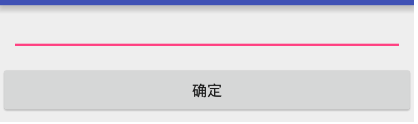
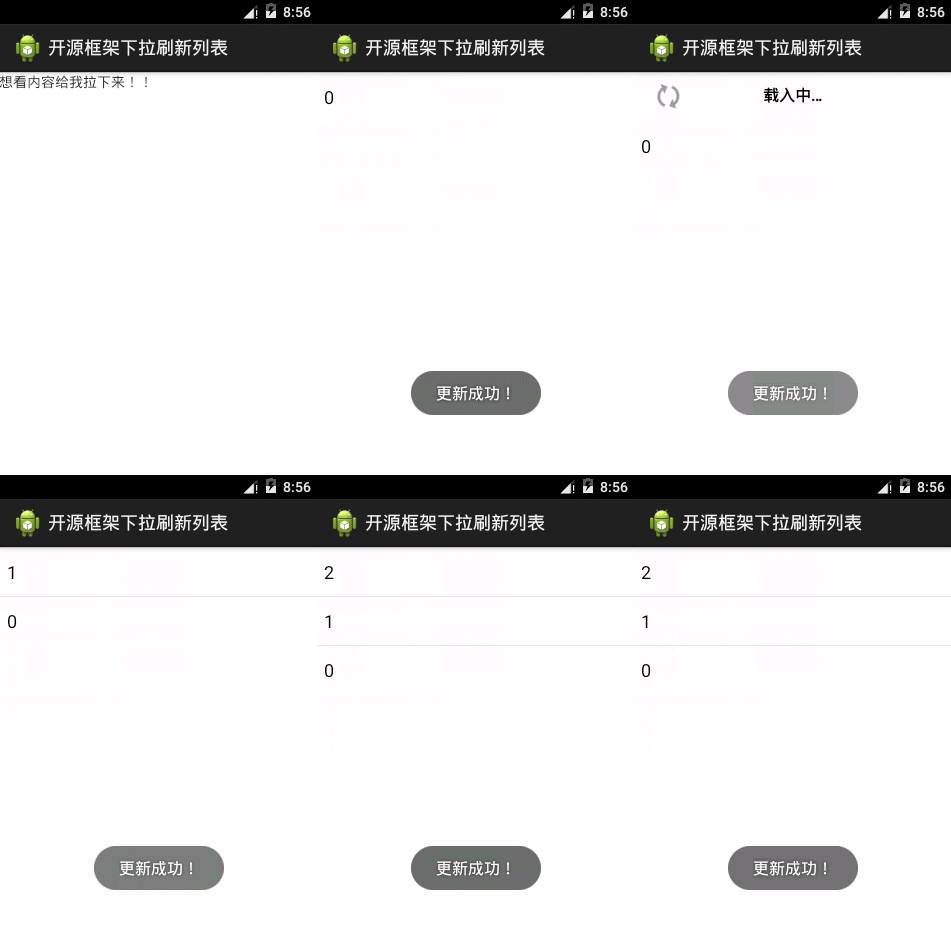
運行效果圖:
 DragLayout: QQ5.0側拉菜單的新特效,draglayoutqq5.0
DragLayout: QQ5.0側拉菜單的新特效,draglayoutqq5.0一、項目概要 1.1 項目效果如圖: 1.2 需要使用到的技術
 深入理解RCU實現
深入理解RCU實現深入理解RCU實現——基於內核2.6.21RCU實現(lvyilong316)RCU(Read-Copy Update),顧名思義就是讀-拷貝修改,它是
 淺談Android 通過ADB Wireless無線調試應用
淺談Android 通過ADB Wireless無線調試應用 使用數據線調試應用難免不方便,本篇博客介紹使用ADB Wireless工具,當手機和電腦處在同一網絡下,實現
 學習Android從0開始之背景篇-Android系統介紹
學習Android從0開始之背景篇-Android系統介紹 android系統介紹 Android(安卓),是一個以Linux為基礎的開源移動設備操作系統,主要用於智能手