編輯:關於Android編程
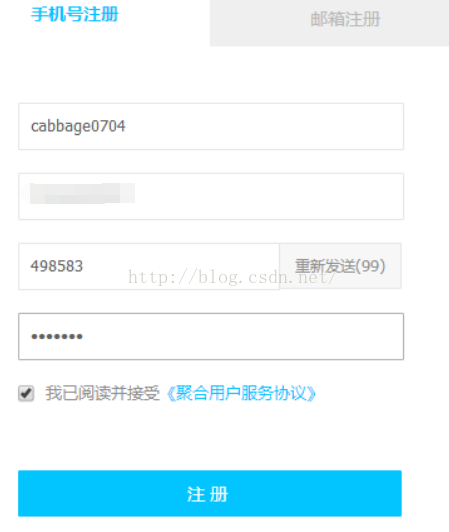
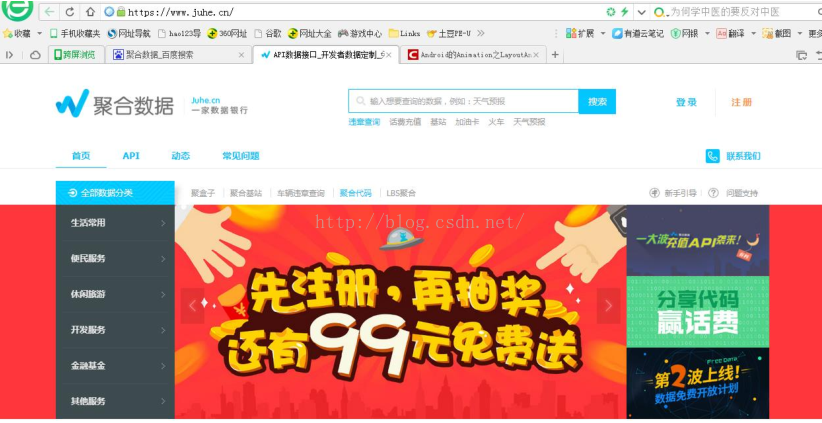 點擊注冊,進入注冊界面:
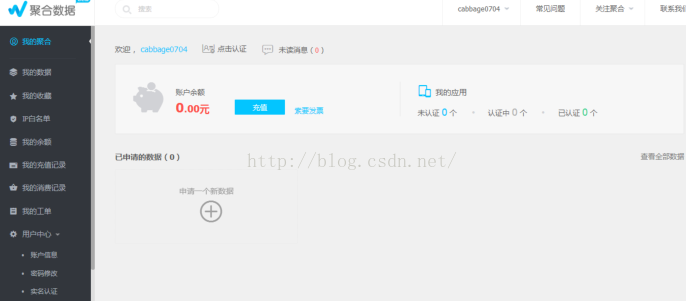
 登錄成功後,就會進入到如下界面。
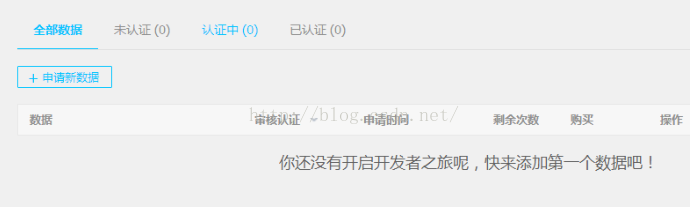
 點擊左側菜單中我的數據,進入如下界面
 點擊申請新數據,如下所示,必須實名認證
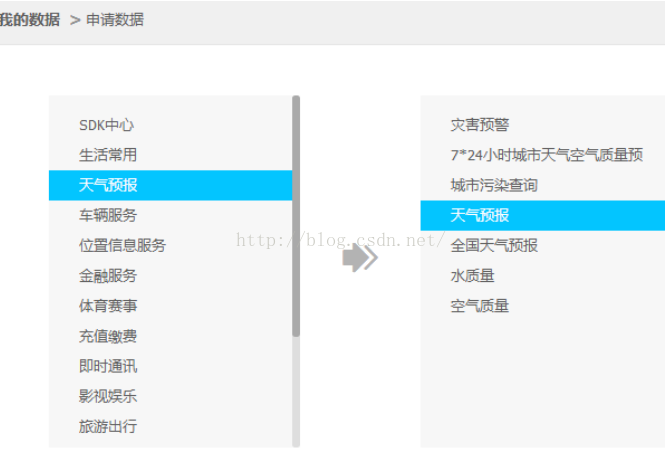
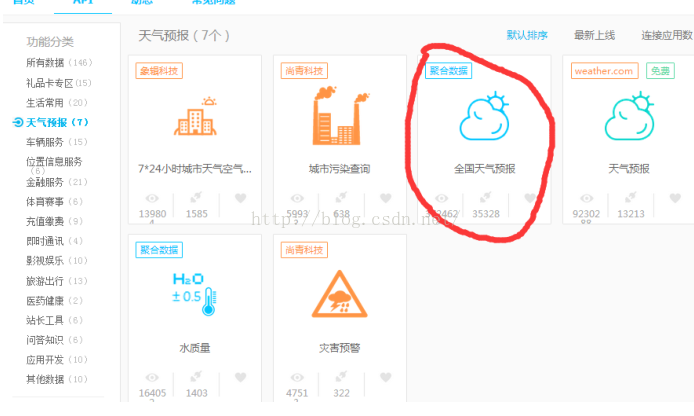 點擊進入後,只要申請就送 500 次使用,如下圖所示。
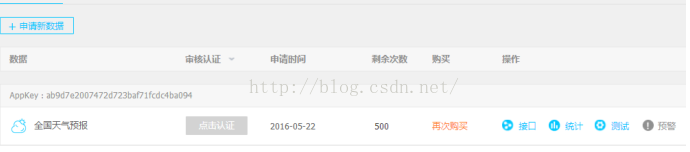 復制其中的 AppKey:ab9d7e2007472d723baf71fcdc4ba094
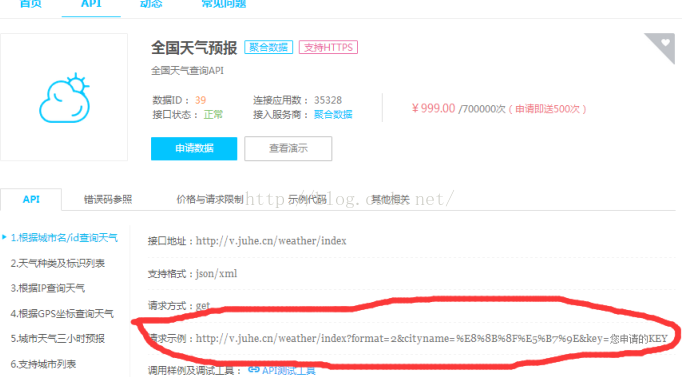 打開全國天氣預報 API 後,會有一項請求示例,按照其規則拼接字符串後在地址欄中輸入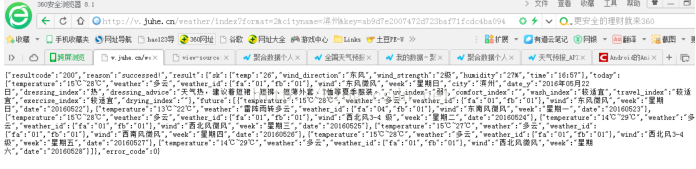
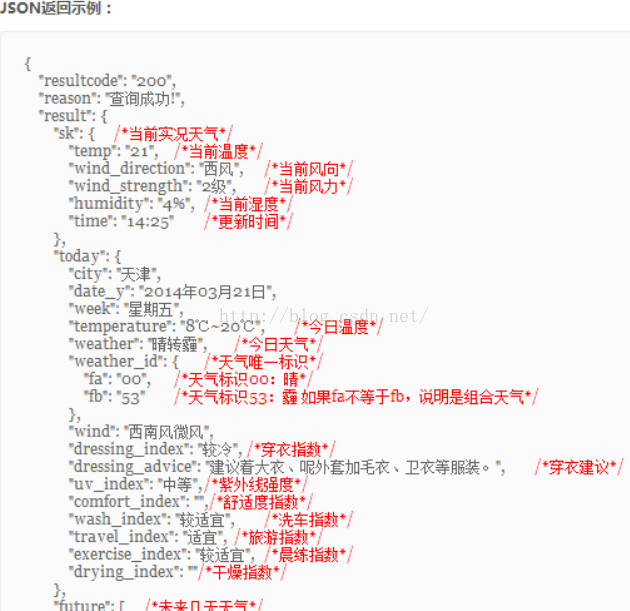 下面是類的展示
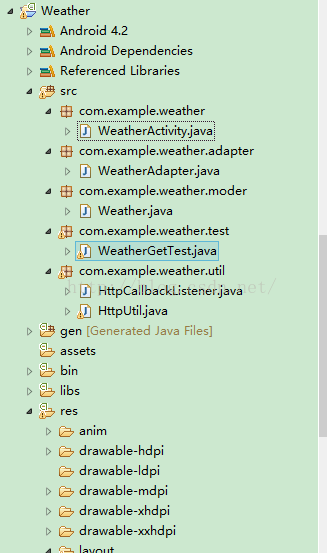 2、編寫網絡數據訪問工具類
首先需要在 uiti 包下定義一個接口,比如將它命名成 HttpCallbackListener,代碼如下
2、編寫網絡數據訪問工具類
首先需要在 uiti 包下定義一個接口,比如將它命名成 HttpCallbackListener,代碼如下
package com.example.weather.util;

public interface HttpCallbackListener {
	void onFinish(String response);
	void onError(Exception e);
}
然後定義 HttpUtil 類,代碼如下
package com.example.weather.util;

import java.io.BufferedReader;
import java.io.InputStream;
import java.io.InputStreamReader;
import java.net.HttpURLConnection;
import java.net.URL;

import android.util.Log;

public class HttpUtil {
	public static void sendHttpRequest(final String address, final HttpCallbackListener listener) {
		new Thread(new Runnable() {
			public void run() {
				HttpURLConnection connection = null;
				try {
					URL url = new URL(address);
					connection = (HttpURLConnection) url.openConnection();
					connection.setRequestMethod("GET");
					connection.setConnectTimeout(8000);
					connection.setReadTimeout(8000);
					connection.setDoInput(true);
					connection.setDoOutput(true);
					InputStream in = connection.getInputStream();
					BufferedReader reader =
							new BufferedReader(new InputStreamReader(in));
					StringBuilder response = new StringBuilder();
					String line;
					while ((line = reader.readLine()) != null) {
						response.append(line);
					}
					if (listener != null) {
						// 回調 onFinish()方法
						listener.onFinish(response.toString());
					}
				} catch (Exception e) {
					if (listener != null) {
						// 回調 onError()方法
						listener.onError(e);
					}
				} finally {
					if (connection != null) {
						connection.disconnect();
					}
				}
			}
		}).start();
	}
}
3、測試一下能否正常訪問天氣預報接口得到返回的數據
package com.example.weather.test;

import java.io.UnsupportedEncodingException;
import java.net.URLEncoder;

import com.example.weather.util.HttpCallbackListener;
import com.example.weather.util.HttpUtil;

import android.test.AndroidTestCase;

public class WeatherGetTest  extends AndroidTestCase{
	 public void testGetData(){
		 String cityName;
		try {
			cityName = URLEncoder.encode("菏澤", "utf-8");
			String  weatherUrl="http://v.juhe.cn/weather/index?format=2&cityname="+cityName+"&key=ab9d7e2007472d723baf71fcdc4ba094";

		 HttpUtil.sendHttpRequest(weatherUrl, new HttpCallbackListener() {

			public void onFinish(String response) {
				// TODO Auto-generated method stub
				System.out.println(response);
			}

			public void onError(Exception e) {
				// TODO Auto-generated method stub

			}
			});
		 }catch (Exception e) {
			// TODO: handle exception
		}

	 }
}
由於涉及到訪問網絡,需要在 AndroidManifest.xml 文件中加入訪問網絡的權限。activity_weather_listitem.xml
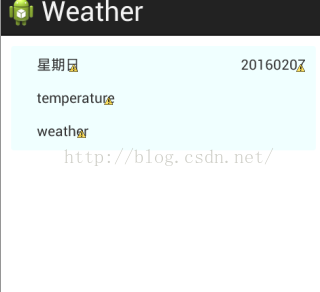
weather_list_layout_animation.xml
Weather.java
package com.example.weather.moder;

public class Weather {
	private String dayOfWeek;//星期幾
	private String date;//日期
	private String temperature;//溫度
	private String weather;//天氣
	public Weather(){
	}
	public Weather(String dayOfWeek, String date, String temperature,
			String weather) {
		super();
		this.dayOfWeek = dayOfWeek;
		this.date = date;
		this.temperature = temperature;
		this.weather = weather;
	}
	public String getDayOfWeek() {
		return dayOfWeek;
	}
	public void setDayOfWeek(String dayOfWeek) {
		this.dayOfWeek = dayOfWeek;
	}
	public String getDate() {
		return date;
	}
	public void setDate(String date) {
		this.date = date;
	}
	public String getTemperature() {
		return temperature;
	}
	public void setTemperature(String temperature) {
		this.temperature = temperature;
	}
	public String getWeather() {
		return weather;
	}
	public void setWeather(String weather) {
		this.weather = weather;
	}
	@Override
	public String toString() {
		return "Weather [dayOfWeek=" + dayOfWeek + ", date=" + date
				+ ", temperature=" + temperature + ", weather=" + weather + "]";
	}

}
在 adapter 包下定義適配器 WeatherAdapter
package com.example.weather.adapter; import java.util.List; import android.content.Context; import android.view.LayoutInflater; import android.view.View; import android.view.ViewGroup; import android.widget.ArrayAdapter; import android.widget.TextView; import com.example.weather.R; import com.example.weather.moder.Weather; /** * 天氣適配器 * @author zhupeng * */ public class WeatherAdapter extends ArrayAdapterWeatherActivity.java{ private int resourceId; public WeatherAdapter(Context context, int textViewResourceId, List objects) { super(context, textViewResourceId, objects); resourceId = textViewResourceId; } @Override public View getView(int position, View convertView, ViewGroup viewgroup) { Weather weather=getItem(position); ViewHolder viewHolder=null; if(convertView==null){ viewHolder=new ViewHolder(); convertView=LayoutInflater.from(getContext()).inflate(resourceId, null); viewHolder.tvDayOfWeek=(TextView) convertView.findViewById(R.id.tvDayofWeek); viewHolder.tvDate=(TextView) convertView.findViewById(R.id.tvDate); viewHolder.tvTemperature=(TextView) convertView.findViewById(R.id.tvTemperature); viewHolder.tvWeather=(TextView) convertView.findViewById(R.id.tvWeather); convertView.setTag(viewHolder); }else{ viewHolder=(ViewHolder) convertView.getTag(); } viewHolder.tvDayOfWeek.setText(weather.getDayOfWeek()); viewHolder.tvDate.setText(weather.getDate()); viewHolder.tvTemperature.setText(weather.getTemperature()); viewHolder.tvWeather.setText(weather.getWeather()); return convertView; } private class ViewHolder{ TextView tvDayOfWeek; TextView tvDate; TextView tvTemperature; TextView tvWeather; } }
package com.example.weather;

import java.io.UnsupportedEncodingException;
import java.net.URLEncoder;
import java.util.ArrayList;
import java.util.List;

import com.example.weather.adapter.WeatherAdapter;
import com.example.weather.moder.Weather;
import com.example.weather.util.HttpCallbackListener;
import com.example.weather.util.HttpUtil;
import com.google.gson.JsonArray;
import com.google.gson.JsonObject;
import com.google.gson.JsonParser;

import android.app.Activity;
import android.os.Bundle;
import android.os.Handler;
import android.os.Message;
import android.view.View;
import android.view.View.OnClickListener;
import android.view.animation.LayoutAnimationController;
import android.view.animation.ScaleAnimation;
import android.widget.EditText;
import android.widget.ImageButton;
import android.widget.ListView;
import android.widget.Toast;
public class WeatherActivity extends Activity {
	private EditText ecCity;
	private ImageButton btnQuery;
	private ListView lvFutureWeather;
	public static final int SHOW_RESPONSE=1;
	private List data;
	private Handler handler=new Handler(){
		public void handleMessage(Message msg){
			switch (msg.what) {
			case SHOW_RESPONSE:
				String response=(String )msg.obj;
				if(response!=null){
					parseWithJSON(response);
					WeatherAdapter weatherAdapter=new WeatherAdapter
							(WeatherActivity.this,
									R.layout.activity_weather_listitem, data);
					lvFutureWeather.setAdapter(weatherAdapter);
					ScaleAnimation scaleAnimation=new ScaleAnimation(0,1,0,1);
					scaleAnimation.setDuration(1000);
					LayoutAnimationController animationController  =  new
							LayoutAnimationController(
									scaleAnimation, 0.6f);
					lvFutureWeather.setLayoutAnimation(animationController);

				}
				break;

			default:
				break;
			}
		}

		private void parseWithJSON(String response) {
			// TODO Auto-generated method stub
			data=new ArrayList();
			JsonParser parser=new JsonParser();//json解析器
			JsonObject obj=(JsonObject) parser.parse(response);
			//獲取返回狀態嗎
			String resultcode=obj.get("resultcode").getAsString();
			//狀態碼如果是200說明數據返回成功
			if(resultcode!=null&&resultcode.equals("200")){
				JsonObject resultObj=obj.get("result").getAsJsonObject();
				JsonArray futureWeatherArray=resultObj.get("future").getAsJsonArray();
				for(int i=0;i();
	}
	private void setListeners(){
		btnQuery.setOnClickListener(new OnClickListener() {

			public void onClick(View v) {
				// TODO Auto-generated method stub
				String cityName=ecCity.getText().toString();
				try {
					cityName = URLEncoder.encode("菏澤", "utf-8"); //這裡我弄成默認的城市了,如果想根據輸入的值進行搜索,,,可以把這句話換成cityName = URLEncoder.encode(cityName, "utf-8");


				} catch (UnsupportedEncodingException e1) {
					e1.printStackTrace();
				}
				System.out.println("lvFutureWeather="+lvFutureWeather);
				Toast.makeText(WeatherActivity.this, "success",
						Toast.LENGTH_LONG).show();
				String weatherUrl = "http://v.juhe.cn/weather/index?format=2&cityname="+cityName+"&key=ab9d7e2007472d723baf71fcdc4ba094";
				Toast.makeText(WeatherActivity.this, "success"+weatherUrl,
						Toast.LENGTH_LONG).show();
				HttpUtil.sendHttpRequest(weatherUrl, new HttpCallbackListener() {

					public void onFinish(String response) {
						// TODO Auto-generated method stub
						Message message=new Message();
						message.what=SHOW_RESPONSE;
						//將服務器返回的結果存放到Message中
						message.obj=response.toString();
						handler.sendMessage(message);
					}

					public void onError(Exception e) {
						// TODO Auto-generated method stub
						System.out.println("訪問失敗");
					}
				});
			}
		});
	}

}
cityName = URLEncoder.encode("菏澤", "utf-8");
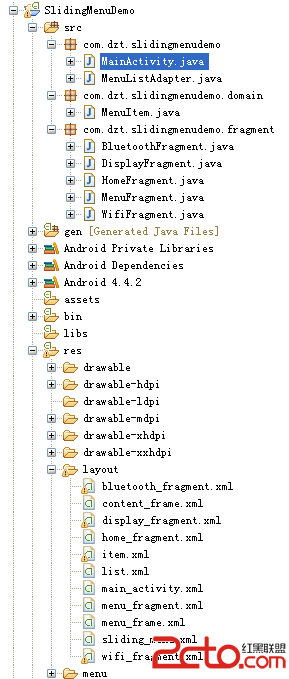 Android開源項目SlidingMenu的學習筆記(二)
在前面已經介紹了SlidingMenu的用法:Android開源項目SlidingMenu的學習筆記(一),接下來再深入學習下,根據滑出項的Menu切換到對應的頁面 目錄
 android的SharedPreferences使用
需求:模擬android系統應用設置中飛行模式的開啟與關閉,並記住設置的狀態 布局文件:fragment_main.xml 資源文件s
 Android游戲開發:實現手勢操作切換圖片的實例
對於Android 的手勢不光在軟件中會經常用到,比如浏覽器中的翻頁,滾動頁面等等;當然其實在我
 華為榮耀8護眼模式怎麼開啟
在我們使用手機的時候,由於眼睛需要正對著屏幕,隨著時間的增加,就會引起眼睛疲勞,不適,以及近視等問題,所以我們在使用手機的時候盡量要控制好使用時間,保護好自