編輯:關於Android編程
一般我們使用Intent 進行activity跳轉時我們都知道需要跳轉的activity的名字,例如:
				Intent intent=new Intent(FirstActivity.this,SecondActitivy.class);
				startActivity(intent);
當SecondActitivy.class和FirstActivity不再同一個App的時候,我們就需要用到匿名啟動,
匿名啟動:
首先需要設置被啟動的SecondActivity 的xml配置文件:
FirstActivity 可以利用
來找到 SecondActivity
FirstActivity代碼如下:
				Intent intent=new Intent();
				intent.setAction("toSecondPage");
				startActivity(intent);
這樣就可以利用ActionName調到非本App的Activity
啟動系統activity也是這樣實現:
通過一個系統提供的ActionName來跳轉到系統的Activity,同時可以附加一些消息;(xml 就是4個簡單的按鈕)
package testIntent;

import java.net.URL;

import android.app.Activity;
import android.content.Intent;
import android.net.Uri;
import android.os.Bundle;
import android.view.View;
import android.view.View.OnClickListener;
import android.widget.Button;

import com.example.androidtest.R;

public class FirstActivity extends Activity implements OnClickListener{

	private Button toWeBButton;
	private Button toPicButton;
	private Button toMesButton;
	private Button toPhoneButton;

	@Override
	protected void onCreate(Bundle savedInstanceState) {
		// TODO Auto-generated method stub
		super.onCreate(savedInstanceState);
		setContentView(R.layout.first_activity_main);

		toWeBButton=(Button) findViewById(R.id.toWeb);
		toPicButton=(Button) findViewById(R.id.toPic);
		toMesButton=(Button) findViewById(R.id.toMes);
		toPhoneButton=(Button) findViewById(R.id.toPhone);

		toWeBButton.setOnClickListener(this);
		toPicButton.setOnClickListener(this);
		toMesButton.setOnClickListener(this);
		toPhoneButton.setOnClickListener(this);
	}

	@Override
	public void onClick(View v) {
		// TODO Auto-generated method stub
		Intent intent=new Intent();

		if(v.equals(toWeBButton)){//跳轉到 網頁 百度首頁
			intent.setAction(Intent.ACTION_VIEW);
			Uri uri=Uri.parse("http://www.baidu.com");
			intent.setData(uri);
		}else if(v.equals(toPicButton)){//打開系統圖片
			intent.setAction(Intent.ACTION_GET_CONTENT);
			intent.setType("image/*");//打開所有的圖片, 如果需要獲取圖片就需要寫回調函數
		}else if(v.equals(toMesButton)){//發送消息
			intent.setAction(Intent.ACTION_SEND);
			intent.setType("text/plain");
			intent.putExtra(Intent.EXTRA_TEXT, "這是我第一次這樣發信息");

		}else if(v.equals(toPhoneButton)){//撥打電話
			intent.setAction(Intent.ACTION_VIEW);
			Uri uri=Uri.parse("tel:1839860592");
			intent.setData(uri);
		}
		startActivity(intent);
	}

}
 Android標准App的四大自動化測試
WeTest導讀說起Android的自動化測試,相信有很多小伙伴都接觸過或者有所耳聞,本文從框架最基本的功能介紹及API的使用入手,結合簡單的項目實戰來幫忙大家對該框架進
 Android視頻處理之動態時間水印效果
最近的項目中遇到一個非常頭痛的需求,在Android端錄制視頻的時候動態添加像監控畫面一樣的精確到秒的時間信息,關鍵是,並不是說只在播放器的界面顯示時間就可以了,而是錄制
 我的Android進階之旅之Android自定義View來實現解析lrc歌詞同步滾動、上下拖動、縮放歌詞等功能
前言 最近有個項目有關於播放音樂時候,關於歌詞有以下幾個功能: 1、實現歌詞同步滾動的功能,即歌曲播放到哪句歌詞,就高亮地顯示出正在播放的這個歌詞; 2、實現
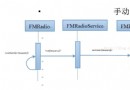 Android FM模塊學習之三 FM手動調頻
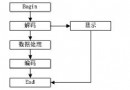
前一章我們學習了FM的自動調頻,接下來我們就看看FM手動調頻是如何進行的。如果不清楚FM自動調頻的過程,請打開超鏈接查看FM搜索頻率流程。 首先來看一下流程圖: 2.滑