編輯:關於Android編程
FinalHttp finalHttp = new FinalHttp();              //創建FinalHttp對象,用於多線程斷點下載
File file = new File(Environment.getExternalStorageDirectory(),"temp.apk");     //設置存放目錄及存放文件的名稱
finalHttp.download(updateInfo.getApkurl(), file.getAbsolutePath(), new AjaxCallBack<File>(){  //下載,復寫3方法


    /**
     * 若下載失敗,打印出錯誤
     */
    @Override
    public void onFailure(Throwable t, int errorNo,
            String strMsg) {
        t.printStackTrace();
        super.onFailure(t, errorNo, strMsg);
    }

    /**
     * 文件下載過程中調用的方法(進度)
     * @param count 文件總長度
     * @param current   當前下載的進度
     */
    @Override
    public void onLoading(long count, long current) {
        int progress = (int)(current*100/count);
        tv_splash_progress.setText("下載進度:"+progress+"%");
        super.onLoading(count, current);
    }
    /**
     * 文件下載成功調用的方法
     */
    @Override
    public void onSuccess(File t) {
        Toast.makeText(getApplicationContext(), "下載成功,請進行替換安裝", Toast.LENGTH_SHORT).show();
        super.onSuccess(t);
    }
});
在布局文件中加一個TextView用於顯示下載進度,開始設為隱藏: 具體代碼:
 <TextView
android:id="@+id/tv_splash_progress"
android:layout_width="wrap_content"
android:layout_height="wrap_content"
android:textColor="#ff0000"
android:visibility="invisible"
android:layout_below="@+id/progressBar1"
android:layout_centerHorizontal="true"
android:layout_marginTop="16dp"/>
下載之前將其設為可見,即
tv_splash_progress.setVisibility(View.VISIBLE);
注意設置寫sdcard的權限:WRITE_EXTERNAL_STORAGE
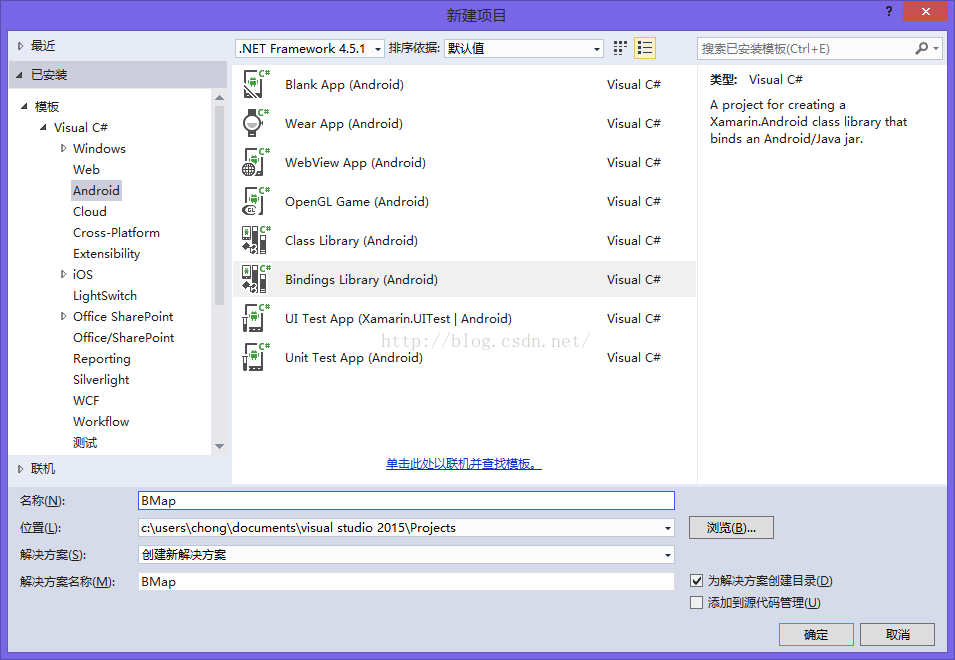 xmarin.android for vs2015使用百度地圖api3.6.1
首先新建一個binding Library項目,項目名隨意,我這裡起名Bmap 然後將jar文件放入jars目錄下,生成屬性改為EmbeddedJar這時候如果
 詳解Android更改APP語言模式的實現過程
一、效果圖二、描述更改Android項目中的語言,這個作用於只用於此APP,不會作用於整個系統三、解決方案(一)布局文件<LinearLayout xmlns:an
 四大組件之Activity(上)——Activity的生命周期、系統回收、系統配置改變的影響
第1節 Activity的使用Activity幾乎是每個應用必有的組件,所以任何安卓應用的開發幾乎都是從Activity開始的。比如,你希望設計一個計算器應用,要呈現這個
 Android通過RemoteViews實現跨進程更新UI示例
一、概述前面一篇文章Android通過AIDL實現跨進程更新UI我們學習了aidl跨進程更新ui,這種傳統方式實現跨進程更新UI是可行的,但有以下弊端: View中的方