

編輯:關於 Android 程式設計
Glide 是 Android 平台上快速而高效的开源多媒體資源管理庫,提供多媒體文件的壓縮、內存與磁盤緩存、資源池等能力。它支持獲取、解壓與展示圖片、視頻和 GIF,並提供具彈性的 API 讓開發者自定義網絡棧——默認使用 HttpUrlConnection,也可以替換為 Google Volley 或 OkHttp。
Glide 最初的目標是「快速平滑地展示圖片列表」,但在「拉取 + 縮放 + 展示遠程圖片」這類通用場景中同樣好用。最簡單的用法就是從遠程服務器或本地文件加載圖片,放入磁盤與內存緩存後貼到 View 上;它為含圖滾動列表做了大量流暢性優化。
Glide 的核心是為 Bitmap 維護一個對象池,目的是通過「重用」減少大對象分配,從而提高性能。
Dalvik 與 ART 都沒有使用 compacting garbage collector。在 compacting 模式下,GC 會遍歷堆並把活躍對象移到相鄰的內存區域,讓後續分配能拿到更大的連續空間。Android 沒有這一機制,於是對象可能散落在各處,彼此之間只剩下零碎空隙。當應用試圖分配一塊大於最近空閒區的對象時,即使總空閒內存充足,也會拋出 OutOfMemoryError 然後崩潰。
對象池還能改善滾動性能。重用 Bitmap 意味著更少的對象被創建與回收,而垃圾回收會帶來「Stop The World」——回收期間所有線程(包括 UI 線程)都被暫停,這一幀渲染不出來,畫面就會卡頓,在快速滾動時尤其明顯。

GitHub 地址:https://github.com/bumptech/glide,可在 release 頁面直接下載,或使用 Gradle:
 repositories { mavenCentral() } dependencies { compile 'com.github.bumptech.glide:glide:3.3.+'
 compile 'com.android.support:support-v4:19.1.0' }
Maven:
<dependency> <groupId>com.github.bumptech.glide</groupId> <artifactId>glide</artifactId> <version>3.3.1</version> <type>aar</type> </dependency> <dependency> <groupId>com.google.android</groupId> <artifactId>support-v4</artifactId> <version>r7</version> </dependency>
實務提醒:示例裡的 3.3.+ 這種動態版本號在生產項目中並不推薦,它會讓構建結果不可重現。應該固定到具體版本,升級走 PR 流程。
Glide 開箱即用,不需要任何特別配置就自帶 Bitmap pooling。
 DrawableRequestBuilder requestBuilder = Glide.with(context).load(imageUrl);
 requestBuilder.into(imageView);
這就是加載一張圖的全部要求。像 Android 中很多地方一樣,with() 裡傳入的 Context 類型其實至關重要:它決定 Glide 能對加載做多少優化。Glide 可以監聽 Activity 的生命週期,在宿主銷毀時自動取消尚未完成的請求;一旦傳的是 Application Context,這層優化就失效了。
更常見的鏈式寫法:
 Glide.with(context)
 .load("https://inthecheesefactory.com/uploads/source/glidepicasso/cover.jpg")
 .into(ivImg);
// For a simple view: @Override public void onCreate(Bundle savedInstanceState) { ... ImageView imageView = (ImageView) findViewById(R.id.my_image_view); Glide.with(this).load("https://goo.gl/h8qOq7").into(imageView); } // For a list: @Override public View getView(int position, View recycled, ViewGroup container) { final ImageView myImageView; if (recycled == null) { myImageView = (ImageView) inflater.inflate(R.layout.my_image_view, container, false); } else { myImageView = (ImageView) recycled; } String url = myUrls.get(position); Glide.with(myFragment) .load(url) .centerCrop() .placeholder(R.drawable.loading_spinner) .crossFade() .into(myImageView); return myImageView; }
列表場景裡 placeholder 與 crossFade 的組合尤為常用:前者消除空白感,後者讓圖片切換不生硬。
Gradle:
 dependencies { compile 'com.github.bumptech.glide:volley-integration:1.0.+'
 compile 'com.mcxiaoke.volley:library:1.0.+' }
Maven:
<dependency> <groupId>com.github.bumptech.glide</groupId> <artifactId>volley-integration</artifactId> <version>1.0.1</version> <type>jar</type> </dependency> <dependency> <groupId>com.mcxiaoke.volley</groupId> <artifactId>library</artifactId> <version>1.0.5</version> <type>aar</type> </dependency>
然後在 Activity 或 Application 中註冊 Volley 作為基礎模塊:
public void onCreate() { Glide.get(this).register(GlideUrl.class, InputStream.class, new VolleyUrlLoader.Factory(yourRequestQueue)); ... }
這樣做有個額外好處:圖片請求與業務請求共用同一個 Volley 請求隊列,蜂蜜器、重試策略、Cookie 管理都能統一。
Gradle:
 dependencies { compile 'com.github.bumptech.glide:okhttp-integration:1.0.+'
 compile 'com.squareup.okhttp:okhttp:2.0.+' }
Maven:
<dependency> <groupId>com.github.bumptech.glide</groupId> <artifactId>okhttp-integration</artifactId> <version>1.0.1</version> <type>jar</type> </dependency> <dependency> <groupId>com.squareup.okhttp</groupId> <artifactId>okhttp</artifactId> <version>2.0.0</version> <type>jar</type> </dependency>
同樣在 Activity 或 Application 中註冊:
public void onCreate() { Glide.get(this).register(GlideUrl.class, InputStream.class, new OkHttpUrlLoader.Factory(yourOkHttpClient)); ... }
換成 OkHttp 的最大價值是接管了連接池、超時、攔截器與 HTTPS 配置——例如做統一的公共參數注入、證書固定(certificate pinning),都能集中在 OkHttpClient 上處理,而不必散落在各個加載點。
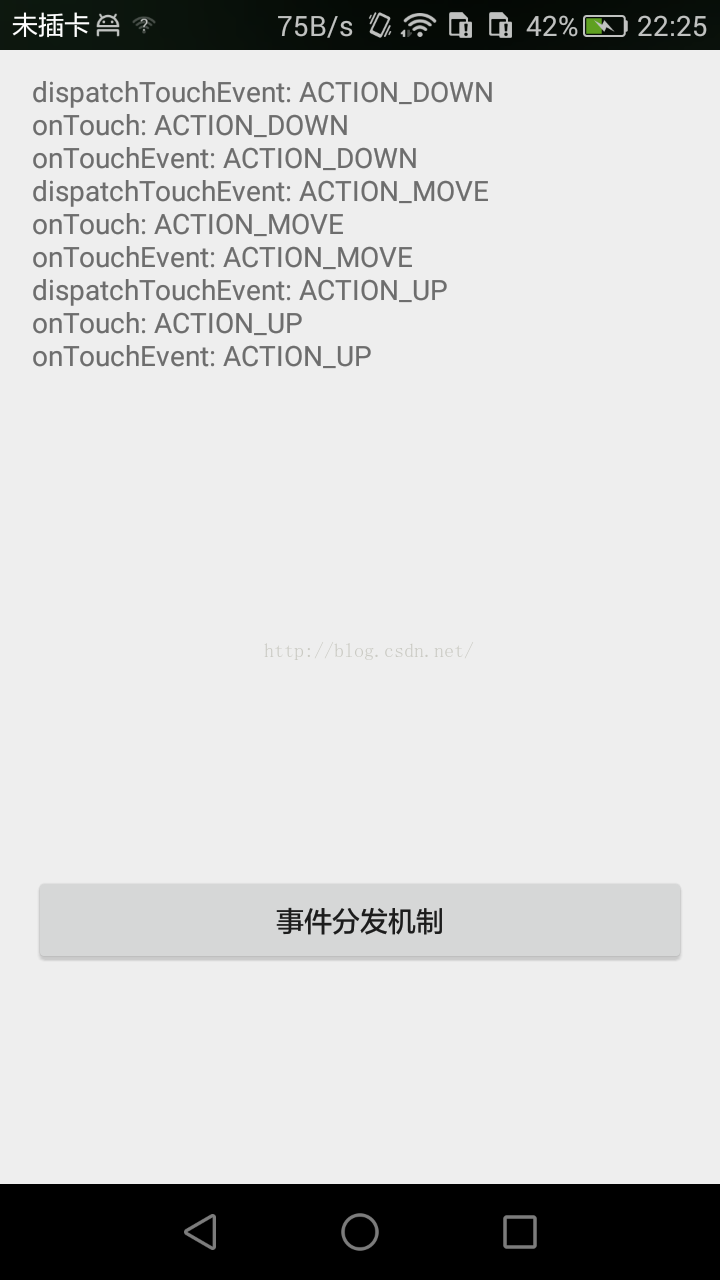 View 事件分發機制深度學習筆記
終於盼來一個空閒的週末。作為一個零基礎、非計算機專業、剛培訓七個月的小白,去啃博大精深的 Android 源碼實在有些力不從心,但東西總得學。於是我參考了 Hongyan
 Android 影片處理:擷取影片首幀並生成縮圖
從 API 8 開始,Android 提供了 android.media.ThumbnailUtils 這個類別,裡面有三個靜態方法:一個用來取得影片第一幀的 Bitma
 使用 ViewPager 實作圖片自動輪播
需求在 Android 中實作圖片自動輪播很常見。除了自行撰寫動畫,也可以使用 ViewPager 搭配 PagerAdapter 完成左右滑動與自動換頁。實作概念版面配
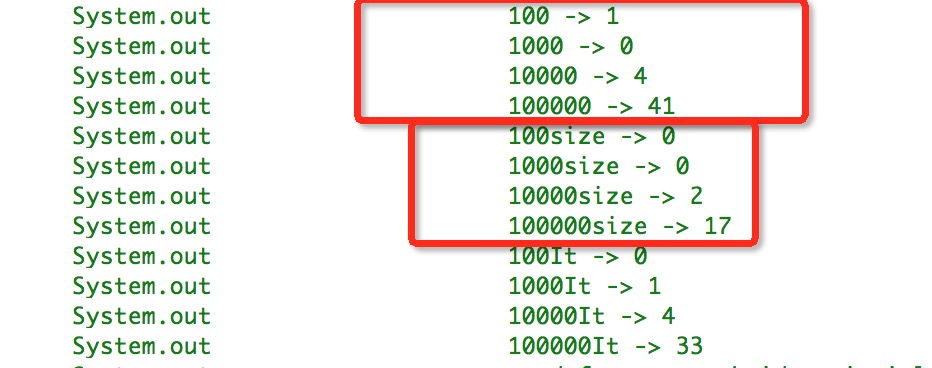 Android 中 List 循環遍歷效能對比:三種寫法的實測分析
在 Android 開發中,只要是列表風格的介面,幾乎都要用 List 來存放資料。當資料量很少時,任何一種循環遍歷方式的整體效能都看不出差別;但當資料量變大時,選對遍歷