

編輯:關於 Android 程式設計
在 Android 開發中,程式崩潰(crash)在所難免。當使用者隨意操作觸發了測試時未發現的 Bug 導致崩潰時,我們往往無法直接取得錯誤日誌,也就難以及時修復,這會嚴重影響使用者體驗。
為了解決這個問題,我們可以註冊一個全局異常捕獲機制:當程式崩潰時,把錯誤日誌記錄下來並上傳到伺服器,以便後續排查與修復。實現這一功能要依賴 Thread.UncaughtExceptionHandler 這個介面,它位於 Thread 中,只有一個方法 uncaughtException。當我們註冊它之後,程式一旦崩潰就會回呼該方法,並透過參數把崩潰資訊傳入。
package hi.xiaoyu.crashhandler; import java.io.File; import java.io.FileWriter; import java.io.IOException; import java.lang.Thread.UncaughtExceptionHandler; import java.util.Date; import android.content.Context; import android.os.Environment; import android.util.Log; public class CrashHandler implements UncaughtExceptionHandler { private static CrashHandler instance; public static CrashHandler getInstance() { if (instance == null) { instance = new CrashHandler(); } return instance; } public void init(Context ctx) { Thread.setDefaultUncaughtExceptionHandler(this); } /** * 核心方法,當程序crash 會回調此方法, Throwable中存放這錯誤日志 */ @Override public void uncaughtException(Thread arg0, Throwable arg1) { String logPath; if (Environment.getExternalStorageState().equals( Environment.MEDIA_MOUNTED)) { logPath = Environment.getExternalStorageDirectory() .getAbsolutePath() + File.separator + File.separator + "log"; File file = new File(logPath); if (!file.exists()) { file.mkdirs(); } try { FileWriter fw = new FileWriter(logPath + File.separator + "errorlog.log", true); fw.write(new Date() + "\n"); // 錯誤信息 // 這裡還可以加上當前的系統版本,機型型號 等等信息 StackTraceElement[] stackTrace = arg1.getStackTrace(); fw.write(arg1.getMessage() + "\n"); for (int i = 0; i < stackTrace.length; i++) { fw.write("file:" + stackTrace[i].getFileName() + " class:" + stackTrace[i].getClassName() + " method:" + stackTrace[i].getMethodName() + " line:" + stackTrace[i].getLineNumber() + "\n"); } fw.write("\n"); fw.close(); // 上傳錯誤信息到服務器 // uploadToServer(); } catch (IOException e) { Log.e("crash handler", "load file failed...", e.getCause()); } } arg1.printStackTrace(); android.os.Process.killProcess(android.os.Process.myPid()); } }
完成後,只要在 Activity 或 Application 中註冊一下即可:
CrashHandler crashHandler = CrashHandler.getInstance(); crashHandler.init(getApplicationContext());
如此一來,就實現了 Android 全局異常的捕獲與處理。實現過程並不複雜,卻能極大提升線上問題的可維護性,希望對大家學習 Android 軟體編程有所幫助。
 Android 仿微信:ViewPager 搭配頂部與底部菜單欄
本文實作一個仿微信風格的主介面:上方標題欄、中間可左右滑動的 ViewPager、下方四個 Tab 按鈕。用 ViewPager 承載內容,每一頁對應一個 XML;手指左
 徹底搞懂 Android Intent Filter 的匹配機制
Intent 是什麼 在 Android 的世界裡,Intent 扮演著應用彼此溝通、協作的核心角色。你可以把它理解成一張「任務派工單」:它描述了這次操作要做什麼(動作)
 Android Studio 進階 Debug 技巧:那些少有人用的好用功能
斷點跟蹤是開發過程中定位 Bug 的核心手段。不同 IDE 的 Debug 工具介面各異,但該有的能力其實都在。問題在於,多數人的 Debug 功力停留在「單步執行」和「
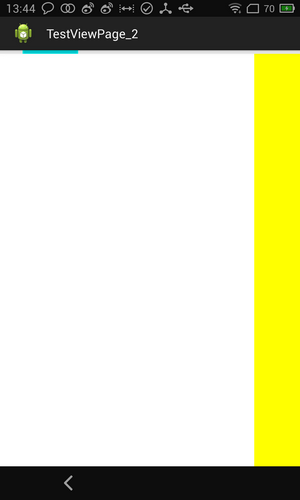 Android 手寫滑動指示條與 ViewPager 搭配 Fragment 實作
一、自己動手做滑動指示條 先看成果: 1、XML 佈局 <LinearLayout xmlns:android=https://schemas.android.c