

編輯:關於 Android 程式設計
Android 系統本身沒有內建 RAR 解壓縮能力,實務上的做法是把檔案丟給專門的第三方應用處理。這裡以 RAR for Android(com.rarlab.rar)為例。
private void open(String fileString) {
    Intent intent = new Intent();
    intent.setClassName("com.rarlab.rar", "com.rarlab.rar.MainActivity");
    File file = new File(fileString);
    Uri data = Uri.fromFile(file);
    intent.setData(data);
    try {
        startActivity(intent);
    } catch (ActivityNotFoundException e) {
        try {
            Uri uri = Uri.parse("market://search?q=" + "rar");
            Intent it = new Intent(Intent.ACTION_VIEW, uri);
            startActivity(it);
        } catch (ActivityNotFoundException e2) {
            Log.i(TAG, "market no found");
        }
    }
}
程式碼做了三件事,並以兩層 try-catch 建立降級鏈:
setClassName() 明確指定目標應用的套件名與 Activity 類名,直接呼叫 RAR 應用這是最關鍵的問題。從 Android 7.0(API 24) 起,把 file:// 形式的 Uri 傳給其他應用會直接拋出 FileUriExposedException,程式當場崩潰。正確做法是改用 FileProvider:
// AndroidManifest.xml 中宣告
<provider
    android:name="androidx.core.content.FileProvider"
    android:authorities="${applicationId}.fileprovider"
    android:exported="false"
    android:grantUriPermissions="true">
    <meta-data
        android:name="android.support.FILE_PROVIDER_PATHS"
        android:resource="@xml/file_paths" />
</provider>

// res/xml/file_paths.xml
<paths xmlns:android="https://schemas.android.com/apk/res/android">
    <external-path name="downloads" path="Download/" />
</paths>

// 程式碼
File file = new File(fileString);
Uri uri = FileProvider.getUriForFile(
        context, context.getPackageName() + ".fileprovider", file);
intent.setDataAndType(uri, "application/vnd.android.package-archive");
intent.addFlags(Intent.FLAG_GRANT_READ_URI_PERMISSION);
market:// 是 Google Play 的專屬 scheme。在中國大陸的裝置、Amazon Fire 系列、或沒有安裝任何應用市場的裝置上,這個 scheme 沒有對應的處理者,所以第二層 catch 是必要的。更穩健的寫法是改用 https://play.google.com/store/apps/details?id=com.rarlab.rar 這種網址,至少瀏覽器能開啟。
寫死 com.rarlab.rar/com.rarlab.rar.MainActivity 意味著:一旦對方 App 改了套件名或 Activity 名稱,你的功能就靜默失效。更健壮的作法是改用隱式 Intent,讓系統挑選能處理該 MIME 類型的應用:
private void openArchive(File file) {
    Uri uri = FileProvider.getUriForFile(
            this, getPackageName() + ".fileprovider", file);
    Intent intent = new Intent(Intent.ACTION_VIEW);
    intent.setDataAndType(uri, "application/x-rar-compressed");
    intent.addFlags(Intent.FLAG_GRANT_READ_URI_PERMISSION);

    if (intent.resolveActivity(getPackageManager()) != null) {
        startActivity(intent);
    } else {
        // 引導使用者安裝解壓縮應用,或直接實作內建解壓
        Toast.makeText(this, "未安裝可開啟 RAR 的應用", Toast.LENGTH_LONG).show();
    }
}
用 resolveActivity() 先確認有沒有可處理的應用,比用 try-catch 捕捉例外更直觀,也能避免部分 ROM 上不拋例外卻無動靜的情況。
如果不希望依賴第三方 App,可以引入 junrar 函式庫在應用內直接解壓:
// build.gradle
implementation 'com.github.junrar:junrar:7.5.2'

// 解壓
Archive archive = new Archive(new File(path));
try {
    for (FileHeader fh : archive) {
        if (!fh.isDirectory()) {
            FileOutputStream fos = new FileOutputStream(targetDir + fh.getFileNameString());
            archive.extractFile(fh, fos);
            fos.close();
        }
    }
} finally {
    archive.close();
}
這樣做的好處是不需要使用者安裝額外應用、流程不中斷;缺點是增加 APK 體積,且需注意解壓路徑穿越(zip slip)攻擊——務必檢查每個條目的目標路徑是否仍在預期目錄內。
zip  → application/zip
rar  → application/x-rar-compressed
7z   → application/x-7z-compressed
tar  → application/x-tar
gz   → application/gzip
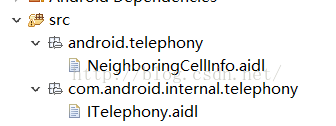 Android 來電攔截實戰:反射 + AIDL + 內容觀察者實現黑名單
當我們想要屏蔽一些莫名的陌生號碼時,就需要具備來電攔截與通話記錄刪除的能力。攔截的核心業務邏輯主要在一個後台服務中完成,包括兩部分:一是註冊電話監聽,二是取消註冊監聽(這
 Android SharedPreferences 儲存應用程式資料入門
SharedPreferences 適合保存什麼 應用程式常需要保存少量輕量資料,例如音量設定、播放進度、使用者偏好或簡單狀態。SharedPreferences 會以
 Android ListView 的 item 點擊無響應的解決方法
如果 ListView 的 listitem 裡面包含 button 或 checkbox 等控件,默認情況下 listitem 會失去焦點,從而導致無法響應 item
 Android Lollipop SDK 更新不了?用鏡像代理加速 SDK Manager
不少朋友聽說 Lollipop(Android 5.0)出來了想試用,結果從官網下載的 Android Studio 附帶的卻是 API 20 版本,在 SDK Mana