

編輯:關於 Android 程式設計
在使用 TableLayout 構建表格樣式的數據列表時,經常會遇到「重新加載數據」的場景。這時候,必須先把已有的子行清空,再重新填充,否則就會出現數據重複堆疊的問題。
這裡有一個關鍵細節:在移除子元素時,一定要「從後往前」刪除,這樣才能避免索引錯位導致的異常。下面這段代碼演示了如何實現數據列表的回顯與清空。
復制代碼 代碼如下:
//數據列表的回顯
public void shujuList(){
List<Customer> customerList = dao.findALL();
TableLayout tl = (TableLayout) findViewById(R.id.tlLayout);
Log.i(">>>", String.valueOf(tl.getChildCount()));
int j = tl.getChildCount();
if(j>1){
/*for(int i=0;i<j;i++){
tl.removeView(tl.getChildAt(j-i));//必須從後面減去子元素
}*/
for(int i=j;i>0;i--){
tl.removeView(tl.getChildAt(i));//必須從後面減去子元素
}
}
TableRow row = null;
for(Customer c : customerList){
row = new TableRow(this);
//id
TextView tvId = new TextView(this);
tvId.setText(c.id + "");
row.addView(tvId);
//name
TextView tvName = new TextView(this);
tvName.setText(c.name);
row.addView(tvName);
//age
TextView tvAge = new TextView(this);
tvAge.setText(c.teleNumber + "");
row.addView(tvAge);
tl.addView(row);
}
}
整段邏輯可以拆成兩部分:先遍歷並移除現有的 TableRow,再透過查詢到的數據集合逐條構建新的行並添加進 TableLayout。這樣就能實現列表的即時刷新與回顯。
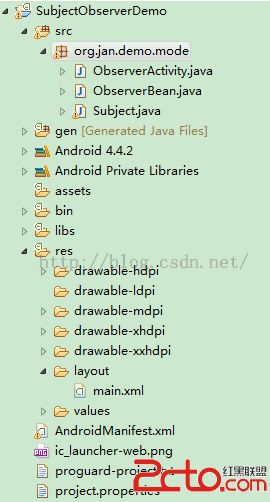 [Android & Java] 設計模式筆記:觀察者模式
觀察者,就像一個人對很多事物都感興趣——音樂、電子產品、遊戲、股票等等,這些事物的任何變化都能引起愛好者的注意並時刻關注。在程式碼中,我們也可以用同樣的思路來設計一些有趣
 Android 自訂 RatingBar:自由控制星星大小、間距與半星
做商家評分、商品好評度這類功能時,你一定會遇到系統內建的 RatingBar——它最大的問題是星星間距與尺寸幾乎無法調整,只能拿小小的預設圖去硬湊,設計稿永遠對不上。所以
 Android 自定義 SmoothCheckBox:用屬性動畫畫出流暢的勾選效果
GIF 的幀率有限,真機上看會更順。核心思路是用屬性動畫驅動「底色填充」和「對勾繪製」兩個過程,讓勾一筆一筆畫出來。 第一步:定義自定義屬性 <?xml vers
 自訂控制項實作:仿卡片堆疊點擊置頂的滑動效果
先看看要模仿的對象是什麼樣子: 行為規則其實只有一條:只有最頂端那張卡片會響應點擊事件。若點到的不是最頂端,就先把被點的卡片移到最前面,再播放移動動畫。技術難點在於子