

編輯:關於 Android 程式設計
在 Android 中,LayoutInflater 的作用有點類似於 Activity 的 findViewById(id),但兩者截然不同:LayoutInflater 是用來「找」並「實例化」一個 layout 下的 XML 佈局檔,而 findViewById 則是從既有佈局中「找」出具體的 widget 控制項(如 Button、TextView)。本文透過一個「點擊彈出自訂 Dialog」的例子來說明。
在 res/layout 下新增一個描述 Dialog 內容的佈局檔:
<LinearLayout xmlns:android="https://schemas.android.com/apk/res/android"
    android:layout_width="match_parent"
    android:layout_height="match_parent"
    android:orientation="horizontal" >
    <ImageView
        android:id="@+id/diaimage"
        android:layout_width="wrap_content"
        android:layout_height="fill_parent" >
    </ImageView>
    <TextView
        android:id="@+id/diatv"
        android:layout_width="wrap_content"
        android:layout_height="fill_parent" />
</LinearLayout><Button
android:id="@+id/btnshowdialog"
android:layout_width="wrap_content"
android:layout_height="wrap_content"
android:text="Show Dialog" />透過 getLayoutInflater().inflate() 把 XML 佈局實例化成 View 物件,再將它設定為 Dialog 的內容:
Button showdialog = (Button) findViewById(R.id.btnshowdialog);
showdialog.setOnClickListener(new OnClickListener() {
    @Override
    public void onClick(View v) {
        AlertDialog.Builder builder = new AlertDialog.Builder(MainActivity.this);
        LayoutInflater inflater = getLayoutInflater();
        View layout = inflater.inflate(R.layout.dialog, null); // 把 XML 實例化為 View

        TextView diatv = (TextView) layout.findViewById(R.id.diatv);
        diatv.setText("Welcome to LayoutInflater study");
        ImageView image = (ImageView) layout.findViewById(R.id.diaimage);
        image.setImageResource(R.drawable.ic_launcher);

        builder.setView(layout); // 重點:將對話框內容設為這個 View
        AlertDialog dialog = builder.create();
        dialog.show();
    }
});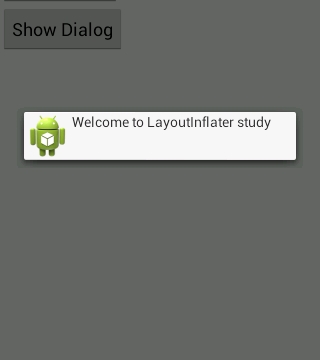
點擊按鈕後,便會彈出一個內容為自訂佈局的 Dialog。透過這個範例,你已掌握 LayoutInflater 的核心用法:把靜態的 XML 佈局動態地「充氣」成可用的 View 物件。
 Android 動畫知識要點整理(12):幀動畫、視圖動畫與屬性動畫全解
動畫的分類 Android 的動畫體系可以分成三大類:幀動畫、視圖動畫(也叫補間動畫)和屬性動畫。前兩者常被合稱為補間動畫,而屬性動畫從 Android 3.0(API
 Android 基於 Cordova 3.3 的插件開發入門
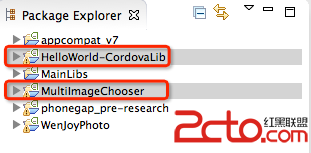
最近工作中的項目需要用 Cordova 進行插件開發。關於 Cordova 的作用這裡就不再贅述,感興趣的同學可自行搜索。本文直接進入正題,用一個小 Demo 一步步推進
 用 Fragment 打造底部 Tab 切換的音樂播放器界面
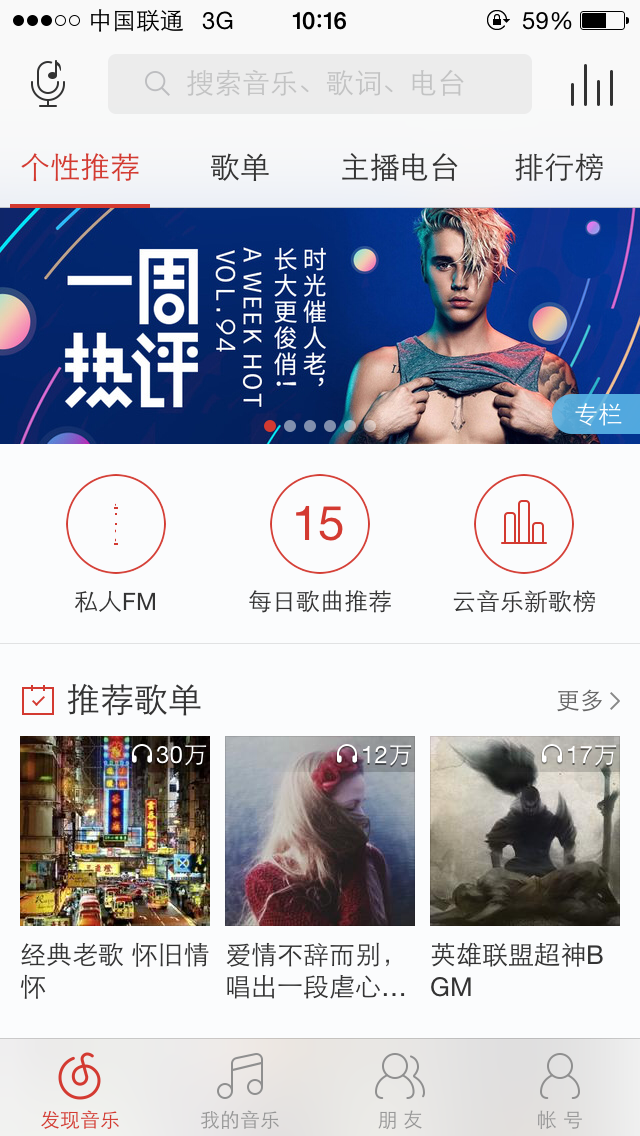
翻開現在的手機應用,你幾乎一定會遇到這樣一種設計:屏幕底部整齊地排列著一排 Tab 標籤,手指輕點其中任意一個,主區域的內容就隨之切換到對應的頁面。這正是音樂、社交、新聞
 玩轉二維碼:用 ZXing 實現生成、加 Logo 與掃描識別
二維碼也叫 QRCode,QR 是 quick response 的縮寫,即快速響應。從微信到各類支付、分享場景,二維碼幾乎無處不在。本文就來動手在自己的 App 裡集成