

編輯:關於 Android 程式設計
Android 中只有主線程能更新 UI,其他線程直接操作控制項是不被允許的。而 Android 本身是多線程系統,我們不可能把所有工作都塞進主線程——尤其是 IO、網絡這類耗時操作。一旦主線程被阻塞超過閾值,系統就會拋出 ANR(Application Not Responding) 異常。
為了解決這個問題,Android 提供了封裝好的 AsyncTask,讓異步邏輯與線程、Handler 的細節被簡化掉,適合輕量的後台處理。若需要管理多個並發後台任務,則應改用 Handler 或線程池方案。
AsyncTask 通常用於被繼承,定義時需指定三種泛型:
· Params:啟動任務時傳入的參數型別
· Progress:後台任務的執行百分比
· Result:任務完成後回傳的結果型別
· doInBackground(Params...):必須重寫。耗時任務寫在這裡,運行於子線程,不能操作 UI。可呼叫 publishProgress() 發布當前進度。
· onPreExecute():耗時操作開始前執行,適合做初始化。
· onPostExecute(Result):doInBackground 執行完畢後由主線程呼叫,可在這裡操作 UI。
· onProgressUpdate(Progress...):當 doInBackground 中呼叫 publishProgress() 後被觸發,用於刷新進度。
需要牢記的分工是:前三者依序在「準備 → 執行 → 完成」三個階段被呼叫,而 onProgressUpdate 是在執行階段被多次回調的旁路。
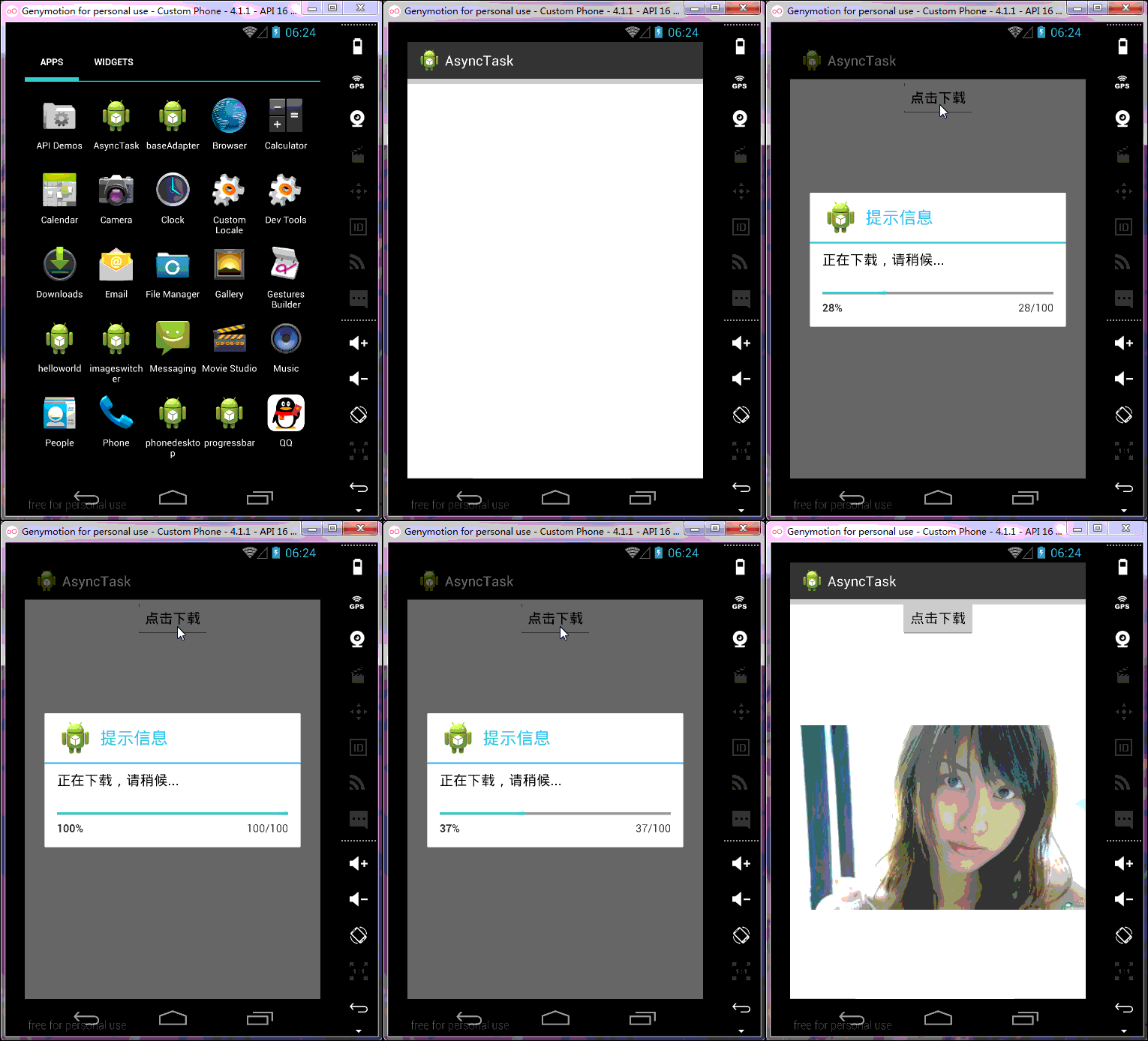
<LinearLayout xmlns:android="https://schemas.android.com/apk/res/android"
    android:layout_width="match_parent"
    android:layout_height="match_parent"
    android:orientation="vertical">

    <Button
        android:id="@+id/btn_download"
        android:layout_width="wrap_content"
        android:layout_height="wrap_content"
        android:layout_gravity="center_horizontal"
        android:text="點擊下載" />

    <FrameLayout
        android:layout_width="fill_parent"
        android:layout_height="fill_parent">

        <ImageView
            android:id="@+id/iv_image"
            android:layout_width="fill_parent"
            android:layout_height="fill_parent"
            android:scaleType="fitCenter" />

    </FrameLayout>

</LinearLayout>package com.example.asynctask;
import java.io.ByteArrayOutputStream;
import java.io.IOException;
import java.io.InputStream;
import java.net.MalformedURLException;
import java.net.URLConnection;
import android.app.Activity;
import android.app.ProgressDialog;
import android.graphics.Bitmap;
import android.graphics.BitmapFactory;
import android.os.AsyncTask;
import android.os.Bundle;
import android.view.View;
import android.view.View.OnClickListener;
import android.widget.Button;
import android.widget.ImageView;
public class MainActivity extends Activity implements OnClickListener {
private ImageView image;
private ProgressDialog progress;
private Button btn_download;
private static String URL =
"https://img4.imgtn.bdimg.com/it/u=1256159061,743487979&fm=21&gp=0.jpg";
@Override
protected void onCreate(Bundle savedInstanceState) {
super.onCreate(savedInstanceState);
setContentView(R.layout.activity_main);
image = (ImageView) findViewById(R.id.iv_image);
btn_download = (Button) findViewById(R.id.btn_download);
progress = new ProgressDialog(this);
progress.setIcon(R.drawable.ic_launcher);
progress.setTitle("提示信息");
progress.setMessage("正在下載,請稍候...");
progress.setProgressStyle(ProgressDialog.STYLE_HORIZONTAL);
btn_download.setOnClickListener(this);
}
@Override
public void onClick(View v) {
new MyAsyncTask().execute(URL);
}
/**
* String —— 對應 URL 型別(Params)
* Integer —— 進度條的進度值(Progress)
* Bitmap —— 異步任務完成後的回傳型別(Result)
*/
class MyAsyncTask extends AsyncTask<String, Integer, Bitmap> {
// 在 doInBackground 之前執行,運行於 UI 線程
@Override
protected void onPreExecute() {
super.onPreExecute();
if (image != null) {
image.setVisibility(View.GONE);
}
progress.show();
progress.setProgress(0);
}
@Override
protected Bitmap doInBackground(String... params) {
// params 是可變長陣列,這裡只傳入一個 URL
String url = params[0];
Bitmap bitmap = null;
URLConnection connection;
InputStream is;
ByteArrayOutputStream bos; // 捕獲記憶體緩衝區資料並轉為位元組陣列
int len;
float count = 0, total; // count 已下載大小,total 總大小
try {
connection = new java.net.URL(url).openConnection();
total = (int) connection.getContentLength();
is = connection.getInputStream();
bos = new ByteArrayOutputStream();
byte[] data = new byte[1024];
while ((len = is.read(data)) != -1) {
count += len;
bos.write(data, 0, len);
// 發布進度,隨後觸發 onProgressUpdate
publishProgress((int) (count / total * 100));
// 為了讓進度條效果明顯,人為休眠
Thread.sleep(500);
}
bitmap = BitmapFactory.decodeByteArray(
bos.toByteArray(), 0, bos.toByteArray().length);
is.close();
bos.close();
} catch (MalformedURLException e) {
e.printStackTrace();
} catch (IOException e) {
e.printStackTrace();
} catch (InterruptedException e) {
e.printStackTrace();
}
return bitmap;
}
// 在 UI 線程執行,可操作 UI
@Override
protected void onPostExecute(Bitmap bitmap) {
super.onPostExecute(bitmap);
progress.cancel();
image.setImageBitmap(bitmap);
image.setVisibility(View.VISIBLE);
}
// doInBackground 中呼叫 publishProgress 後觸發,用於更新進度條
@Override
protected void onProgressUpdate(Integer... values) {
super.onProgressUpdate(values);
progress.setProgress(values[0]);
}
}
}最後別忘了在 AndroidManifest.xml 中加上網絡權限,否則會直接拋 NetWorkOnMainThreadException 或連線失敗:
<uses-permission android:name="android.permission.INTERNET" />補充一點實務經驗:Thread.sleep(500) 在範例中只是為了讓進度條便於觀察,正式專案中應移除。另外 AsyncTask 在 API 30 已被標記為廢棄,新專案建議改用 Kotlin 協程或 java.util.concurrent 搭配 LiveData;但理解它的三階段回調模型,仍有助於讀懂大量存量代碼。
 Android 程式開發入門:手把手打造你的第一個 Hello World
建立一個新專案其實很簡單,只要安裝好 Eclipse 插件,並確認你的 Eclipse 版本在 3.2 或 3.3 以上,就可以開始開發了。 首先,我們從宏觀角度來看看建
 Android 百日程序:Fragment 動態管理與生命週期
之前寫過 Fragment 的使用,Fragment 可以靜態聲明,也可以在運行時動態載入。這一章進一步看看如何動態更換 Fragment,以及 Fragment 生命週
 Android XML 實作四種 Tween 動畫效果完整範例
Android 的動畫(animation)共有四種類型,分別是 alpha(透明度漸變)、rotate(旋轉)、scale(尺寸伸縮)與 translate(位移移動)
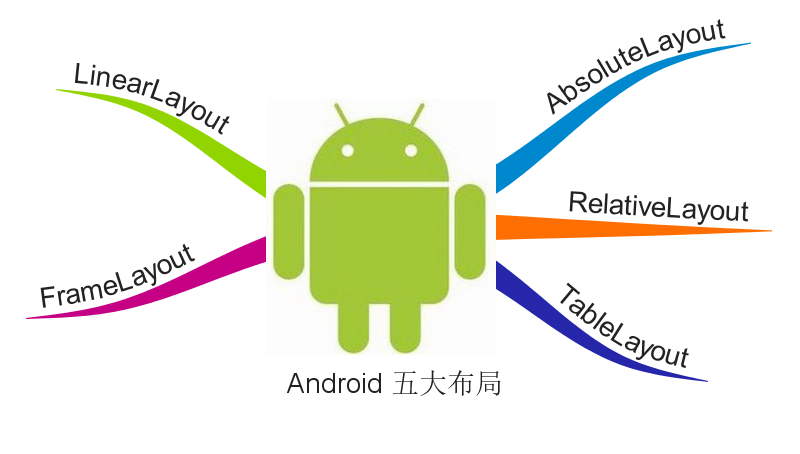 Android 五大布局完整解析:LinearLayout、FrameLayout、RelativeLayout 等應用
Android 的版面配置由多種 Layout 組成,不同布局適合不同介面結構。常見的有 LinearLayout、FrameLayout、RelativeLayout、