

編輯:關於 Android 程式設計
Android Support Library 在 23.3.0 這個版本中修復了 Support v4、AppCompat、RecyclerView、MediaRouter、Design Support Library 以及 v7 Preference 的一批問題,同時在 Support V4 包裡悄悄加入了一個新 API:AppLaunchChecker。
顧名思義,這個類用來查詢「App 過去是否已經被啟動過」。其中 hasStartedFromLauncher() 方法可以判斷當前的啟動是否來自 home screen(桌面圖標)。
在啟動 Activity 的 onCreate() 中調用一次靜態方法:
@Override
protected void onCreate(Bundle savedInstanceState) {
    super.onCreate(savedInstanceState);
    setContentView(R.layout.activity_main);
    AppLaunchChecker.onActivityCreate(this);
}
之後在任何需要判斷的地方查詢結果:
@Override
protected void onResume() {
    super.onResume();
    if (AppLaunchChecker.hasStartedFromLauncher(this)) {
        Toast.makeText(this, "it's started from launcher", Toast.LENGTH_SHORT).show();
    } else {
        Toast.makeText(this, "it's not started from launcher", Toast.LENGTH_SHORT).show();
    }
}用戶打開 App 通常有兩條路徑:一是點擊桌面上的圖標,二是從網頁、其他應用或通知欄等外部入口被喚起。很多產品會針對這兩種場景做不同處理——比如從外部入口進入時展示活動頁或做引導,而從桌面進入則直接進首頁。這時就需要一個可靠的判斷依據。
package android.support.v4.app;

public class AppLaunchChecker {
    private static final String SHARED_PREFS_NAME = "android.support.AppLaunchChecker";
    private static final String KEY_STARTED_FROM_LAUNCHER = "startedFromLauncher";

    public static boolean hasStartedFromLauncher(Context context) {
        return context.getSharedPreferences(SHARED_PREFS_NAME, 0)
                .getBoolean(KEY_STARTED_FROM_LAUNCHER, false);
    }

    public static void onActivityCreate(Activity activity) {
        final SharedPreferences sp = activity.getSharedPreferences(SHARED_PREFS_NAME, 0);
        if (sp.getBoolean(KEY_STARTED_FROM_LAUNCHER, false)) {
            return;
        }
        final Intent launchIntent = activity.getIntent();
        if (launchIntent == null) {
            return;
        }
        if (Intent.ACTION_MAIN.equals(launchIntent.getAction())
                && (launchIntent.hasCategory(Intent.CATEGORY_LAUNCHER)
                    || launchIntent.hasCategory(IntentCompat.CATEGORY_LEANBACK_LAUNCHER))) {
            SharedPreferencesCompat.EditorCompat.getInstance().apply(
                    sp.edit().putBoolean(KEY_STARTED_FROM_LAUNCHER, true));
        }
    }
}邏輯一目了然:onActivityCreate() 判斷 Intent 的 action 與 category 是否匹配桌面啟動的特徵,若匹配就往 SharedPreferences 裡寫入一個 true;之後 hasStartedFromLauncher() 只是把這個布爾值讀出來。
仔細看會發現:一旦某次寫入了 true,此後每次 hasStartedFromLauncher() 都會返回 true——因為代碼從來不會把「不是從桌面啟動」的 false 寫進 SharedPreferences。也就是說這個 API 語義上更接近「自安裝以來是否曾經從桌面啟動過」,而不是「本次是否從桌面啟動」。個人認為這個設計不太合理(當然,也可能該類的設計初衷並非如此)。
筆者改寫了這個工具類,讓它能正確反映「本次啟動來源」。類名、方法名與調用方式保持不變:
public class AppLaunchChecker {
    private static final String SHARED_PREFS_NAME = "android.support.AppLaunchChecker";
    private static final String KEY_STARTED_FROM_LAUNCHER = "startedFromLauncher";

    public static boolean hasStartedFromLauncher(Context context) {
        return context.getSharedPreferences(SHARED_PREFS_NAME, 0)
                .getBoolean(KEY_STARTED_FROM_LAUNCHER, false);
    }

    public static void onActivityCreate(Activity activity) {
        final SharedPreferences sp = activity.getSharedPreferences(SHARED_PREFS_NAME, 0);
        final Intent launchIntent = activity.getIntent();
        if (launchIntent == null) {
            return;
        }
        if (Intent.ACTION_MAIN.equals(launchIntent.getAction())
                && (launchIntent.hasCategory(Intent.CATEGORY_LAUNCHER)
                    || launchIntent.hasCategory(IntentCompat.CATEGORY_LEANBACK_LAUNCHER))) {
            SharedPreferencesCompat.EditorCompat.getInstance().apply(
                    sp.edit().putBoolean(KEY_STARTED_FROM_LAUNCHER, true));
        } else {
            SharedPreferencesCompat.EditorCompat.getInstance().apply(
                    sp.edit().putBoolean(KEY_STARTED_FROM_LAUNCHER, false));
        }
    }
}
關鍵就是補上 else 分支:非桌面啟動時顯式寫入 false,同時去掉了「已為 true 就直接返回」的短路邏輯。使用方式與官方完全一致,so easy~
博文到此結束,感謝大家支持!
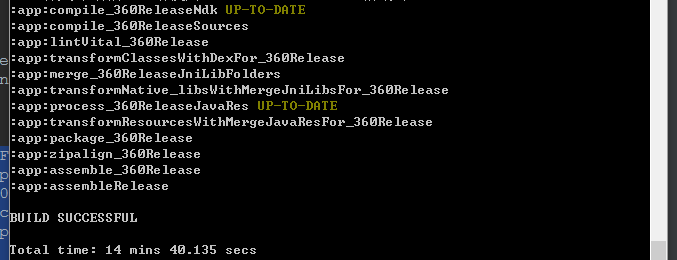 Android Studio 多渠道批量打包與代碼混淆實踐
一、批量打包 1. 專案已整合友盟統計,並在 AndroidManifest.xml 中加入: <meta-data android:name=UMENG_CHA
 解決 ZXing 改成直向掃描後預覽畫面被拉伸扭曲的問題
把 ZXing 的掃描介面從橫屏改為豎屏之後,畫面能正常掃碼,但相機預覽卻被明顯拉伸變形。原因並不難理解:相機的預覽尺寸通常是 480×320 這類橫向比例,而螢幕此時已
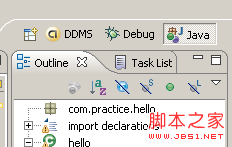 Android 除錯利器 DDMS 完全解析:從截圖到模擬來電
DDMS 在 IDE 與模擬器/真機之間搭起一座橋。透過它,開發者可以查看目標機器上的程序與執行緒狀態、把 Android 螢幕擷取到開發機、檢視 heap 與記憶體配置
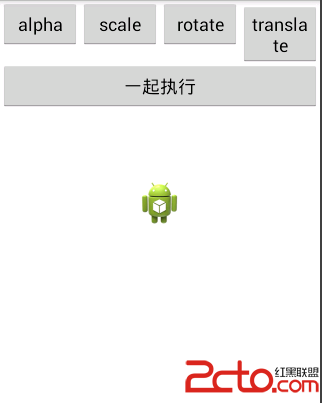 Android 動畫完全指南:補間、幀動畫與屬性動畫
動畫總覽 Android 中的動畫主要分為三大類:補間動畫(Tween Animation)、幀動畫(Frame Animation)與屬性動畫(Property Ani