

編輯:關於 Android 程式設計
替 Layout 加入動畫,第一種常見做法是使用 LayoutAnimationController。它會針對容器內的子元件逐一套用動畫,適合製作清單進場、按鈕依序出現等效果。
實作時,可先建立一個 ScaleAnimation 或 TranslateAnimation,設定 duration,再用它建立 LayoutAnimationController,最後呼叫 layout.setLayoutAnimation(controller)。若要控制子元件出現順序,可設定 ORDER_NORMAL、ORDER_REVERSE 等模式。
第二種方式是直接對 Layout 呼叫 startAnimation()。這類動畫會套用在整個容器上,而不是逐一處理子元件。適合需要整塊 view 淡入、縮放或位移的情境。
兩種方式的差異在於:LayoutAnimationController 更適合控制群組元件的進場節奏;直接 startAnimation 則更適合單一容器效果。實際開發時,可依照介面需求選擇。
 Android Design 實作筆記(十):FloatingActionButton 與 CollapsingToolbarLayout 的對比
本篇延續上一回的 CoordinatorLayout 實驗,把 FloatingActionButton 與 ImageButton 放在一起做直觀對比,同時加進一個 C
 Android 開發入門必備:Log 日誌全解析(Log.v / Log.d / Log.i / Log.w / Log.e)
在不少 Android 學習社群裡,總有人好奇 Log 到底該怎麼用。今天我把網路上與 SDK 文件裡整理出來的心得一次分享給大家,希望對剛入門的朋友有實質的幫助。 an
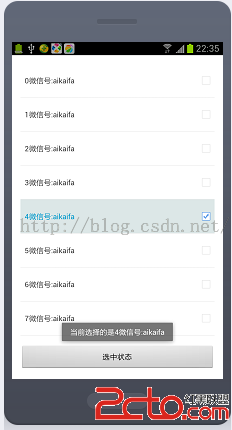 五分鐘學會 ListView 的單選與多選:用 Choice 模式取代一堆 if
做過 ListView 單選的人大概都有類似經驗:在 Adapter 裡自己開一個 selectPosition 變數記住目前選中項,需求確實能滿足。可是產品一轉身又要求
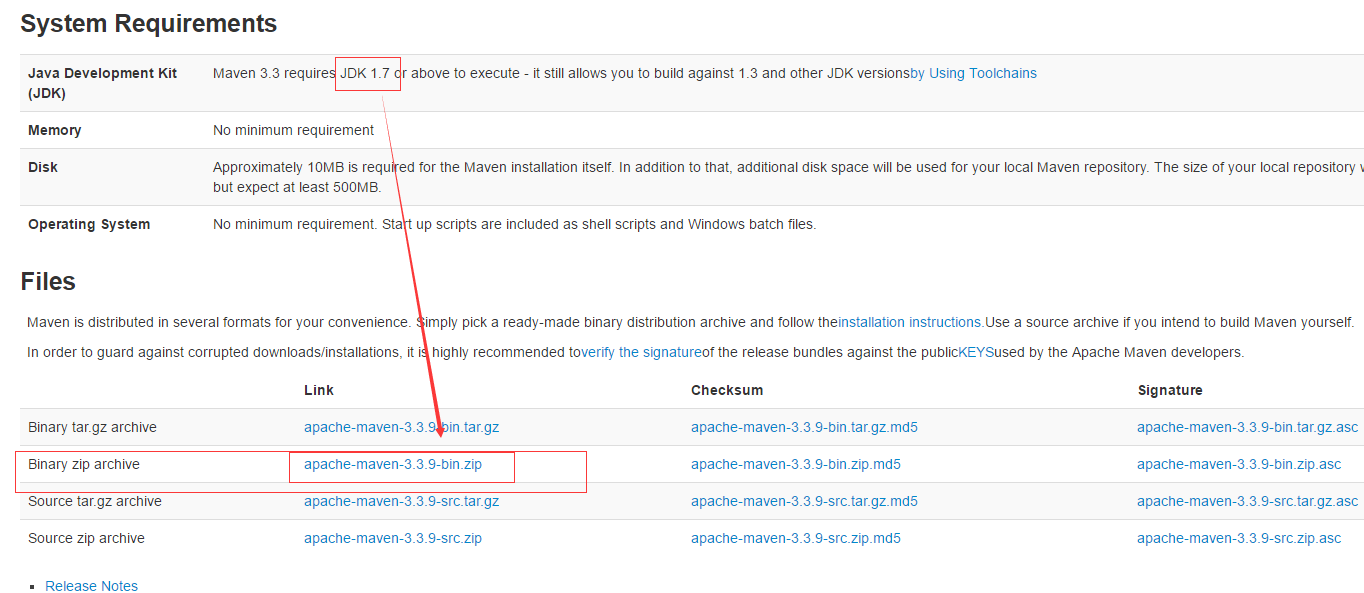 Maven 入門與 Nexus 私服搭建完整記錄
緣起 用 Android Studio 構建項目時,build.gradle 偶爾慢得讓人抓狂,這只是次要因素。真正的推力來自團隊發展的考量:leader 建議搭建 Ma